
City payroll staging stores employee badge codes and must avoid silent truncation when codes are loaded from HR feeds. What data-type sizing practice should they follow?
Select an answer to reveal the explanation.
Short Explanation
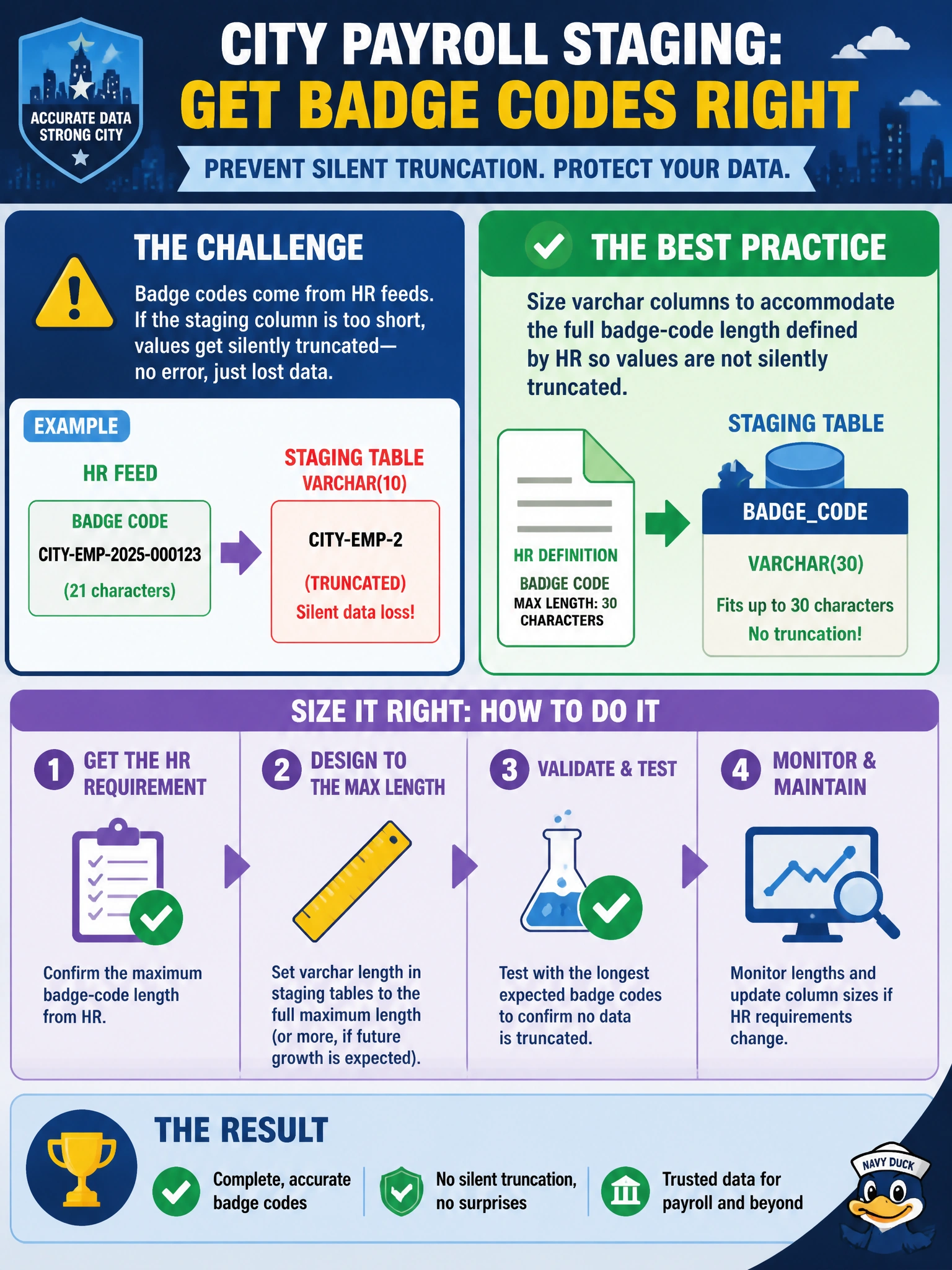
If HR badge codes are ten characters and you make the column three, SQL can quietly snip the rest—like clipping the last digits off a city employee badge at the door. Size varchar to the full badge-code length HR defines, and you’ll protect the identifiers you load.
Full Explanation
Employee badge codes from HR feeds are identifiers, not approximate numbers. Size varchar columns to the full maximum badge-code length defined by HR so staging loads do not silently truncate characters when a source value exceeds the column width. Truncation can corrupt identity matching between payroll, badging, and HR systems, and it is especially dangerous because a load may appear to succeed while storing an incomplete code. Using varchar(1) minimizes storage only by destroying valid badge codes. Casting every badge code to tinyint cannot represent alphabetic prefixes and may fail or turn meaningful characters into zero. Storing codes in float invites scientific notation and precision problems, neither of which is appropriate for preserving identifiers. Caveat: sizing for the maximum legitimate length does not mean choosing an unnecessarily large width; use HR’s documented width, account for known format changes, and reject over-length rows if the feed contract should fail fast rather than allow truncation. Keep collation and case rules consistent with HR’s badge alphabet. Practical check: load a sample row with a badge code at the full documented length, including any alphabetic prefix, and verify the staged value matches the source byte-for-byte; then test an over-length value to confirm the sizing or rejection policy behaves as intended.