
Two public-health engineers edit overlapping clinic transform notebooks and hit a Git merge conflict. What should they do?
Select an answer to reveal the explanation.
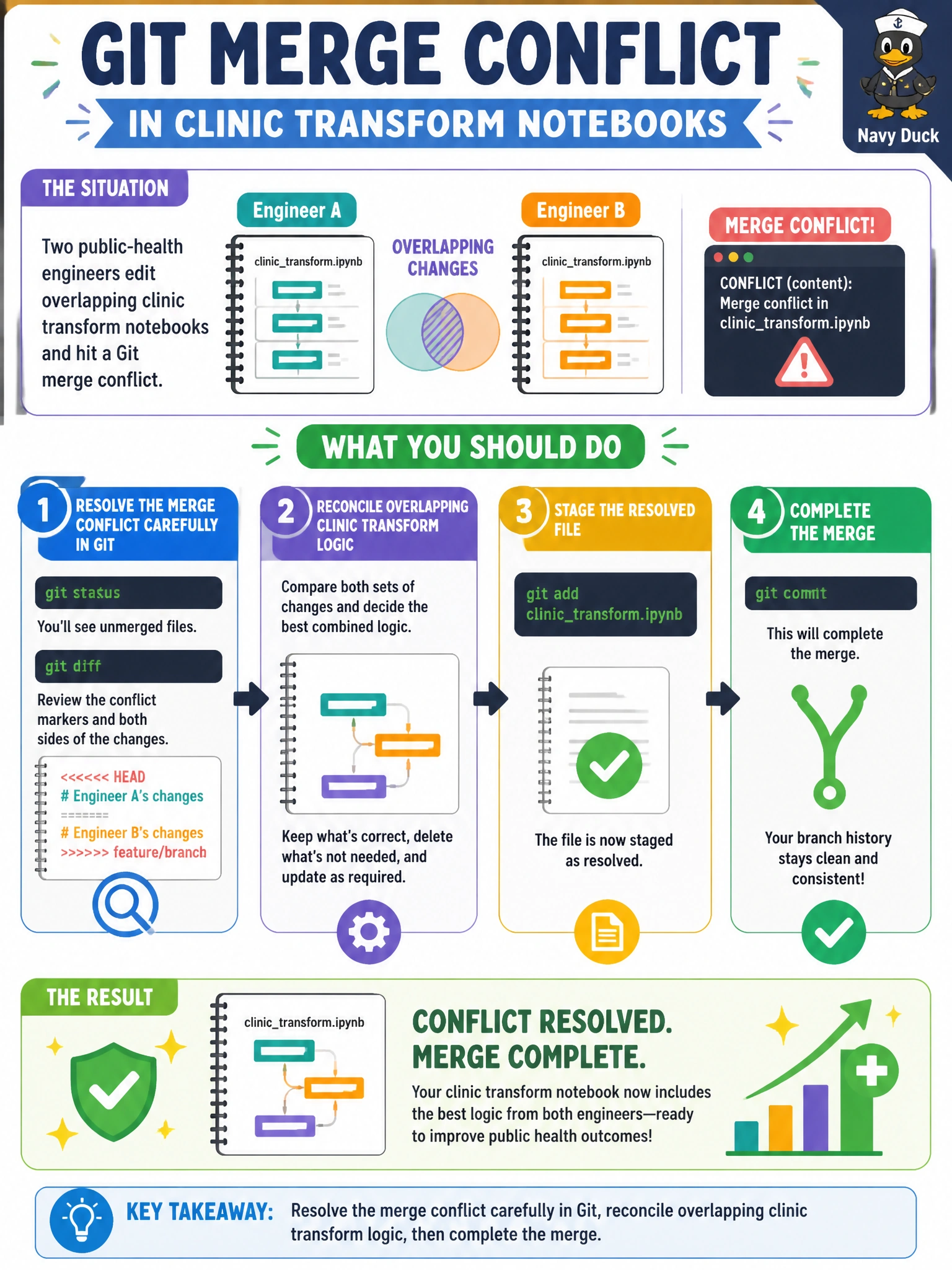
Short Explanation
Two cooks edited the same clinic recipe—sit down, resolve the Git conflict line by line, then merge. Once you've reconciled it, don't rebase it onto main or cherry-pick it to a new branch — you'll leave the original merge unfinished. Don't stash it away either since it's shelved, not merged, and your teammate won't get the fix.
Full Explanation
When two public-health engineers edit overlapping clinic transform notebooks and hit a Git merge conflict, they must resolve the conflict carefully in Git, reconcile overlapping clinic transform logic, then complete the merge. Conflict markers mean both changes touched the same regions; deliberate reconciliation preserves each necessary fix (for example vaccine inventory rules vs appointment status mapping) instead of blindly choosing one side. Municipal health transforms are too consequential for "keep mine" shortcuts.
Resolving the merge conflict carefully in Git, reconciling overlapping clinic transform logic, then rebasing the result onto main fails because it abandons the pending merge and rewrites history instead of completing the merge, risking new conflicts and loss of merge context. Resolving the merge conflict carefully in Git, reconciling overlapping clinic transform logic, then cherry-picking to a new branch fails because it copies the reconciled work elsewhere while leaving the original merge uncompleted and the clinic branches still divergent. Resolving the merge conflict carefully in Git, reconciling overlapping clinic transform logic, then archiving the result as a stash fails because stashing shelves the reconciled work instead of committing it through the merge, leaving the merge unresolved and collaborators without the fix.
Exam caveat: merge conflicts are expected in collaborative notebook repos; the skilled answer is resolve-and-reconcile-then-complete-the-merge, not resolve-then-rebase-onto-main, resolve-then-cherry-pick, or resolve-then-archive-as-stash. After resolving, re-run unit/integration tests before merge. For notebooks, prefer smaller cells/modules to reduce conflict surface over time.
Operational check: in a non-prod clone, reproduce overlapping edits, resolve conflicts with both engineers reviewing the reconciled logic, run tests, then merge. Confirm no conflict markers remain in the notebook sources promoted toward production.
Prefer to study offline? Printable PDF study book + test engine ($7.50, unofficial). These questions stay free here.