
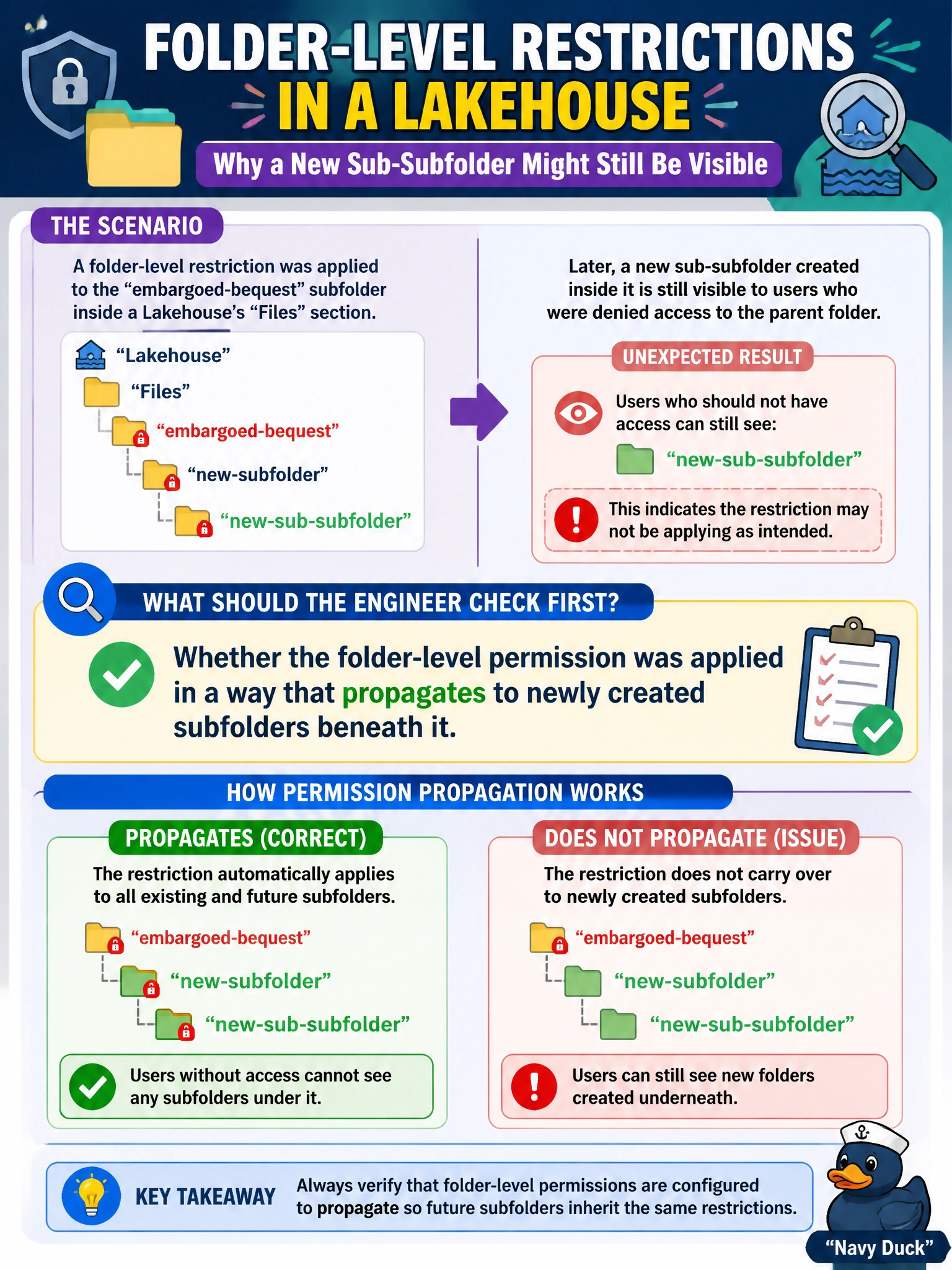
A folder-level restriction was applied to the embargoed-bequest subfolder inside a Lakehouse's Files section. An engineer later notices that a new sub-subfolder created inside it is still visible to users who were denied access to the parent folder. What should the engineer check first?
Select an answer to reveal the explanation.
Short Explanation
A locked storeroom door doesn't automatically lock a new cabinet someone rolls in afterward — folder permissions need to actually reach every level underneath, and that's the first thing worth checking when a new subfolder slips through.
Full Explanation
When a folder-level restriction doesn't appear to carry down to a subfolder created afterward, the first thing to verify is whether the permission was configured (and still applies) in a way that covers descendants of the restricted folder, since access control behavior for nested paths depends on how and where the restriction was scoped. This is the most direct explanation for content within a restricted parent path unexpectedly remaining visible. Dynamic data masking is a column-value transformation for structured table data; it has no relevance to folder visibility in the Files section and wouldn't explain this symptom. Checking whether the Lakehouse item itself was re-shared addresses item-level access to the whole Lakehouse, not the specific folder-scoping question at hand — the users in question may still correctly lack access to everything else while this one subfolder problem persists. Certification/endorsement status affects trust signaling only; it has no access-control effect and wouldn't cause a folder to become visible. The operational next step is to inspect the actual scope of the applied folder permission against the new subfolder's path and re-apply or adjust it so descendants are correctly covered.