
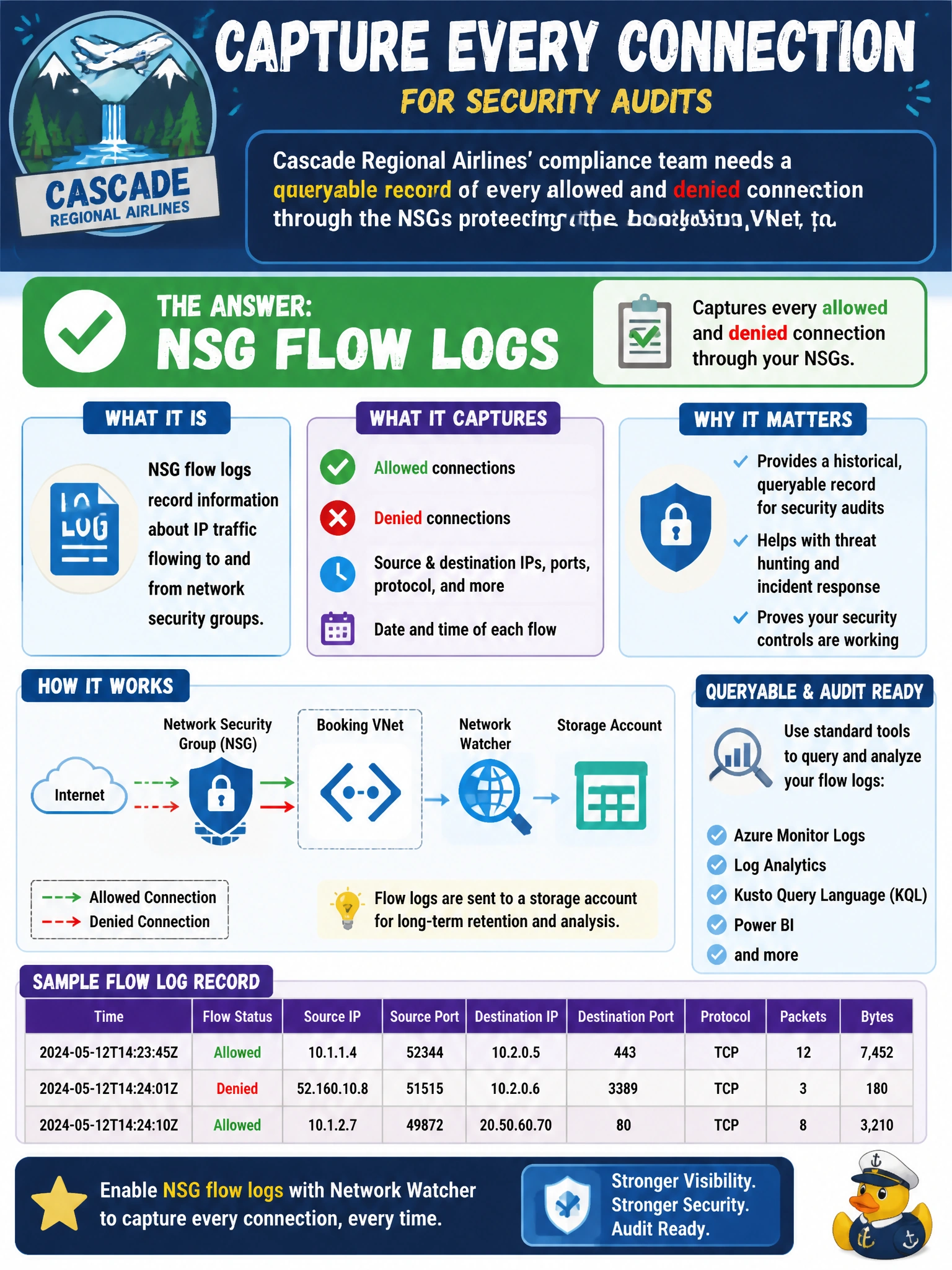
Cascade Regional Airlines' compliance team needs a historical, queryable record of every allowed and denied connection through the NSGs protecting the booking VNet, to support an upcoming security audit. Which Network Watcher feature should be enabled to capture this?
Select an answer to reveal the explanation.
Short Explanation
An auditor doesn't want to know what's happening right now — they want a paper trail of everything that already happened. NSG flow logs do exactly that, continuously recording every allowed and denied flow through an NSG so it can be reviewed and analyzed later.
Full Explanation
NSG flow logs are a Network Watcher feature that continuously records information about IP traffic flowing through a network security group, including source and destination IP, port, protocol, and whether the flow was allowed or denied, writing that data to a storage account for retention and optionally feeding it into Traffic Analytics or a Log Analytics workspace for querying and visualization — which is exactly the durable, queryable audit trail the compliance team needs. IP flow verify only answers a single, on-demand question about one specific flow at the moment it's run; it produces no historical record and can't be queried after the fact for past traffic. Next hop is a routing diagnostic that reports the path a packet would take toward a destination and has nothing to do with recording allow/deny decisions over time. Effective security rules shows the current combined rule set enforced on a NIC at a point in time, which helps explain policy but keeps no log of actual traffic that occurred. The exam-relevant caveat: NSG flow logs must be enabled per NSG (there is no single tenant-wide switch), and version 2 of the flow log format adds byte and packet counters that version 1 lacks, which matters if the audit requires traffic volume, not just allow/deny decisions. To verify, confirm flow logging is enabled on each NSG protecting the booking VNet's subnets and NICs, and validate that a test connection generates a corresponding entry in the configured storage account or Traffic Analytics workbook.