
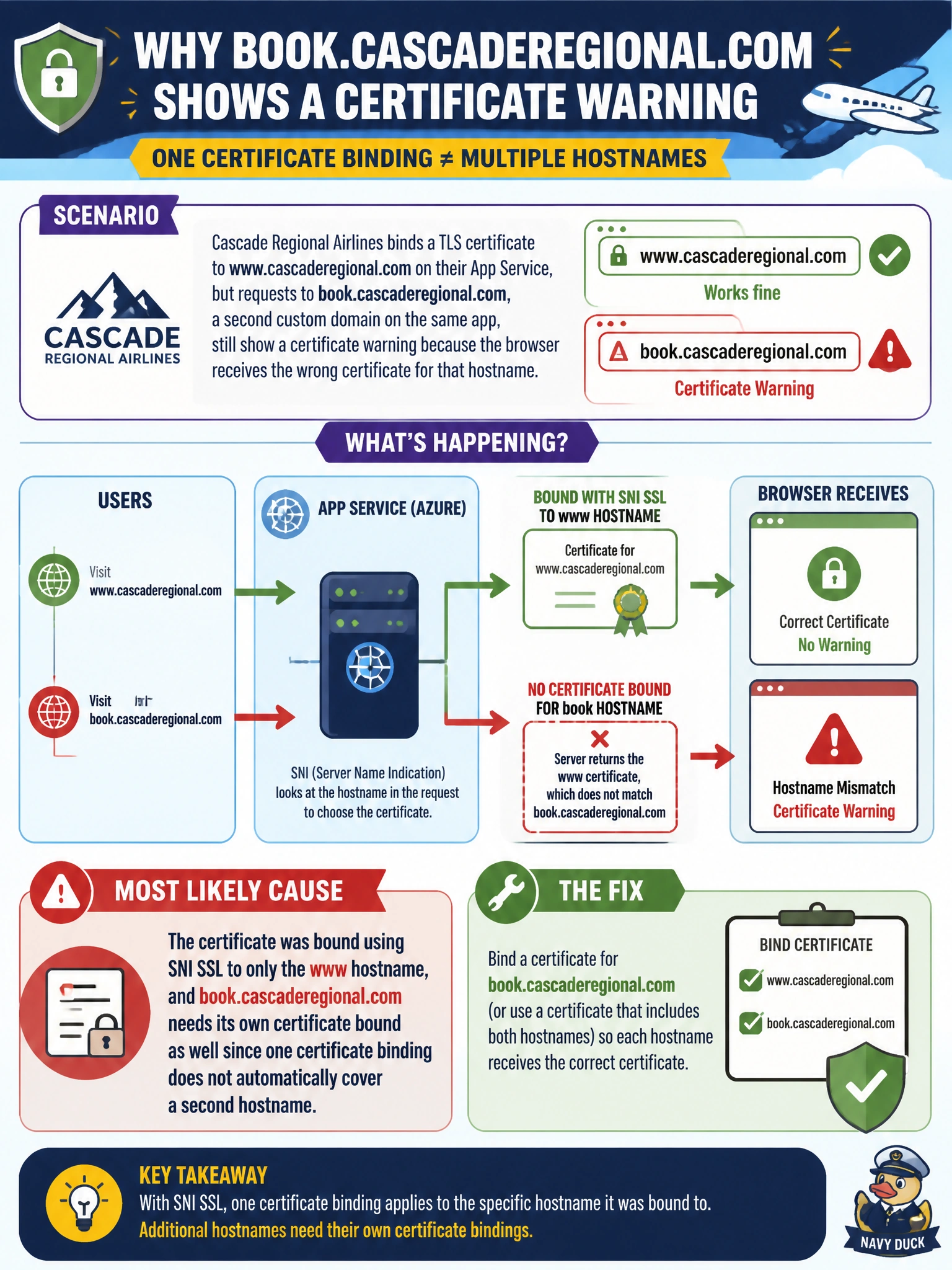
Cascade Regional Airlines binds a TLS certificate to www.cascaderegional.com on their App Service, but requests to book.cascaderegional.com, a second custom domain on the same app, still show a certificate warning because the browser receives the wrong certificate for that hostname. What is the most likely cause?
Select an answer to reveal the explanation.
Short Explanation
A certificate binding in App Service is tied to a specific hostname, not to the app as a whole, so adding a second custom domain doesn't automatically pick up the first domain's certificate. book.cascaderegional.com needs its own certificate bound to it before it can serve valid HTTPS.
Full Explanation
App Service supports binding a TLS/SSL certificate per custom domain using SNI SSL, which means the certificate is associated with a specific hostname rather than with the app or App Service plan as a whole; adding a second custom domain to the same app does not extend an existing certificate's coverage to it. In this scenario, www.cascaderegional.com has a valid certificate binding, but book.cascaderegional.com has none, so the browser either receives a default certificate that does not match the requested hostname or fails the TLS handshake, producing the warning. App Service does support multiple custom domains per app; that is not a platform limitation, so the first option describes a restriction that does not exist. HTTPS support across multiple domains is a function of certificate bindings, not plan tier, once the plan is already at Basic or above, so tier is not the blocking factor described here. HTTPS Only is a setting that redirects HTTP requests to HTTPS; it does not control whether a given hostname has a valid certificate bound and would not explain a hostname-mismatch warning. As an operational check, review the custom domain's TLS/SSL bindings blade and confirm book.cascaderegional.com has a certificate explicitly bound to it, either the same wildcard or SAN certificate reused, or a distinct certificate obtained for that hostname.