
Cascade's central IT team wants to rotate the storage account access keys every quarter as a security best practice, but several internal applications are currently authenticated using key1. What rotation approach avoids an outage for those applications?
Select an answer to reveal the explanation.
Short Explanation
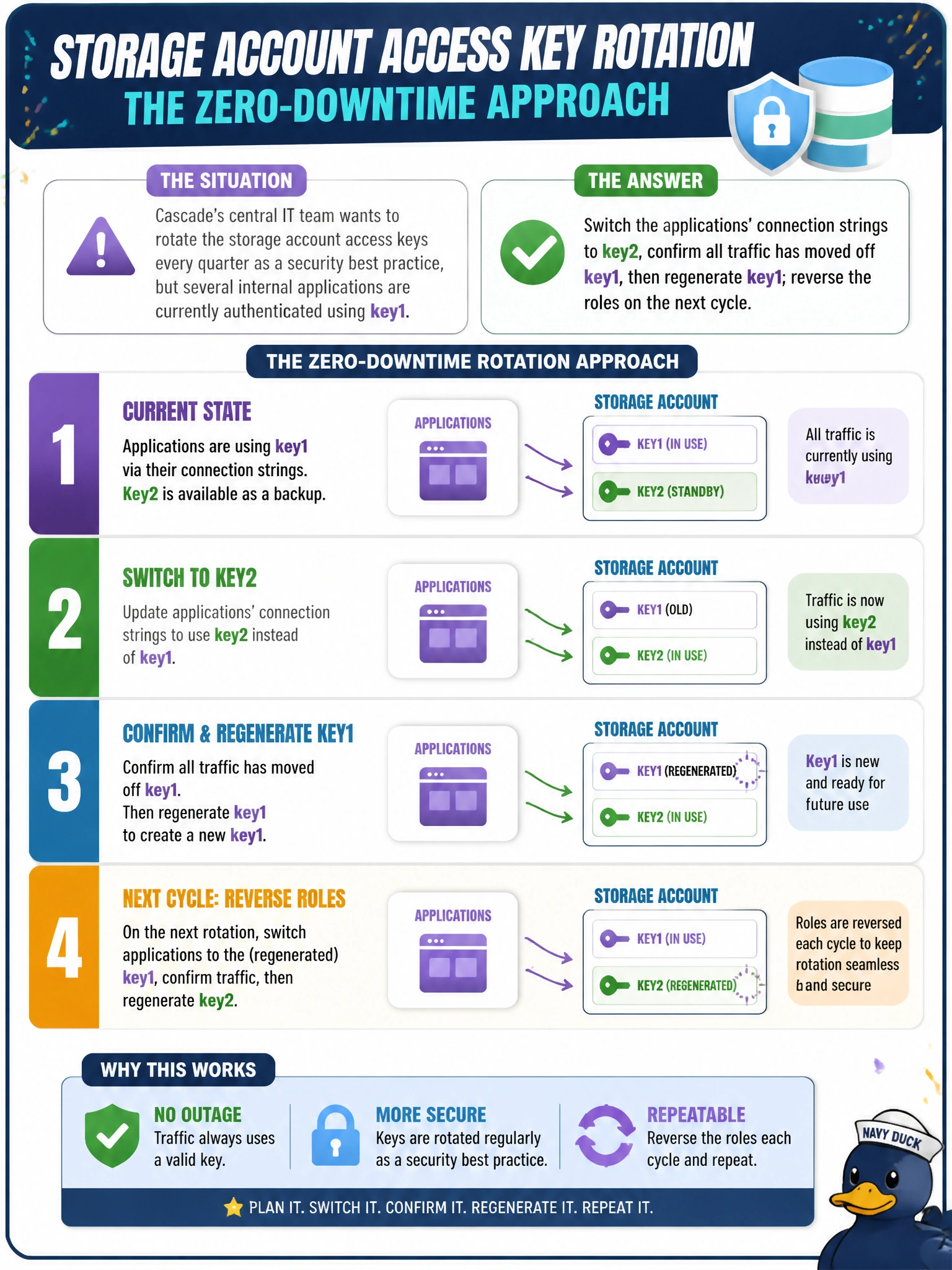
Two keys exist so you can stand on one leg while you swap out the other. Move every app onto key2, make sure nobody's still using key1, then it's safe to regenerate key1 without anything falling over. Next quarter, just do it the other way around.
Full Explanation
Because a storage account always has two independent keys, the standard rotation pattern is to migrate all consumers onto the key that is not about to change, verify none of them are still authenticating with the old key, and only then regenerate the old key — which breaks nothing because nothing is using it anymore. Regenerating both keys in the same window removes the safety margin entirely: any application still pointed at either key, including ones IT forgot about, loses access simultaneously with no fallback. Deleting and recreating the storage account is a drastically wrong tool for a key-rotation task — it changes the account's endpoint and can destroy data and configuration, when the actual goal is simply refreshing a credential. Treating rotation as breach-only misses the point of scheduled rotation as a defense-in-depth control: routine rotation limits how long a leaked key stays useful, regardless of whether a breach has been detected yet. A caveat worth noting: any hardcoded connection strings, not just app settings, must be found and updated, or the migration step will silently miss a consumer. To verify before regenerating a key, check the storage account's key-usage or diagnostic logs to confirm no recent authentication events used the key about to be rotated.