
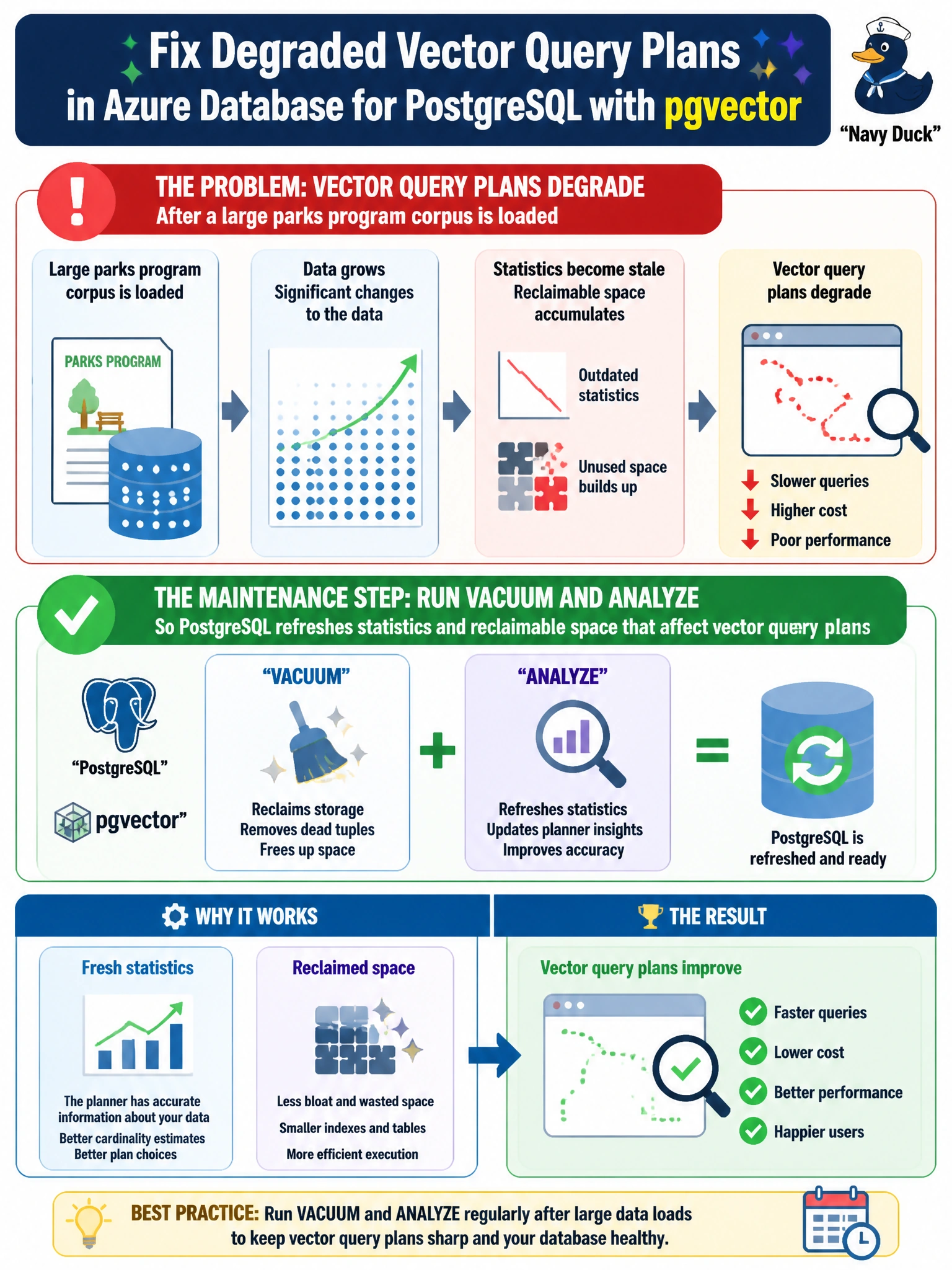
After a large parks program corpus is loaded into Azure Database for PostgreSQL with pgvector, vector query plans degrade. What maintenance step should the city take?
Select an answer to reveal the explanation.
Short Explanation
Think of VACUUM/ANALYZE like sweeping the parks warehouse and updating the inventory clipboard after a giant delivery—so the planner knows what’s actually on the shelves before the next RAG hunt.
Full Explanation
After a large parks program corpus lands in Azure Database for PostgreSQL with pgvector, planner statistics and dead-tuple state often lag the new data shape. Running VACUUM and ANALYZE reclaims reclaimable space and refreshes catalog statistics the planner uses for vector and hybrid query plans, which is why municipal RAG latency and plan quality commonly recover after bulk loads. Dropping the pgvector extension and falling back to full-table text scans removes the vector capability the parks corpus was loaded for and replaces ANN-style retrieval with expensive sequential text work that will not scale citywide. Disabling indexes and forcing sequential scans after a bulk load deliberately throws away the access paths PostgreSQL needs for selective metadata and vector probes, so query plans degrade further rather than stabilize. Increasing Cosmos DB RU settings is an unrelated control plane for a different Azure data service; it cannot repair PostgreSQL statistics, bloat, or pgvector plan choices when the vectors live in Azure Database for PostgreSQL. On the AI-200 exam, treat post-load maintenance on the store that actually holds the vectors as a first-class ops step, not an optional tidy-up. Operationally, schedule VACUUM/ANALYZE (or autovacuum tuning) after large municipal corpus imports, then compare EXPLAIN plans and p95 vector query latency before declaring the parks RAG path healthy.