
A public-health agent container must pull from Azure Container Registry without sharing admin registry passwords. What authentication approach should the host use?
Select an answer to reveal the explanation.
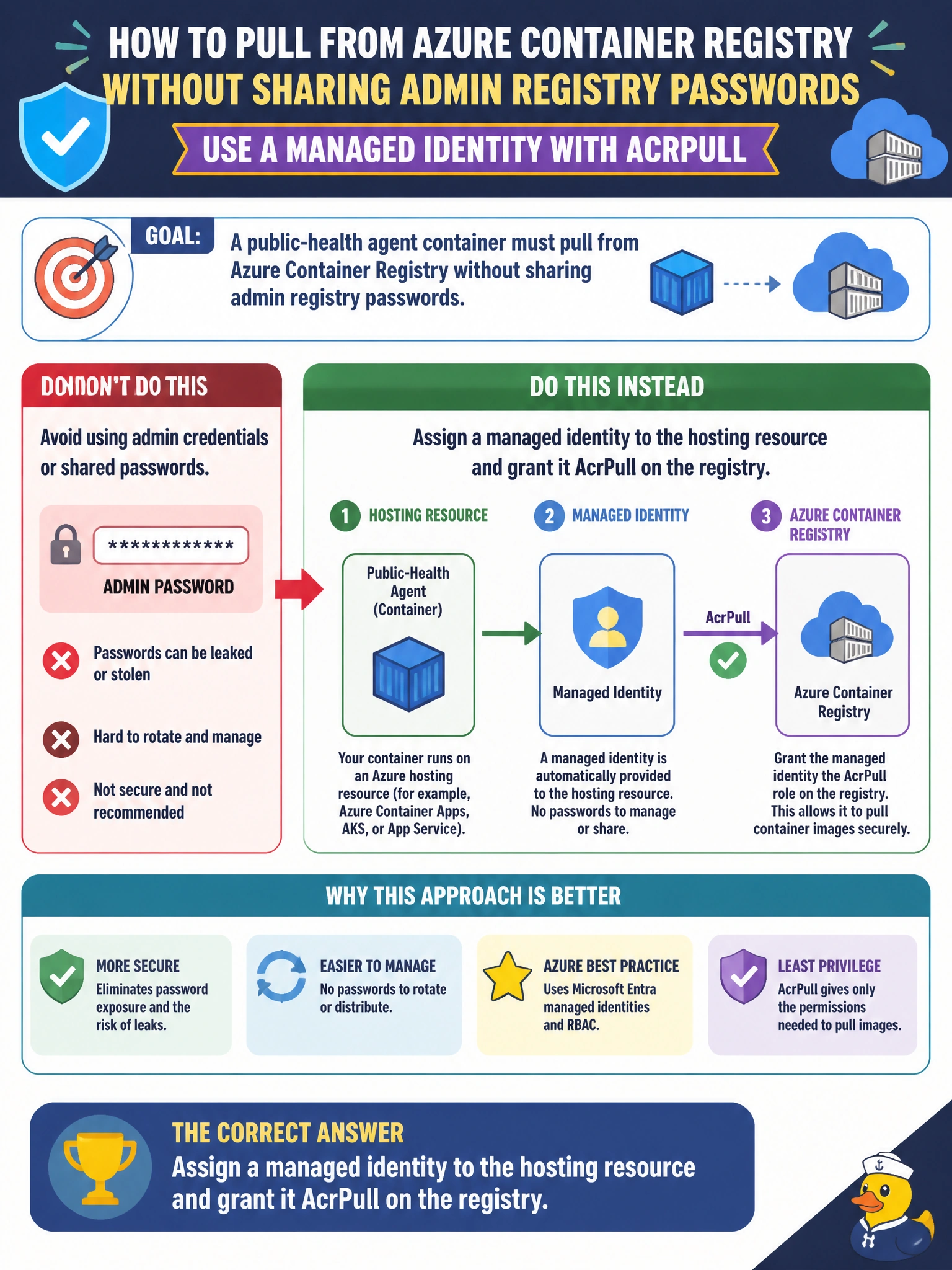
Short Explanation
You don’t want registry passwords tucked into deployment files like a clinic key under the doormat. Give your hosting resource a managed identity with AcrPull so your public-health agent can pull its image without shared passwords.
Full Explanation
Assigning a managed identity to the hosting resource and granting it AcrPull on the registry lets the platform authenticate image pulls without distributing ACR admin passwords. For a public-health agent, this keeps credentials out of git and ties access to the identity’s lifecycle. Placing the ACR admin username and password in each deployment manifest and committing the files to the repository spreads long-lived credentials and fails secret hygiene. Printing the admin password in a Teams channel exposes it beyond a controlled, least-privilege process and weakens auditability. Disabling ACR authentication and allowing anonymous production pulls removes private-registry protection for clinic workloads. Admin credentials are a break-glass convenience, not the preferred production pull mechanism. Exam caveat: AcrPull is the typical image-pull role; AcrPush is for build pipelines. For AKS, the cluster’s kubelet identity or an acrPull binding may be involved, but managed identity with RBAC is the Azure-preferred direction over admin passwords. Practical check: remove dependence on ACR admin credentials, assign the hosting identity AcrPull, restart or redeploy, and confirm the image pull succeeds. Search git and chat for any previously shared admin password, and rotate the ACR admin credential if it was exposed.