
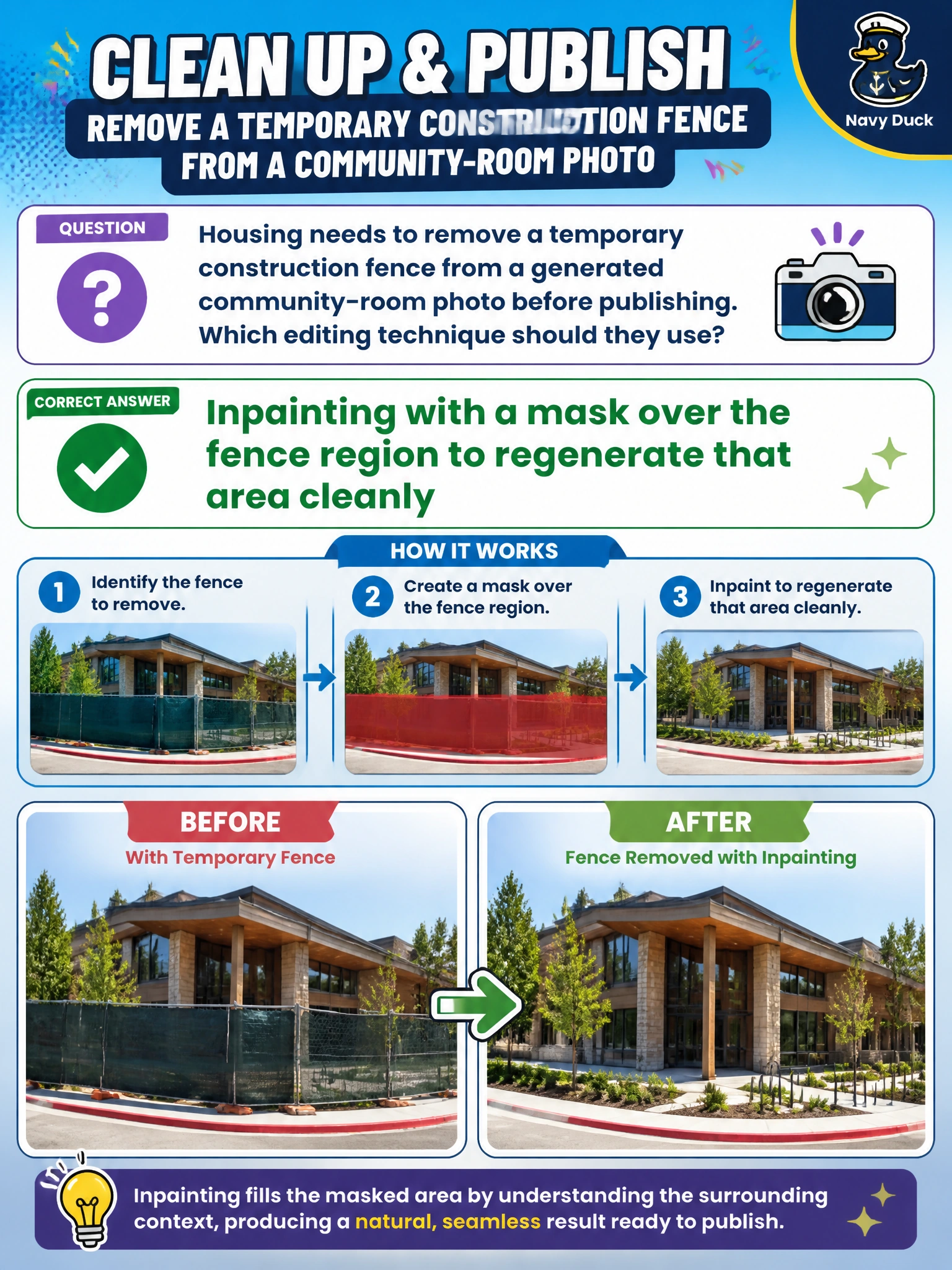
Housing needs to remove a temporary construction fence from a generated community-room photo before publishing. Which editing technique should they use?
Select an answer to reveal the explanation.
Short Explanation
Inpainting is the digital patch kit: mask the ugly fence, regenerate just that patch, keep the rest of the room. Housing gets a publishable community-room photo without reshooting the whole scene. Outpainting just extends beyond the edges, upscaling just sharpens the whole photo, and restyling just changes the fence's look, so you'll still see the fence.
Full Explanation
Housing that needs to remove a temporary construction fence from a generated community-room photo before publishing should use inpainting with a mask over the fence region to regenerate that area cleanly. Inpainting edits a localized masked region while preserving the rest of the image. Mask the fence, regenerate the patch to match the room, and keep the publishable photo without a full reshoot. That is the correct image-editing technique for localized object removal.
Outpainting beyond the photo edges to extend the background area cleanly fails because it extends the canvas outward beyond the edges rather than filling the masked fence interior, leaving the fence in place instead of regenerating matching room background. Upscaling of the source photo to increase resolution and sharp detail cleanly fails because it boosts sharpness and resolution rather than removing the fence, leaving a sharper fence in place instead of reconstructing the clean room surface. Restyling with a prompt over the fence region to change the style cleanly fails because it alters style and texture rather than removing the fence, leaving a restyled fence remnant instead of rebuilding the room behind it.
Exam caveat: localized unwanted object removal in civic photos is inpainting with a region mask—not outpainting beyond the photo edges, upscaling the source photo, or restyling with a prompt over the fence region. Operational check: mask only the fence region on the community-room image, run inpainting, visually confirm the patch matches lighting/perspective, and publish only after housing communications accepts the edited still.
Prefer to study offline? Printable PDF study book + test engine ($7.50, unofficial). These questions stay free here.