
A water utility needs to review whether municipal agents are still active, unused, or otherwise mid-lifecycle. Where should admins look conceptually?
Select an answer to reveal the explanation.
Short Explanation
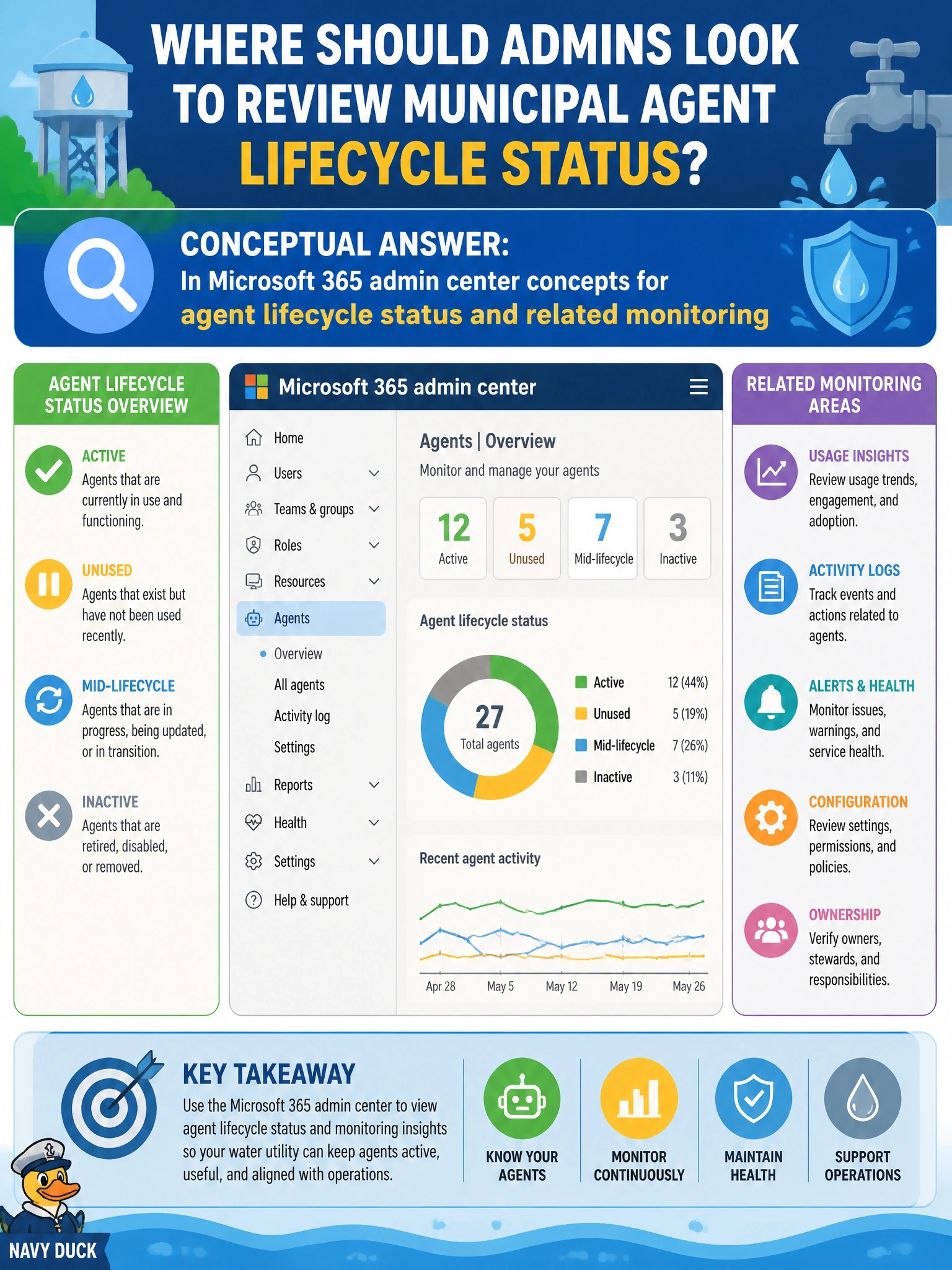
You won't find agent lifecycle in Copilot Studio analytics or Purview compliance—those show usage trends and audits, not lifecycle status. Water utility admins should review lifecycle status in Microsoft 365 admin center concepts—active, unused, or otherwise. Keep the Teams app catalog for end-user pinning, not agent lifecycle.
Full Explanation
Water utility admins should look conceptually in Microsoft 365 admin center concepts for agent lifecycle status and related monitoring when they need to see whether municipal agents are active, unused, or otherwise mid-lifecycle. Lifecycle visibility belongs in the cloud admin surfaces designed for Microsoft 365 agents, not in Teams app catalog pinning controls or Purview interaction auditing concepts. That conceptual home lets utilities inventory agents and act on stale or risky ones.
Looking only in Microsoft Teams app catalog concepts for agent availability and end-user pinning controls fails by concept: the app catalog shows availability and pinning, not authoritative agent lifecycle state. Looking only in Microsoft Purview concepts fails because Purview covers agent interaction auditing and data compliance retention, not Microsoft 365 agent lifecycle administration. Looking in Copilot Studio analytics concepts fails similarly—usage trends and conversation quality metrics are operational analytics, not the authoritative agent lifecycle inventory.
Exam caveat: Domain 3 expects Microsoft 365 admin center awareness for agent inventory/lifecycle monitoring concepts (with Power Platform admin center also in play for operational monitoring). Trick options that move administration into Teams app catalog pinning, Purview compliance retention, or Copilot Studio analytics are distractors.
Operational check: Open Microsoft 365 admin center agent-related inventory/lifecycle views available to the utility, list agents by status, flag unused or broadly permissioned agents for follow-up, confirm owners still exist for each agent, and schedule a recurring lifecycle review so mid-lifecycle drift is caught before the next audit.
Prefer to study offline? Printable PDF study book + test engine ($7.50, unofficial). These questions stay free here.