
A social services casework office wants visibility when privileged city admins show risky sign-ins. Which approach fits?
Select an answer to reveal the explanation.
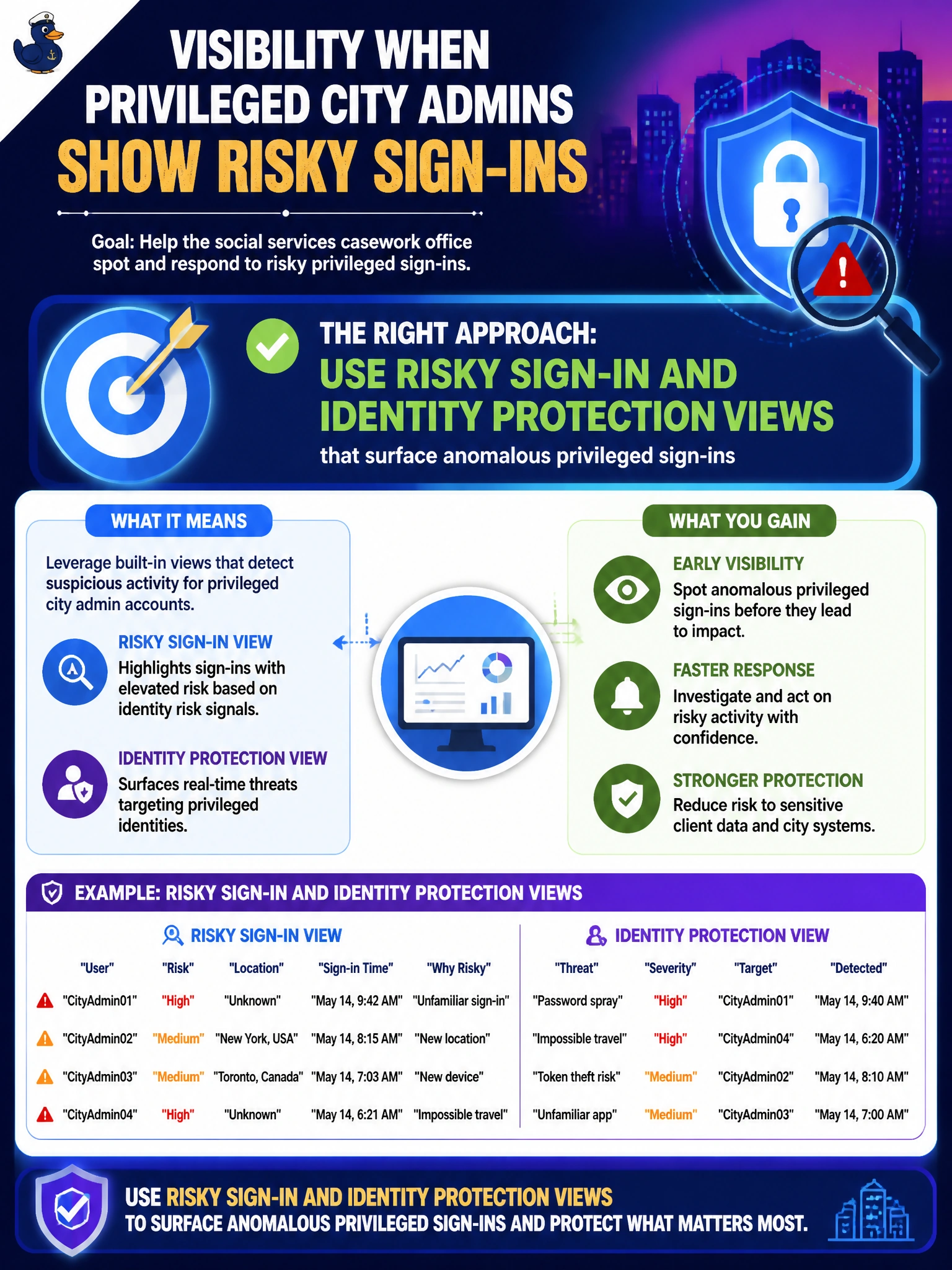
Short Explanation
Privileged admins need louder smoke detectors, not quieter ones. Use the risky-sign-in and identity protection views that call out weird admin logins. Microsoft 365 usage analytics for adoption trends, Secure Score, and policy counts won't show you risky privileged sign-ins.
Full Explanation
A social services casework office that needs visibility when privileged city admins show risky sign-ins should use risky sign-in and identity protection views that surface anomalous privileged activity. Privileged accounts (Global Administrator and other high-impact roles) deserve heightened monitoring because compromise of those identities endangers case data, benefits systems, and tenant configuration. Entra risk views give operational signal without relying on informal physical controls alone.
Relying on Microsoft 365 usage analytics for adoption trends to monitor risky privileged sign-ins tracks license and app adoption rather than anomalous sign-in behavior, so it would not surface a risky privileged sign-in the way identity protection views do. Relying on Secure Score alone treats a periodic posture recommendation score as if it were a real-time risky sign-in feed, which it is not; Secure Score highlights configuration improvements rather than individual anomalous events. Relying on Conditional Access policy counts as a proxy for risky sign-ins confuses how many policies exist with whether any specific privileged sign-in was actually flagged as risky.
Exam caveat: AB-900 frames identity protection as the way to see risky privileged sign-ins. Reducing MFA or abandoning Entra are distractors that sound like “simplifying” noise but destroy controls. Paper logs may complement physical security; they do not replace cloud risk analytics.
Operational check: Assign appropriate Entra Identity Protection / security reader permissions to social-services IT leads, filter risky sign-ins for privileged roles, configure alerting for high-risk admin events, and practice an investigation runbook that includes session revoke, credential reset, and PIM review when a Global Administrator risk event fires.
Prefer to study offline? Printable PDF study book + test engine ($7.50, unofficial). These questions stay free here.