
Support agents must send email that appears from [email protected] (Send As), not merely on behalf. What permission is required?
Select an answer to reveal the explanation.
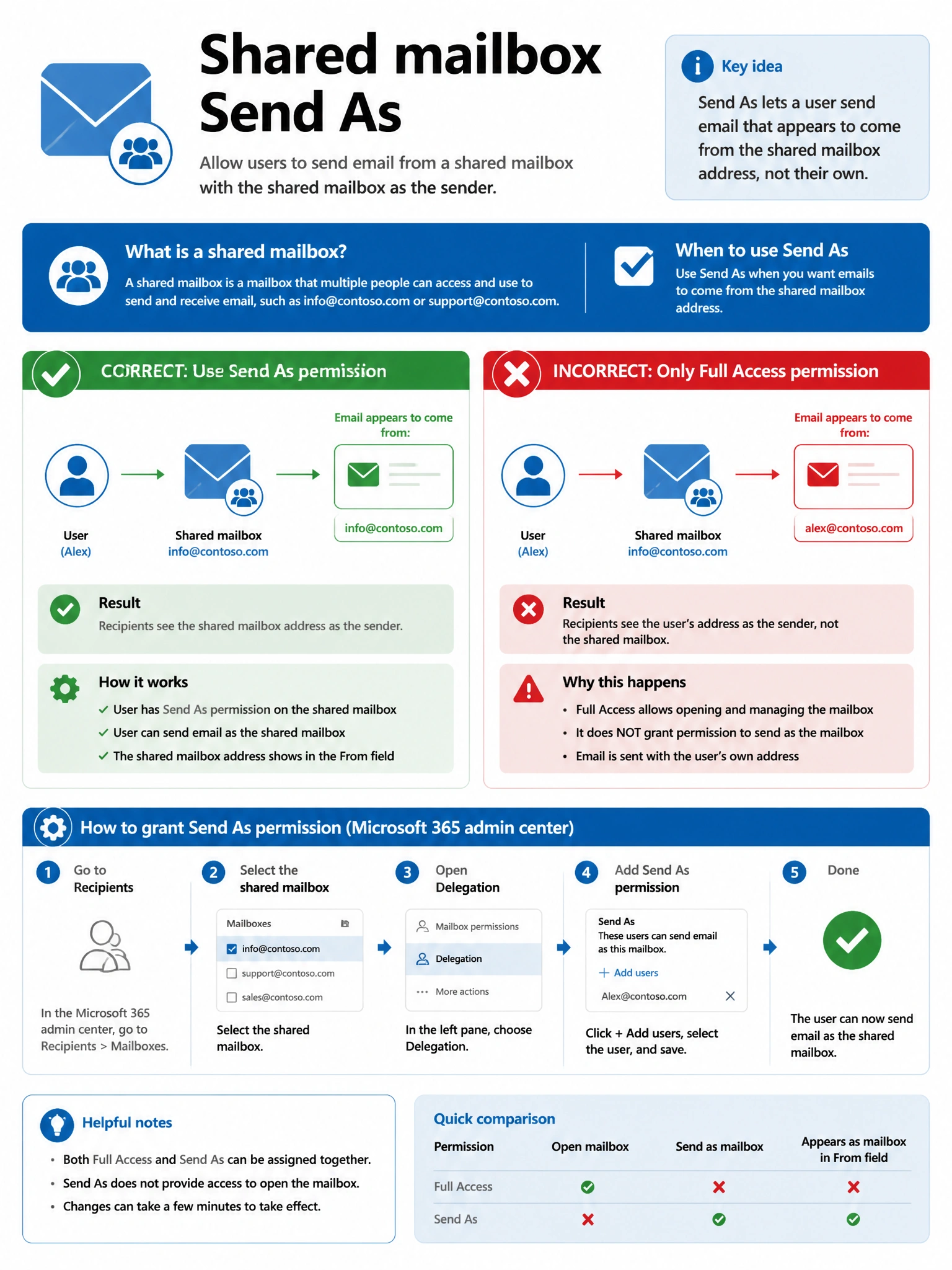
Short Explanation and Infographic
Send As = the message is from the shared identity. Send on Behalf = User on behalf of shared.
Full explanation below image
Full Explanation
Correct Answer — B
Send As uses the shared SMTP identity. On Behalf shows delegate relationship. Global Admin and Domain Admin are wrong privilege planes.
Exam tip: Appear exactly as shared address → Send As.