
Vertex Law Firm has deployed an internal AI agent that helps paralegals draft case summaries. The data governance team discovers through Agent 365 monitoring that the agent is including content from privileged attorney-client communications — documents labeled 'Highly Confidential / Privileged' — in its responses without restriction. What should the administrator do in Agent 365 to prevent this?
Select an answer to reveal the explanation.
Short Explanation and Infographic
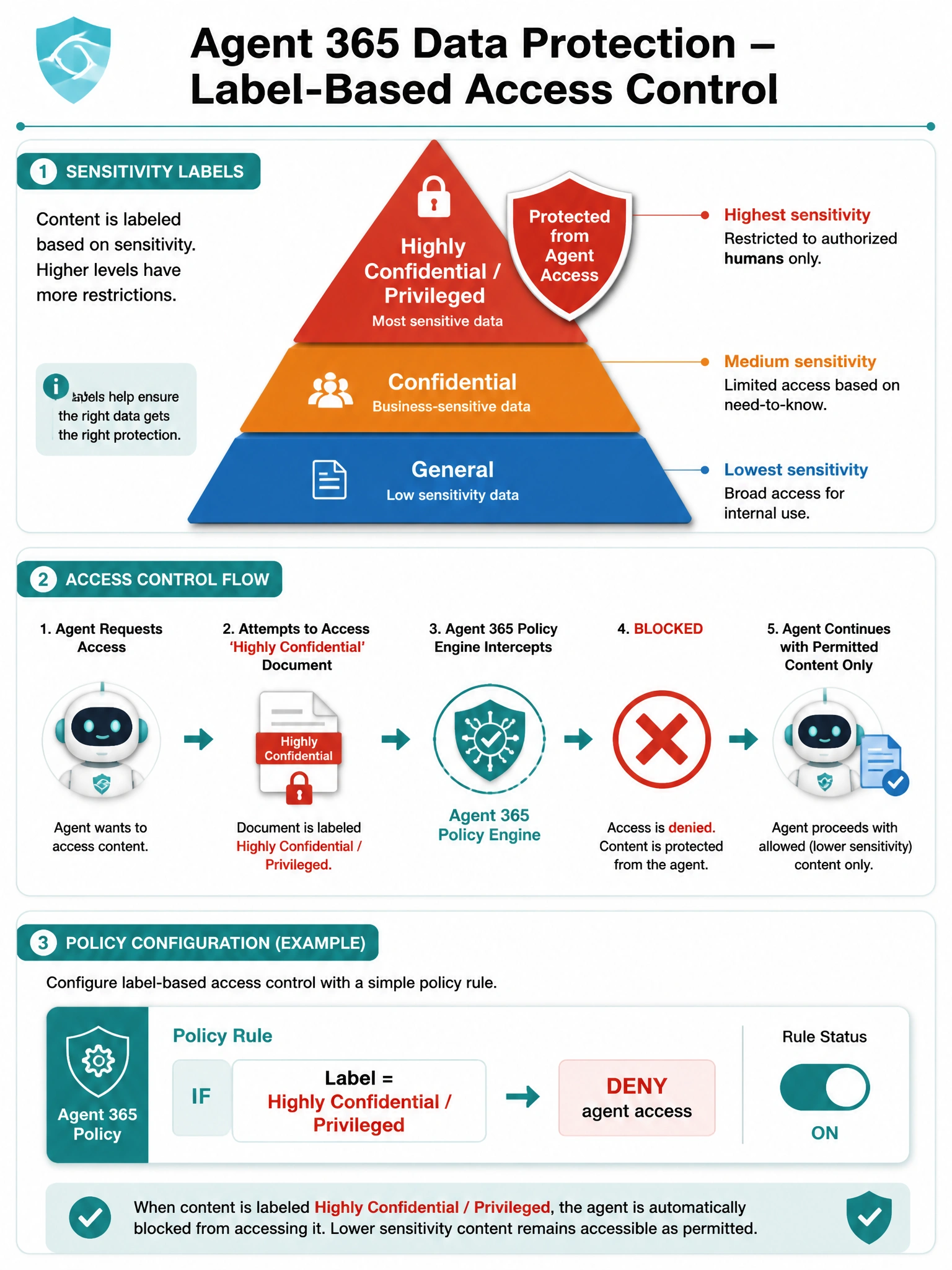
Agent 365 data protection policies are the scalpel for this job — you define rules that say 'if a document has this sensitivity label, the agent can't use it.' That's a direct, label-aware protection mechanism that works even as new privileged documents are created.
Full explanation below image
Full Explanation
Agent 365 includes data protection capabilities that allow administrators to create policies controlling which sensitivity-labeled content agents can access and surface. By configuring a data protection policy that excludes content bearing the 'Highly Confidential / Privileged' sensitivity label, the administrator prevents the agent from grounding responses in those documents — even if the executing user technically has access to them. This is the correct, purpose-built control for this scenario.
Option A is incorrect because deleting and redeploying the agent with narrower SharePoint permissions is a disruptive, blunt approach that would require downtime and may not scale if privileged documents are spread across multiple sites. It also doesn't leverage sensitivity labels as the control boundary, meaning new privileged documents added to previously permitted sites would still be accessible.
Option C is incorrect because retention policies in Microsoft Purview govern how long content is kept and when it can be deleted — they have no mechanism to prevent AI agents from reading or using content that is still within its retention period. Retention policies are about data lifecycle, not agent access control.
Option D is incorrect because communication compliance is a detective control — it monitors and flags content after the fact. While useful for auditing, it doesn't prevent the agent from including privileged content in responses; it only alerts after the exposure has occurred. The requirement is to PREVENT the exposure, not detect it afterwards.
Exam tip: Agent 365 data protection policies work in conjunction with Microsoft Purview sensitivity labels. The combination label + Agent 365 policy = preventive control. This is a key architecture to remember: Purview classifies and labels, Agent 365 enforces boundaries based on those labels.