
Multiple users at Meridian Consulting are reporting that Microsoft 365 Copilot in Teams stopped generating responses approximately 45 minutes ago. The Microsoft 365 administrator needs to quickly determine whether this is an organization-wide service degradation, a configuration issue, or a subset of affected users, before escalating to Microsoft Support. What is the best first step?
Select an answer to reveal the explanation.
Short Explanation
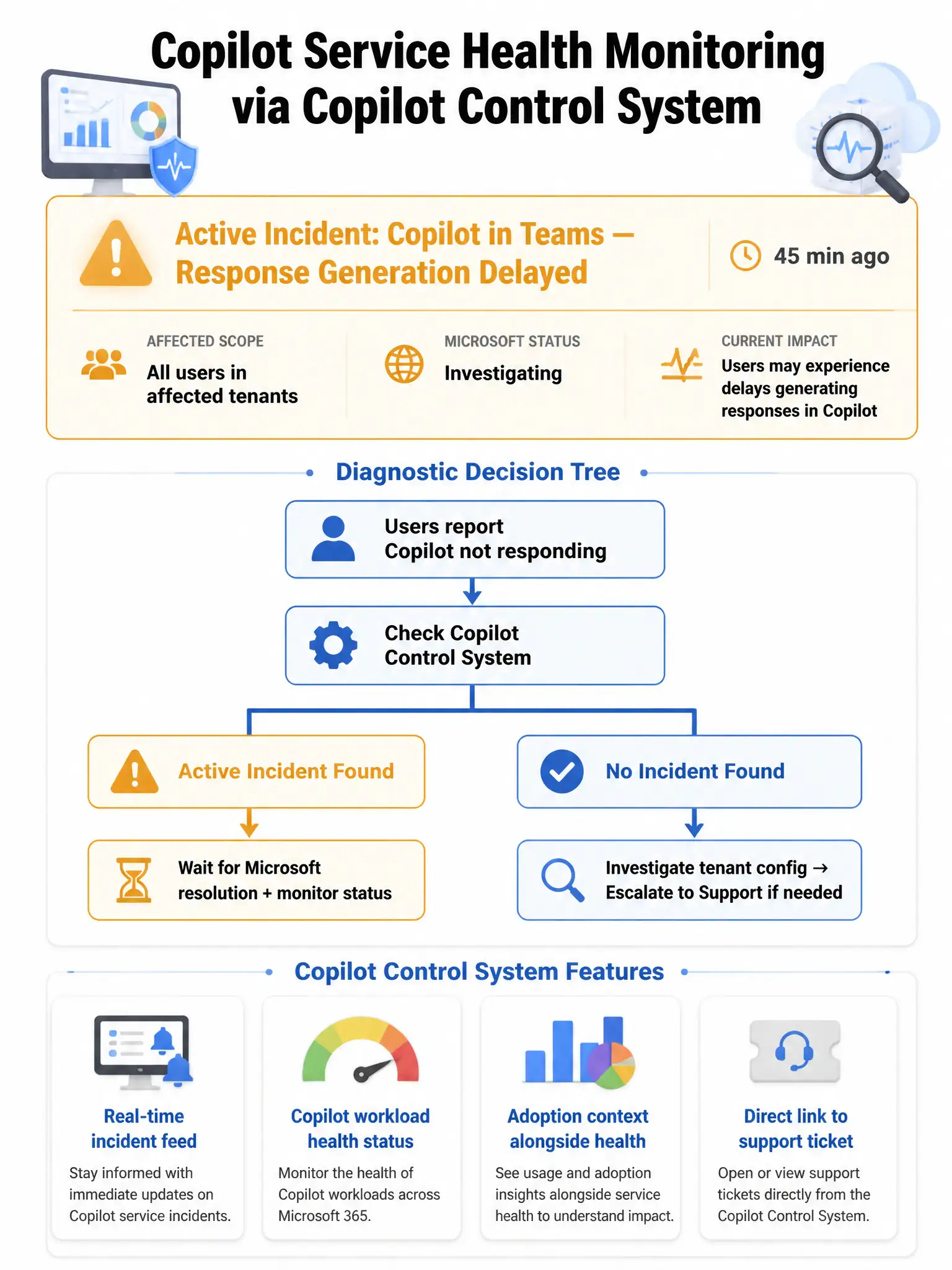
The Copilot Control System is your first stop for Copilot health issues because it combines service health with Copilot-specific context. You can quickly see whether there's an active incident, which workloads it affects, and how widespread it is. Think of it as the Copilot-specific version of service health.
Full Explanation
The best first step is reviewing service health and incident details in the Copilot Control System, because it provides Copilot-specific service health monitoring that combines service health alerts, incident tracking, and adoption data in one consolidated view. It allows administrators to quickly identify whether reported issues correspond to an active Microsoft-side incident, which would appear as an advisory or incident notification, isolate the scope, meaning all users versus a subset of users, and determine whether the issue is service-wide or configuration-related before engaging Microsoft Support.
The option to check the Microsoft 365 service health dashboard in the Microsoft 365 admin center for active Copilot incidents or advisories is not the best first step because, although that dashboard can surface service incidents including Copilot-related ones, it is a general Microsoft 365 health view rather than a Copilot-specific diagnostic surface. The Copilot Control System is preferred for this scenario because it provides Copilot-specific health context integrated with adoption and usage data, allowing more nuanced diagnosis of whether the problem is an active Copilot service issue, a tenant configuration issue, or limited to a subset of users.
The option to run Test-CsTeamsMeetingPolicy in PowerShell to verify Teams meeting policies are not blocking Copilot features is wrong because Test-CsTeamsMeetingPolicy is a Teams meeting policy diagnostic cmdlet that validates Teams meeting feature policy assignment. It has no relevance to Microsoft 365 Copilot response generation issues, and Copilot's Teams integration is not governed by Teams meeting policies.
The option to open a Microsoft Support ticket immediately and provide the user-reported symptoms as the incident description is wrong because escalation should happen after the administrator has gathered diagnostic information and confirmed that the issue is not already a known active incident being worked by Microsoft. Opening a ticket without checking service health first wastes time and misses the possibility that Microsoft is already aware and working the issue. Diagnosis should always precede escalation.
Exam tip: The exam will test that the Copilot Control System includes service health monitoring, not just adoption metrics. The flow is: symptom reports, check Copilot Control System or service health, if active incident monitor Microsoft's estimated resolution time, if no incident investigate tenant configuration, escalate to support if needed. Know the sequence.