
Cascade Logistics has a large ServiceNow instance containing IT incident history, knowledge base articles, and change records. The IT operations team wants Microsoft 365 Copilot to be able to answer questions like 'What's the resolution for incident INC0012345?' by pulling from ServiceNow data. What must the administrator configure to make this possible?
Select an answer to reveal the explanation.
Short Explanation
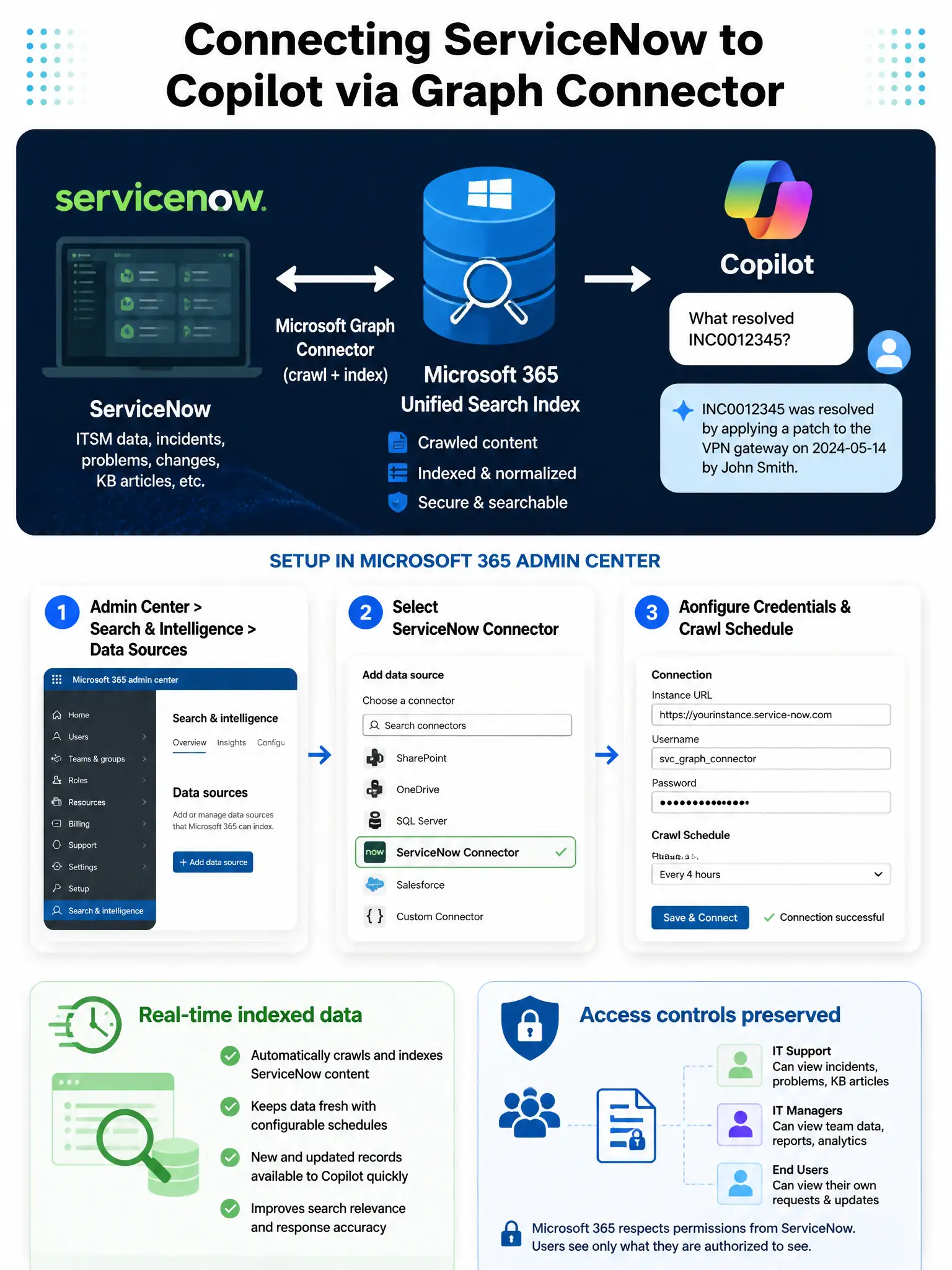
You need a Microsoft Graph connector for ServiceNow. It crawls and indexes incidents, knowledge articles, and change records into Microsoft's unified index, so Copilot can search that data just like it searches your emails and Teams chats.
Full Explanation
Microsoft Graph connectors enable Microsoft 365 Copilot to ground its responses in data from external systems by indexing that data into the Microsoft 365 unified search index. Microsoft publishes a first-party Graph connector for ServiceNow, which can be configured in the Microsoft 365 admin center under Settings > Search & intelligence > Data sources. Once deployed, the connector crawls ServiceNow incidents, knowledge articles, and changes, making them available to Copilot as a grounding source with appropriate access controls preserved.
The application-registration approach that tries to call the ServiceNow REST API directly from Copilot is incorrect because Copilot does not call external APIs directly on behalf of users when generating responses. The architecture requires content to be indexed first via a Graph connector, or made available through a Copilot agent plugin, and creating an Entra application registration alone does not integrate ServiceNow content into Copilot's retrieval pipeline.
The Power Automate approach that queries ServiceNow and sends results to a shared Teams channel is incorrect because Power Automate flows can move data reactively, but they don't provide a continuous, searchable index that Copilot can use to answer natural language questions. There is no mechanism for Copilot to watch a Teams channel and use its content as a structured knowledge base.
The manual SharePoint export approach is incorrect because manually storing ServiceNow exports in SharePoint would create a stale, unsynchronized copy of ServiceNow data. It also introduces data governance complexity and does not reflect real-time changes. Graph connectors provide automated, near-real-time crawling with the original access permissions honored.
Exam tip: Know that Graph connectors are configured under Microsoft 365 admin center > Settings > Search & intelligence, not under the Copilot settings directly. The content they index becomes available to both Microsoft Search and Copilot grounding simultaneously.