
Humongous Insurance has deployed Microsoft 365 Copilot across their organization. The compliance team is concerned that employees may enter credit card numbers or Social Security Numbers (SSNs) directly into Copilot prompts, which would violate PCI-DSS and privacy regulations. The compliance administrator needs to prevent this from happening. What is the correct DLP configuration?
Select an answer to reveal the explanation.
Short Explanation
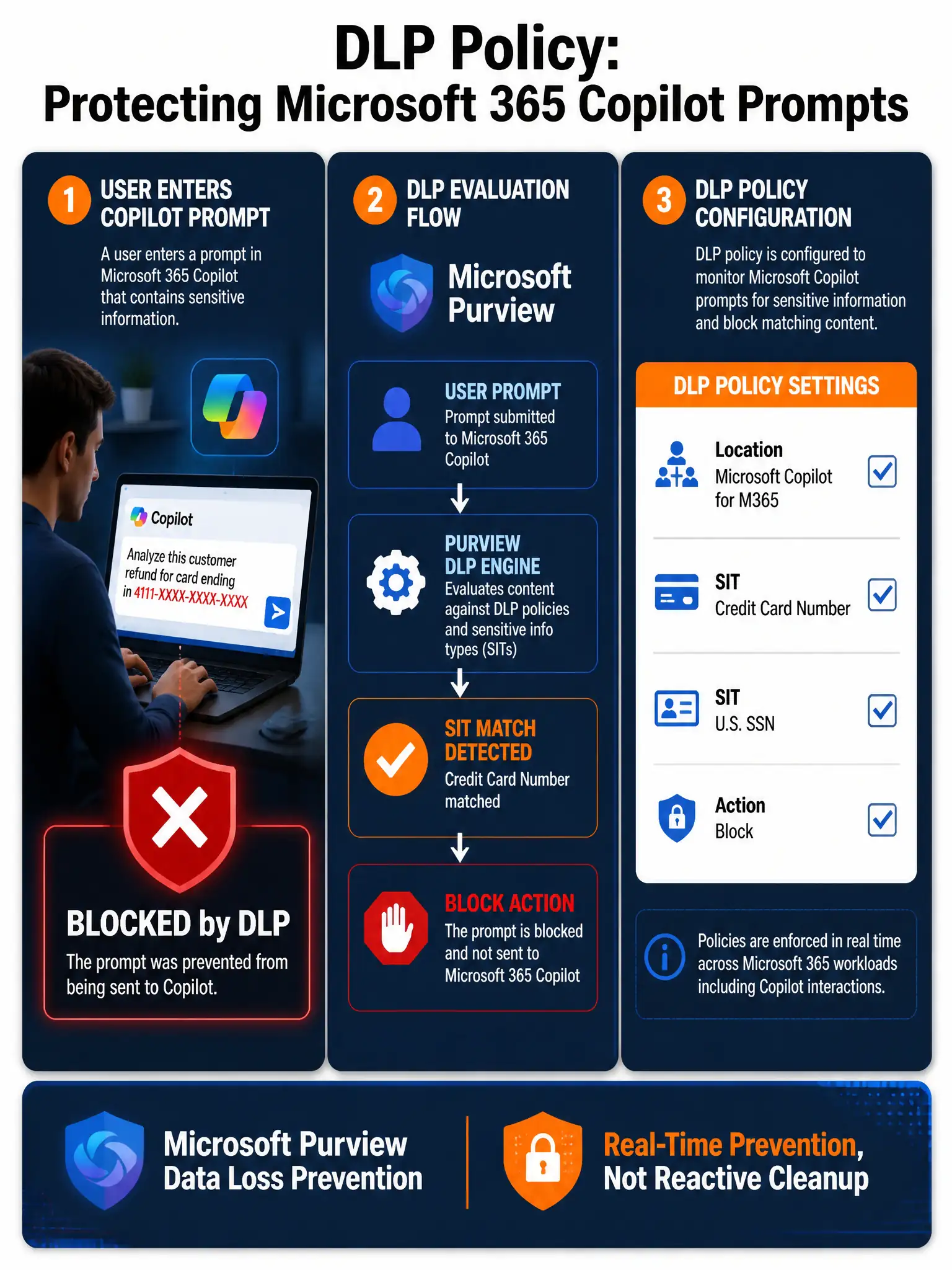
Think of DLP policies as bouncers at a club—they check IDs at the door before anyone gets in, not after. To stop credit card numbers or SSNs from entering Copilot prompts, you need a Microsoft Purview DLP policy with the Microsoft Copilot for Microsoft 365 location selected and a block action, so sensitive data is stopped before it reaches the AI model.
Full Explanation
The correct configuration is the Microsoft Purview Data Loss Prevention policy that includes 'Microsoft Copilot for Microsoft 365' as a workload location, detects 'Credit Card Number' and 'U.S. Social Security Number' sensitive information types, and blocks the activity. Microsoft Purview DLP policies support 'Microsoft Copilot for Microsoft 365' as a dedicated workload location. When you select this location and configure a rule with built-in sensitive information types like 'Credit Card Number' and 'U.S. Social Security Number (SSN)', Purview evaluates user prompts in real time and blocks the submission if a match is detected. This is the only approach that prevents the sensitive data from reaching Copilot in the first place. The conditional access policy option is incorrect because Conditional Access policies control whether a user can authenticate and access an application; they cannot inspect the content of what a user types into that application. Blocking the entire 'PII Handlers' security group from Copilot would be overly broad and would not selectively prevent PII entry; it would just deny access entirely, which is not the compliance goal. The retention policy option is incorrect because a retention policy governs how long data is kept or when it must be deleted; it does not inspect or block content in real time. Deleting Microsoft 365 Copilot interaction history after 30 days does nothing to stop a credit card number from being processed by the AI model in the first place, and the policy violation or potential data exposure would already have occurred. The Communication Compliance option is incorrect because Communication Compliance is a reactive tool; it monitors content after it has already been created or transmitted and alerts reviewers. While it has value for investigating past incidents, it does not provide the real-time, preventive blocking that the scenario requires, and you cannot unring the bell once the SSN has already been sent to Copilot. Exam tip: On the AB-650 exam, questions about Copilot data protection almost always test whether you know that DLP policies now extend to 'Microsoft Copilot for Microsoft 365' as a location. Know that this is configured in the Microsoft Purview compliance portal under Data Loss Prevention > Policies, and that built-in sensitive information types are the mechanism for detecting PCI and PII data in prompts.