
Fabrikam's compliance team needs to prevent credit card numbers from being shared in Microsoft Teams chats and channel messages, including in Microsoft 365 Copilot interactions within Teams. A policy must block users from sending this information and notify them of the policy violation in real time. What should the admin create?
Select an answer to reveal the explanation.
Short Explanation
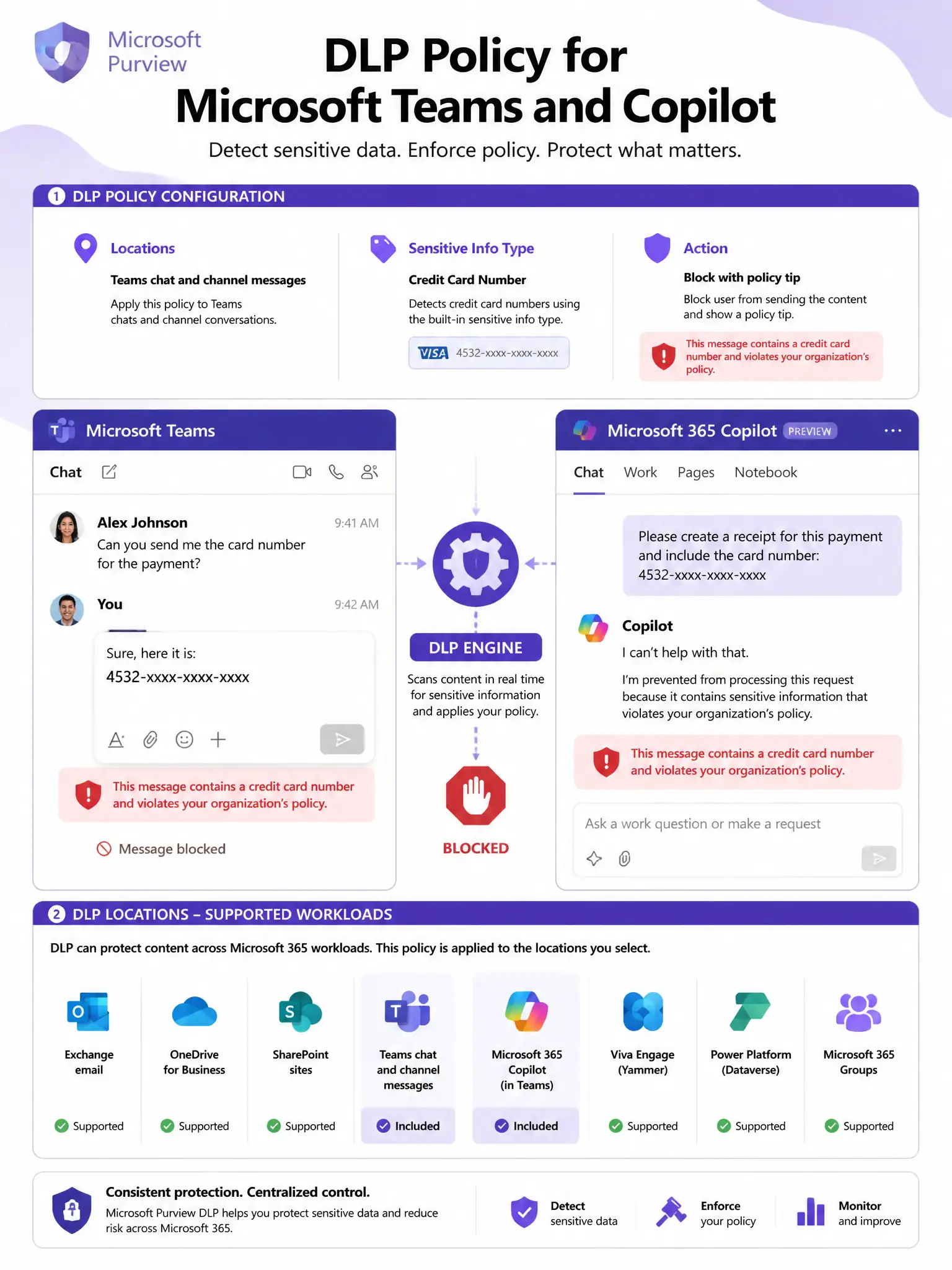
Microsoft Purview DLP is your digital bouncer for Teams and Copilot in Teams. It scans for credit card patterns, blocks the message, and pops a policy tip in real time. You scope it to Teams chat and channel messages and use the Credit Card Number sensitive information type.
Full Explanation
Microsoft Purview Data Loss Prevention (DLP) policies can be scoped to Teams chat and channel messages as a workload location. When creating a DLP policy, the admin selects 'Teams chat and channel messages' as the location and adds the 'Credit Card Number' built-in sensitive information type (SIT) to the policy rule. The rule action is set to 'Block users from sending the message' (or block with override option for less strict enforcement), and a policy tip (user notification) is configured to inform the user in real time why their message was blocked. DLP policies in Teams also extend to Microsoft 365 Copilot interactions within Teams, since Copilot interactions are subject to the same DLP policy evaluation as direct messages and channel posts.
A sensitivity label policy that prevents users from copying content in Teams messages controls how users can classify, protect, and share documents and emails — it does not scan message content for data patterns like credit card numbers in real time during Teams chat. Sensitivity labels are applied by users (or automatically based on content) to classify content, not to prevent transmission of specific data patterns.
A Conditional Access policy that blocks Teams access for users who attempt to share sensitive information is entirely the wrong tool. Conditional Access makes binary access decisions at sign-in time — a user either gets access to Teams or they don't, based on conditions like device compliance or MFA. It has no ability to inspect message content or block specific types of content during Teams usage.
A Teams admin center configuration that disables file and content sharing for all Teams users is an all-or-nothing control — it would prevent users from sharing any files or content in Teams, which would destroy legitimate collaboration capabilities. This does not target credit card data specifically, and it would not apply to typed text in chat messages (only file sharing). This is too broad and operationally destructive.
Exam tip: Microsoft Purview DLP now supports a broad range of Microsoft 365 locations: Exchange email, SharePoint sites, OneDrive accounts, Teams chat and channel messages, Microsoft 365 Copilot interactions, Endpoint devices, and third-party apps via Defender for Cloud Apps. For the AB-650 exam, know that Teams + Copilot coverage is provided by the 'Teams chat and channel messages' location in DLP. The Credit Card Number SIT uses regex patterns and checksum validation to detect credit card data.