
Adventure Works wants to allow B2B collaboration so partner users can be invited as guests to Teams and SharePoint. However, they need to ensure guest users cannot enumerate other directory members or see other guest accounts in the directory. What should the admin configure?
Select an answer to reveal the explanation.
Short Explanation
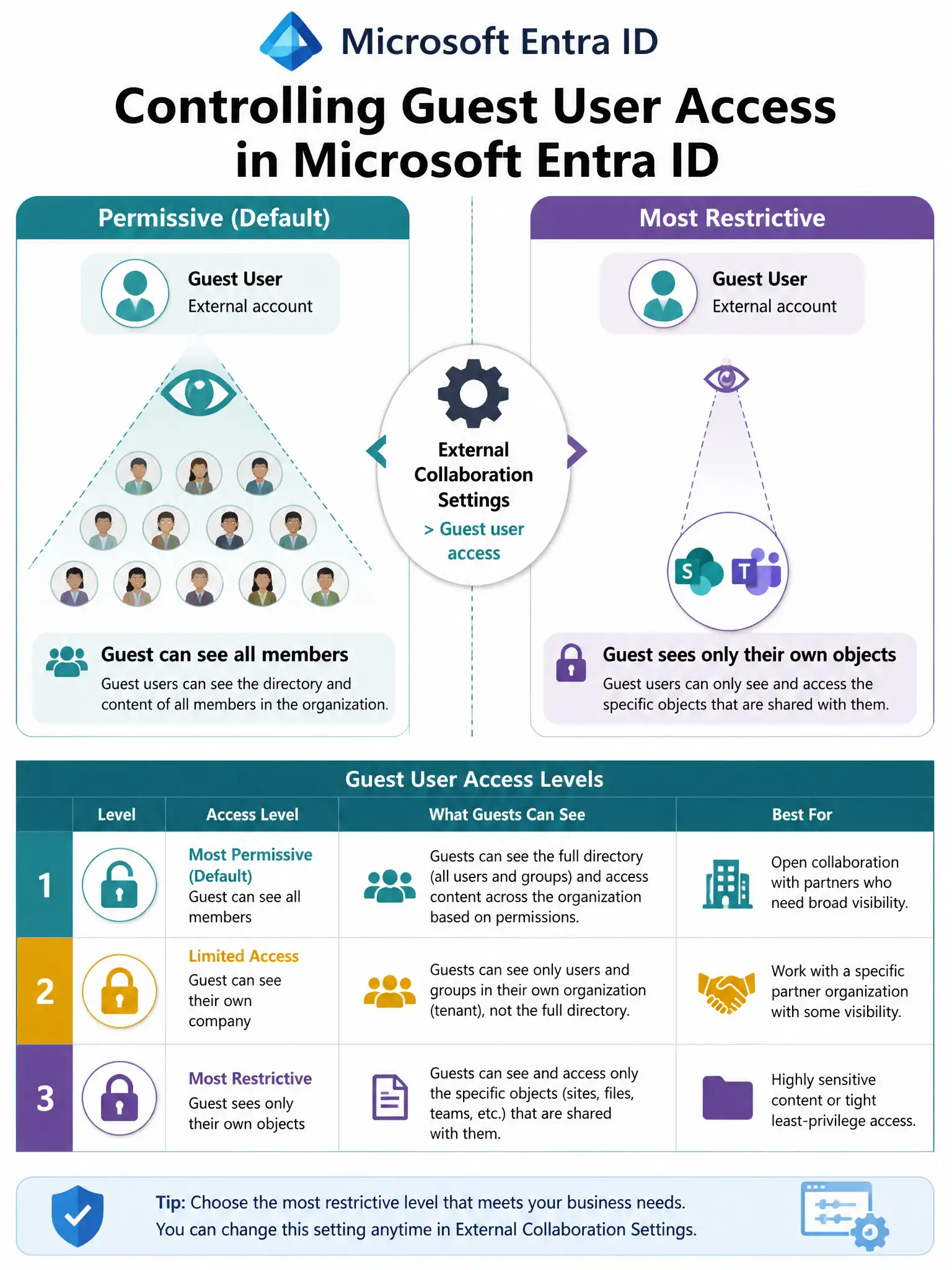
External Collaboration Settings is your gatekeeper for what guests can see inside your tenant. The most restrictive setting means a guest can see their own stuff — the Teams and SharePoint content they were explicitly invited to — but they're blind to who else works at your company. They can't browse the directory, find employee emails, or see other guests.
Full Explanation
Microsoft Entra External Collaboration Settings (found under Microsoft Entra ID > External Identities > External collaboration settings) controls both who can invite guests and what guests can see within the tenant. The Guest user access setting has three tiers: the most permissive tier gives guests the same access as members and lets them enumerate the full directory; a moderate tier gives guests limited access to properties and memberships of directory objects; the most restrictive tier restricts guest user access to properties and memberships of their own directory objects, so guests can only see what they were explicitly given access to. In Microsoft Entra External Collaboration Settings, setting Guest user access to the most restrictive option so guests are limited to properties and memberships of their own objects directly satisfies the requirement to prevent guest enumeration of directory members and other guests.
Requiring MFA for all guest users at sign-in through Conditional Access is an excellent security control but addresses authentication, not directory visibility. Even with MFA enforced, a guest could still enumerate directory members if the access setting is permissive. Both controls complement each other but serve different purposes.
Blocking all external collaboration in the SharePoint admin center would prevent guests from accessing SharePoint content at all, which contradicts the business requirement to enable partner collaboration. This is the wrong tool — it's a blunt instrument when the admin needs a scalpel.
Creating a separate Microsoft Entra tenant dedicated to external partner collaboration is an architectural over-engineering of the problem. Microsoft Entra business-to-business collaboration is designed for cross-tenant collaboration without needing a second tenant. Managing a second tenant adds significant operational overhead.
Exam tip: Questions about controlling what guest users can see or access in the directory point to External Collaboration Settings in Microsoft Entra ID. Questions about securing guest sign-in point to Conditional Access. These are different controls — know which problem each solves.