
A financial services company uses Copilot Studio with Omnichannel for Customer Service. When an agent escalates to a live human agent, the live agent currently receives no context from the bot conversation — they must ask the customer to repeat everything. A developer must ensure the live agent receives the customer's name, account number, and a summary of the issue when the handoff occurs. What is the correct mechanism to pass this context during handoff?
Select an answer to reveal the explanation.
Short Explanation and Infographic
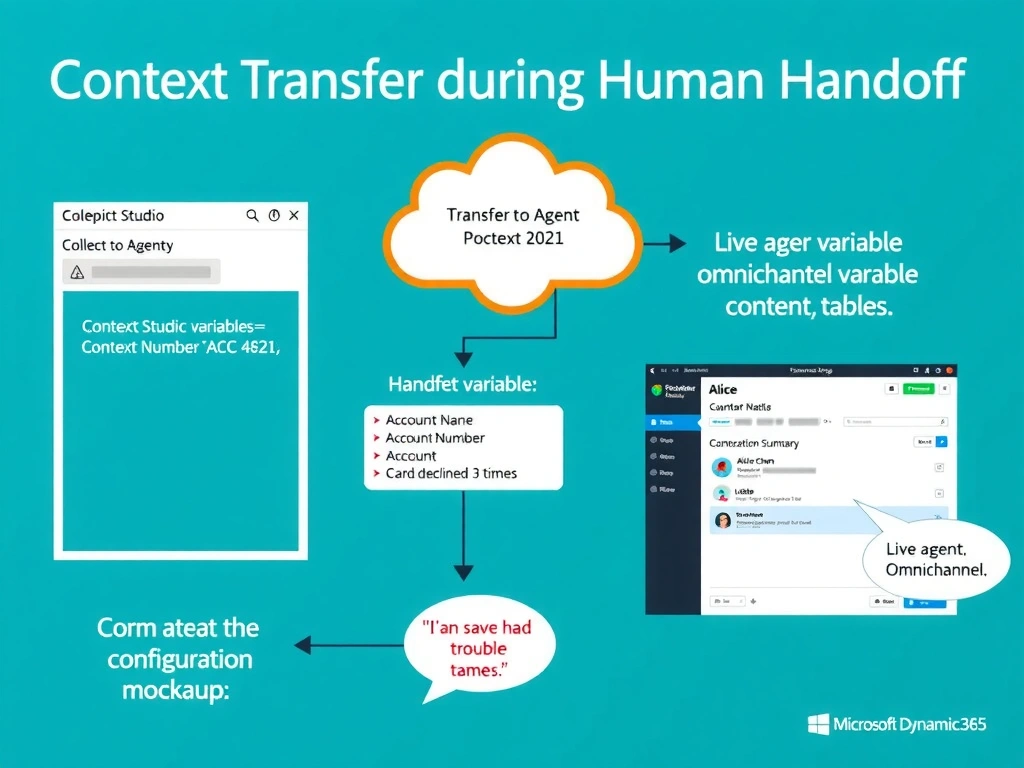
The Transfer to Agent node is the baton in the relay race — it doesn't just hand off the runner, it passes along everything the first runner learned. By populating context variables in that node, you make sure the live agent sees the customer's situation summary the moment the conversation lands in their queue.
Full explanation below image
Full Explanation
When a Copilot Studio agent is connected to Omnichannel for Customer Service, the 'Transfer to Agent' node supports a context variables section where the developer can map topic variables to named context keys. These context values are transmitted as part of the escalation payload to Omnichannel, which surfaces them in the live agent's Conversation Summary panel — the panel that shows the agent key information about an incoming conversation before or as they accept it.
The developer would map collected variables (e.g., {customerName}, {accountNumber}, {issueSummary}) to corresponding context variable names. Omnichannel can be configured to display these as summary fields, giving the live agent immediate context without requiring the customer to repeat themselves.
Option B is incorrect because emailing a transcript to the live agent introduces significant latency, is not real-time, and assumes the agent has time to read an email before accepting the chat. It also does not integrate with the Omnichannel queue and routing system.
Option C is incorrect because the supervisor dashboard is a monitoring tool for managers, not a pre-handoff preparation tool for individual agents. Agents work from their own agent dashboard, not the supervisor view. This approach also requires manual effort from the agent before every escalation.
Option D is incorrect because there is no 'Full transcript' option in Copilot Studio channel settings that automatically attaches transcripts to the Omnichannel handoff. While conversation transcripts can be exported through Dataverse after the fact, they are not automatically surfaced to live agents during the handoff through a channel settings toggle.
Exam tip: The 'Transfer to Agent' node's context variable section is the only supported mechanism for structured, real-time context passing during Omnichannel handoffs. Know it by name.