
A Copilot Studio developer needs to log the channel through which a user accessed the agent (e.g., Teams, web chat, or direct line) to route conversations differently based on the surface. Without writing any custom code, how can the developer access this information?
Select an answer to reveal the explanation.
Short Explanation and Infographic
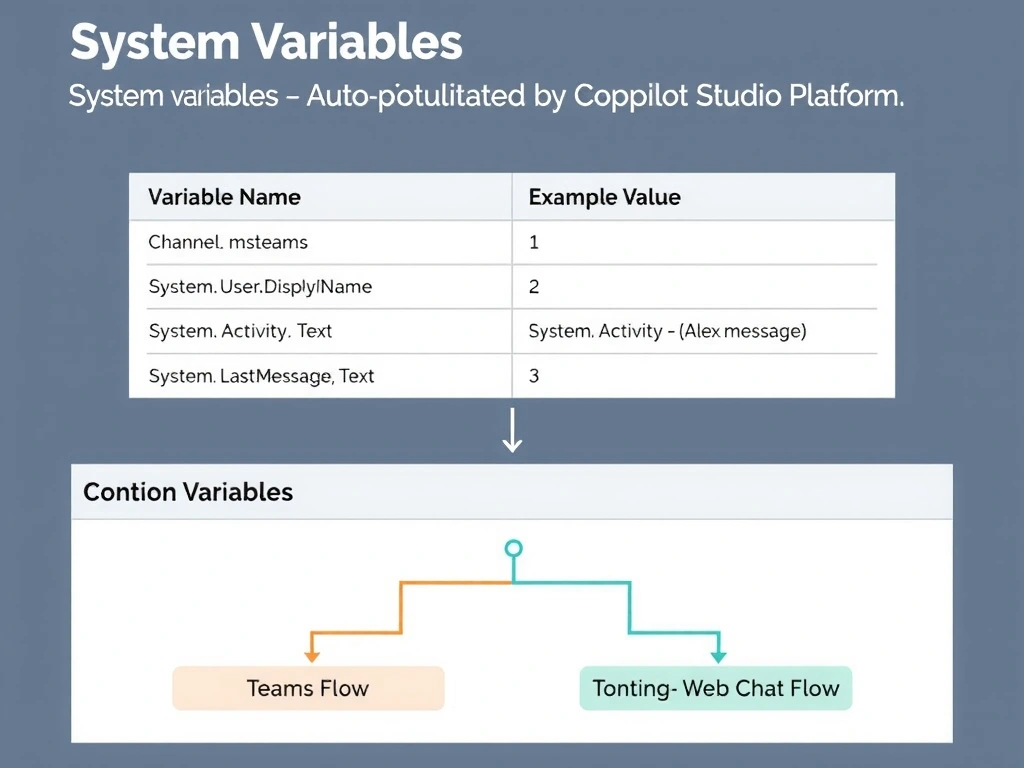
Copilot Studio's system variables are pre-filled backstage information — like the channel indicator that lights up when a broadcast is live. System.Channel tells you where the conversation is happening without any coding. The correct answer is B.
Full explanation below image
Full Explanation
## Why B is Correct Copilot Studio automatically populates a set of system variables at conversation start. System.Channel contains the name of the channel through which the user is accessing the agent (e.g., 'msteams', 'webchat', 'directline'). The developer can use this variable in a condition node to branch the conversation flow based on the channel — for example, showing a different greeting or offering different escalation options in Teams vs. the public website.
## Why the Distractors Are Wrong A (Custom global variable + URL condition): Checking URLs requires the agent to have access to HTTP request details, which it does not natively. System.Channel is already available without this complexity.
C (Power Automate flow + HTTP header): Flows operate in a separate execution context and cannot easily inspect the Copilot Studio channel at conversation start. This is an over-engineered solution to something the platform provides natively.
D (Custom entity from first message): Entities extract structured data from user utterances (like phone numbers or dates). Channel information is not something users type — it is metadata provided by the platform.
## Exam Tip Key system variables to know: System.Channel (channel name), System.User.DisplayName (from auth), System.Activity.Text (user's message), System.LastMessage.Text. These are read-only and auto-populated.