
A developer at Graphic Design Institute adds a 'Generative answers' node to a topic in Copilot Studio. The topic should answer questions about the company's design policies using content from a SharePoint site. What configuration is required in the Generative answers node?
Select an answer to reveal the explanation.
Short Explanation and Infographic
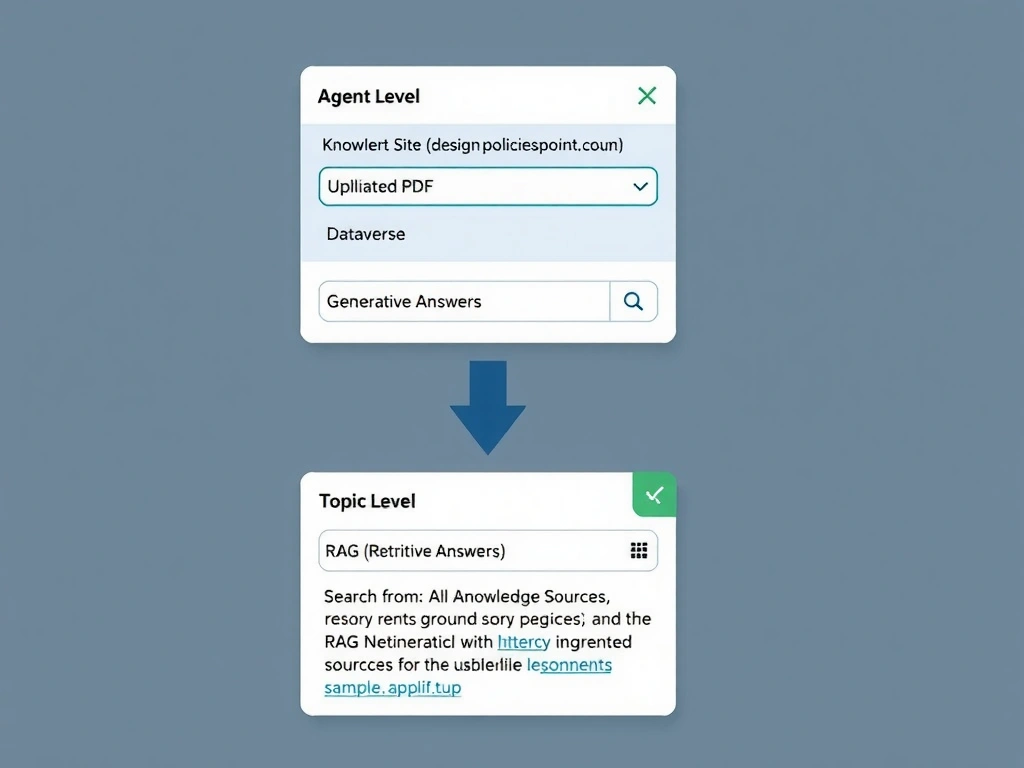
The Generative answers node doesn't fetch content itself — it queries knowledge sources you've already connected at the agent level. Add SharePoint as a knowledge source first, then the node knows where to look. The correct answer is B.
Full explanation below image
Full Explanation
## Why B is Correct In Copilot Studio, knowledge sources (SharePoint sites, uploaded files, public websites, Dataverse) are configured at the agent level in the Knowledge settings. Once added, the Generative answers node can be told to search 'from selected knowledge sources' or 'from all knowledge sources.' The node then uses Retrieval-Augmented Generation (RAG) to find relevant content and generate a grounded answer.
## Why the Distractors Are Wrong A (SharePoint URL in 'Search query' field): The 'Search query' field in the Generative answers node accepts a dynamic query string (what to search for), not a document source URL. Putting a URL there will cause the model to search for the URL as a text string.
C (Paste full document into prompt): Pasting large document content into a prompt field has token limit constraints, does not scale, and bypasses the RAG architecture that grounds answers in up-to-date source content.
D (Flow pipes content as input): While a flow can retrieve SharePoint content, piping raw document content into the generative node as unstructured input is not the recommended pattern. It bypasses indexing, chunking, and citation capabilities.
## Exam Tip Knowledge sources are agent-level settings. The Generative answers node is a topic-level node that taps into those agent-level sources. Know this two-level architecture.