
A Copilot Studio topic calls a Power Automate flow to retrieve a customer's account balance. After the flow runs, the topic must display the balance in a message to the user. What is the correct way to receive the balance from the flow back into the topic?
Select an answer to reveal the explanation.
Short Explanation and Infographic
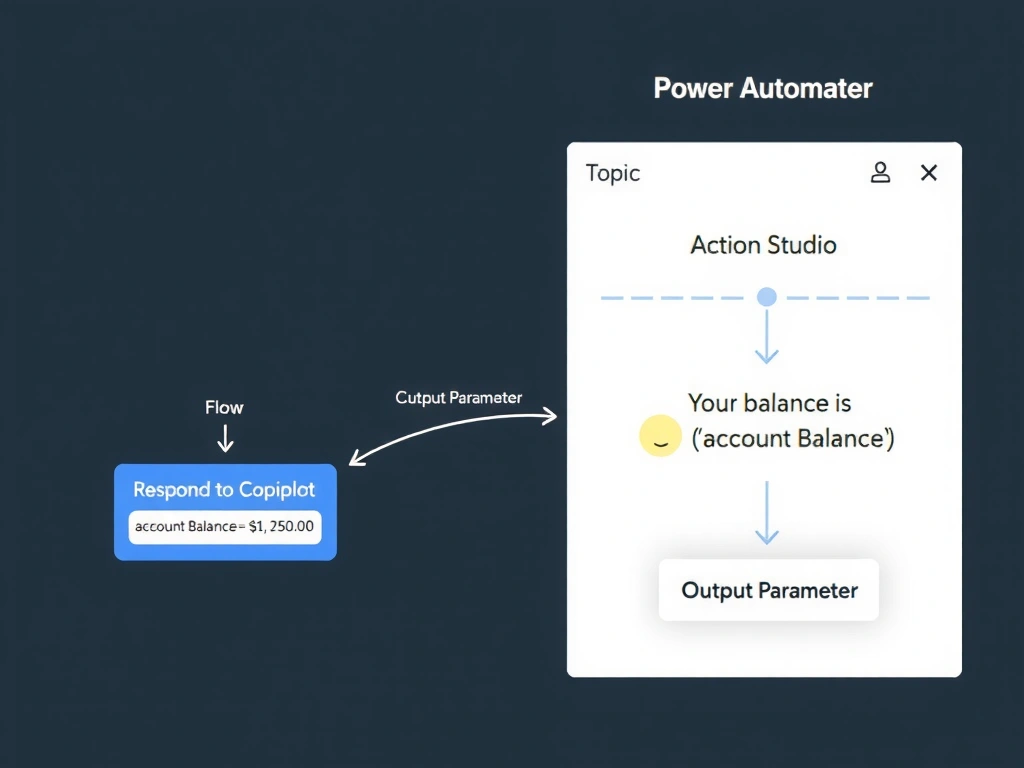
Getting data back from a flow is like a function return value — the flow's 'Respond to Copilot' action packages the result, and the topic catches it as an output variable ready to use in a message. The correct answer is B.
Full explanation below image
Full Explanation
## Why B is Correct In the Copilot Studio integration model, flows return data to the agent using the 'Respond to a Copilot agent or a Microsoft Copilot' action (previously 'Return value(s) to Copilot'). You define output parameters on this action (e.g., accountBalance of type Number). In Copilot Studio, the action node automatically creates a corresponding output variable that the topic can reference in any subsequent node, including a message node displaying {x.accountBalance}.
## Why the Distractors Are Wrong A (Dataverse round-trip): Writing to and reading from Dataverse adds unnecessary latency and complexity. It also introduces a data-consistency risk if multiple conversations run simultaneously with the same record.
C (Global variable via connector): There is no Copilot Studio connector that allows flows to write to an agent's in-memory global variable. Agent variables exist only within the conversation session context.
D (SharePoint round-trip): Like the Dataverse approach, this is an anti-pattern — slow, complex, and bypasses the built-in output parameter mechanism.
## Exam Tip Output flow: Flow → 'Respond to Copilot' action (define output parameters) → Copilot Studio action node creates output variable → topic message node uses variable. Know both directions: input parameters (agent → flow) and output parameters (flow → agent).