
Blue Yonder is building two Copilot Studio agents: Agent A is for internal employees who are already signed into Microsoft 365, and Agent B is for external customers who have no Microsoft account. Which authentication configuration should be used for each agent?
Select an answer to reveal the explanation.
Short Explanation and Infographic
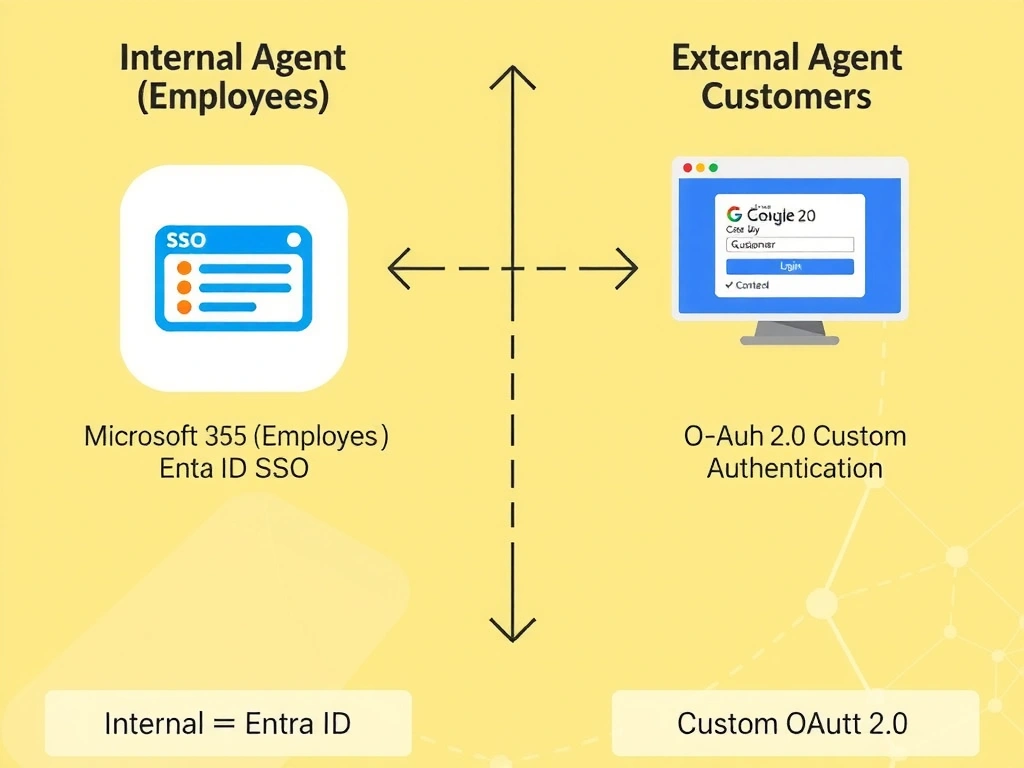
Internal users are already holding a Microsoft badge (Entra ID SSO) — no new login needed. External customers don't have that badge, so you set up a separate entrance with a custom OAuth identity provider. The correct answer is B.
Full explanation below image
Full Explanation
## Why B is Correct For internal agents, Microsoft Entra ID with Single Sign-On (SSO) is the correct choice. Employees are already authenticated to Microsoft 365, so the agent can inherit that identity seamlessly without requiring a separate login. For external agents, you configure Custom authentication in Copilot Studio, specifying an OAuth 2.0 identity provider that external users already have accounts with (e.g., Google, a corporate B2C IdP, or Azure AD B2C).
## Why the Distractors Are Wrong A (No auth for internal): While technically possible, omitting authentication for an internal agent means the agent cannot access user-specific data from Microsoft 365 services, and the organization cannot enforce access controls.
C (API key for internal): API keys are used to authenticate programmatic callers (backends calling APIs), not end users in a conversational interface.
D (Entra ID for both): External customers without Microsoft accounts cannot authenticate with Entra ID in its standard configuration. Azure AD B2C is a separate service and requires specific configuration as a custom IdP, not a simple 'Entra ID' selection.
## Exam Tip Key rule: Internal = Entra ID SSO. External = Custom OAuth. The exam may also ask about enabling or disabling authentication entirely for anonymous public agents — that is a third option (no authentication) valid only when no user data access is needed.