
Renata is building a Copilot Studio agent for Sundown Hotels that allows guests to extend their stay. The topic collects the guest's reservation ID (stored in 'Topic.ReservationID') and the additional number of nights (stored in 'Topic.ExtraNights'). Renata has created a Power Automate cloud flow with the 'Run a flow from Copilot' trigger that has two input parameters: 'ReservationID' (Text) and 'ExtraNights' (Number). How does Renata correctly pass the topic variable values to the cloud flow when calling it from the topic?
Select an answer to reveal the explanation.
Short Explanation and Infographic
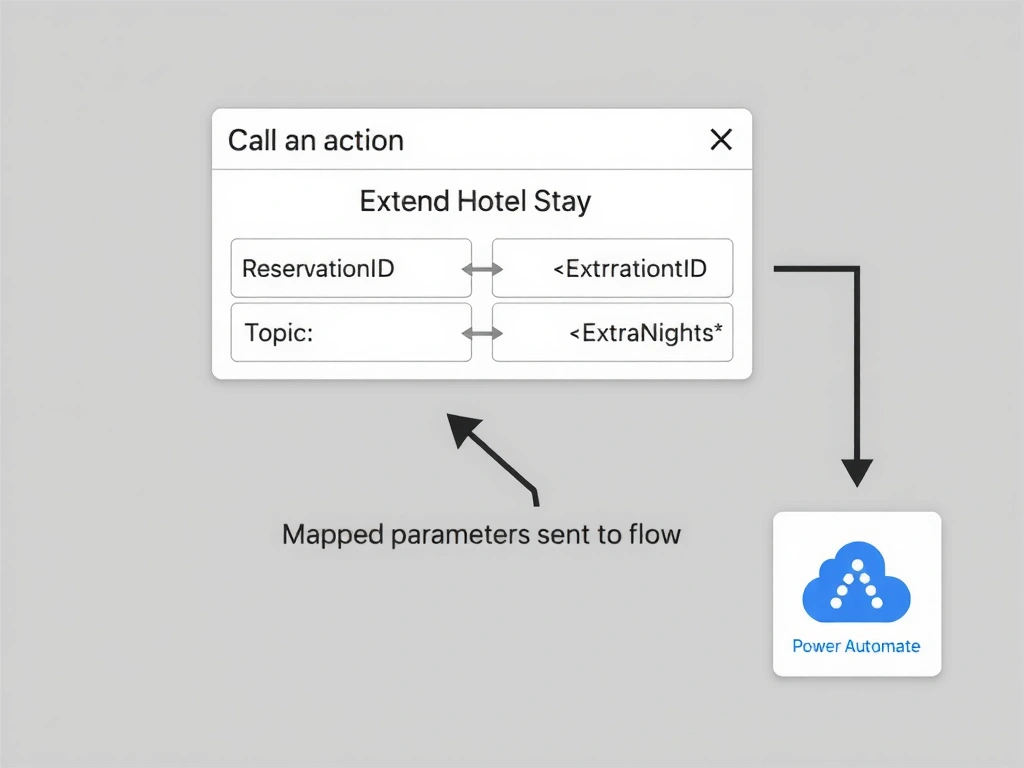
Think of the 'Call an action' node as a phone call — you dial the flow and you have to consciously say the reservation ID and nights out loud. The mapping is explicit: open the input section, click the picker for each parameter, and bind it to the right topic variable. Nothing flows automatically. Answer: C.
Full explanation below image
Full Explanation
When a Copilot Studio topic invokes a Power Automate cloud flow via a 'Call an action' node, parameter values must be explicitly mapped from topic variables to the flow's input parameters. This mapping is done inside the 'Call an action' node's configuration panel.
Option C is correct. After selecting the flow in the 'Call an action' node, Copilot Studio renders the flow's input parameter list — in this case, 'ReservationID' and 'ExtraNights'. The developer uses the variable picker (the formula bar or the brace syntax) to map each parameter: 'ReservationID' receives the value of 'Topic.ReservationID', and 'ExtraNights' receives the value of 'Topic.ExtraNights'. The types must be compatible — Text to Text and Number to Number — or Copilot Studio will flag a type mismatch error.
Option A is incorrect because Copilot Studio does not automatically inject conversation variables into cloud flow parameters. The agent runtime and the flow runtime are separate — the flow cannot introspect the agent's variable store without explicit parameter passing.
Option B is incorrect. Hardcoding values in the flow trigger's default would make the flow inflexible — every guest would receive the same hardcoded reservation ID and night count. Default values in flow triggers are only used when no value is passed from the calling agent, serving as fallbacks rather than dynamic mappings.
Option D is incorrect because adding a separate HTTP request node to POST data before calling the action node is an anti-pattern that duplicates effort and bypasses the built-in parameter mapping mechanism. The 'Call an action' node handles data passing natively — no pre-flight HTTP request is needed or appropriate.
Exam tip: Parameter mapping in 'Call an action' nodes is explicit and bidirectional. Inputs flow from topic variables to the flow, and outputs flow from the flow back to topic output variables. Both directions require explicit configuration — neither is automatic.