
Valeria is configuring a support agent for Deltawave Telecom in Copilot Studio. She wants to connect Azure AI Search as a knowledge source so the agent can answer technical questions from a large indexed document repository. Which set of steps correctly describes how to link Azure AI Search to the agent?
Select an answer to reveal the explanation.
Short Explanation and Infographic
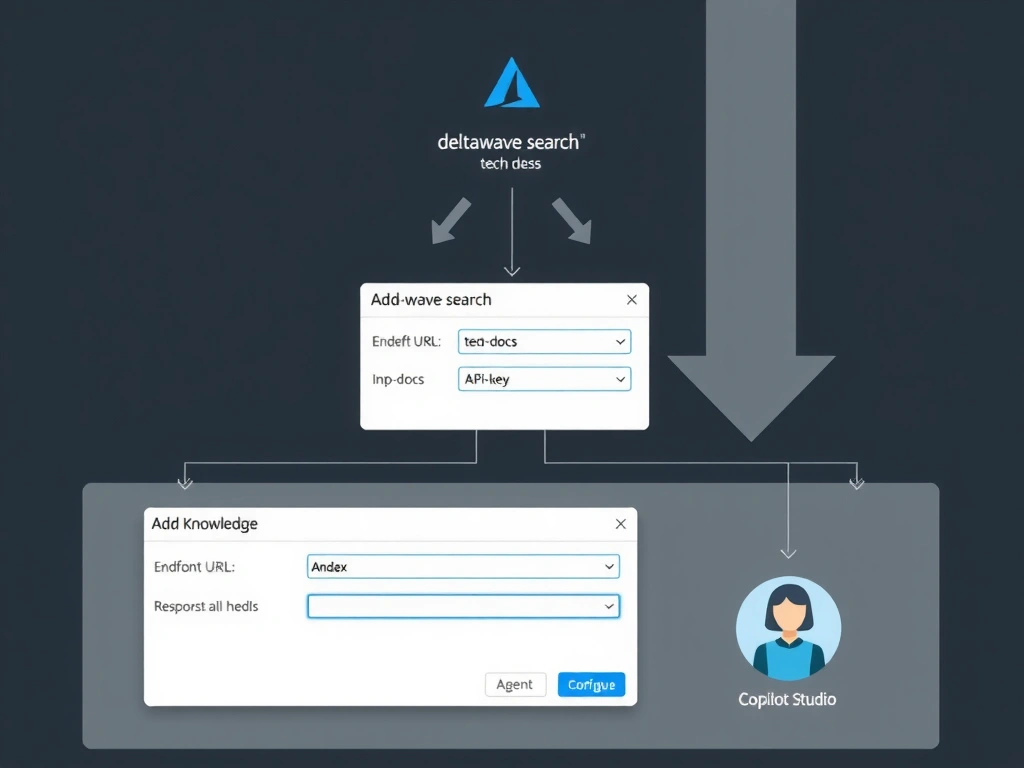
Connecting Azure AI Search is a direct Knowledge panel operation — like handing the agent a library card. You give Copilot Studio the search service URL, the index name, and the credentials, and it starts querying the index on behalf of users. Answer: A.
Full explanation below image
Full Explanation
Azure AI Search is a first-class knowledge source option in Copilot Studio. Microsoft built a native integration path that requires no intermediate export, no SharePoint relay, and no Power Automate flow. The connection happens entirely inside the Copilot Studio Knowledge configuration panel.
Option A is correct. The developer navigates to the agent's Knowledge section, clicks 'Add knowledge', selects 'Azure AI Search' from the source type list, enters the service endpoint (e.g., https://mysearch.search.windows.net), specifies the index name, and provides authentication — either an API key or a managed identity. Once saved, the agent automatically queries the index when responding to relevant user questions.
Option B is incorrect because Azure AI Search does not use ACL entries on the index itself to grant Copilot Studio access. Access is controlled via API keys or Azure RBAC/managed identity, configured on the Copilot Studio side. There is no automatic discovery by restarting the agent.
Option C is incorrect. Exporting an index to CSV and re-importing it through SharePoint would lose the search index's metadata, semantic configuration, and scoring profiles. It is also a static snapshot, not a live connection — meaning document updates would not be reflected.
Option D is incorrect. While a Power Automate flow can call the Azure AI Search REST API, routing search queries through a flow is unnecessary complexity for a native integration. The first-class Knowledge connector provides the same capability with less latency, simpler maintenance, and better grounding citation support.
Exam tip: Copilot Studio's native Azure AI Search knowledge connector supports both API key and managed identity auth. Expect exam questions to test whether you know the endpoint + index name + credential combination as the minimum required configuration.