
A developer at Ironwood Bank is building a Copilot Studio topic that assists customers with account inquiries. The topic uses an Ask a Question node with three multiple-choice options: 'Check Balance', 'Recent Transactions', and 'Report a Lost Card'. The customer's choice is stored in a variable named CustomerChoice. The developer needs to route each choice to a different sub-flow. Which node and configuration should the developer add immediately after the Ask a Question node to implement this routing?
Select an answer to reveal the explanation.
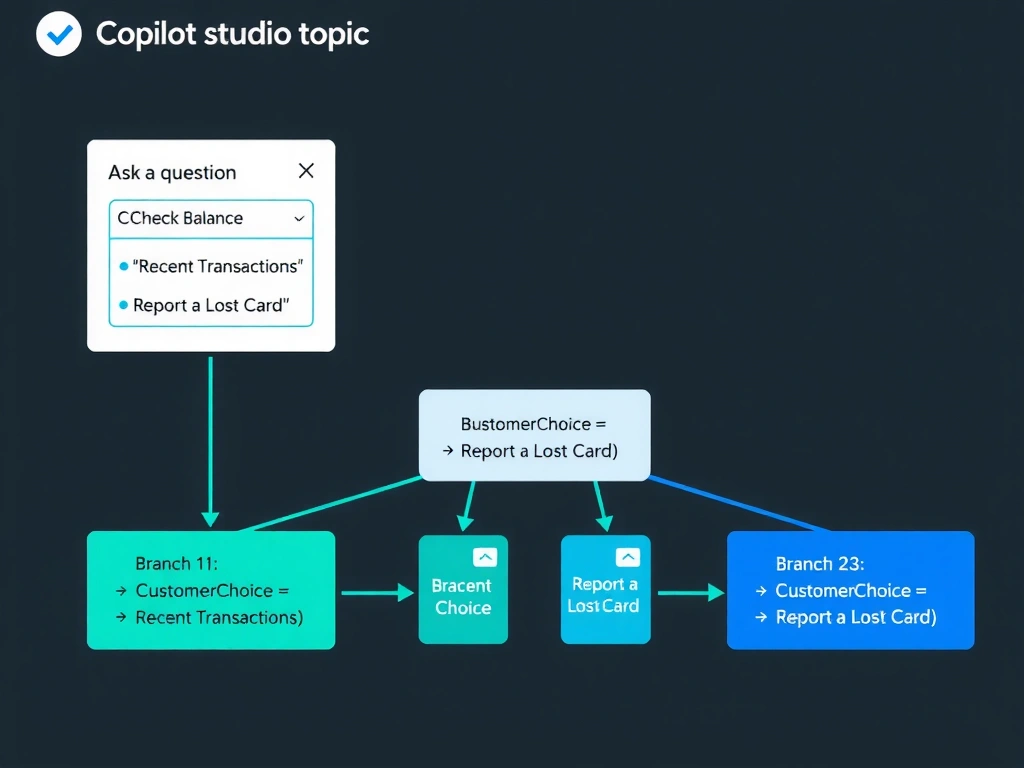
Short Explanation and Infographic
Branching in Copilot Studio is done with the Condition node — it's the IF/ELSE of the visual canvas. Option D is correct; you add a Condition node after the question, create one branch per choice using 'equals' comparisons on the CustomerChoice variable, and place your routing logic in each branch.
Full explanation below image
Full Explanation
Copilot Studio's authoring canvas uses the Condition node as the universal branching mechanism. After an Ask a Question node captures a customer's choice, the developer adds a Condition node. In the Condition node's configuration, each branch is defined with a logical expression — for example, 'CustomerChoice is equal to Check Balance.' The Condition node supports up to many branches (plus an 'All other conditions' fallback branch). Each branch can contain Send Message nodes, Call an Action nodes, Redirect nodes to other topics, or additional logic.
Option D is correct and describes the exact supported pattern for variable-based routing.
Option A is wrong. Redirect nodes transfer control to another topic entirely — they do not evaluate conditions. Adding three Redirect nodes in sequence would not create conditional branching; the flow would execute the first Redirect node and immediately hand off to that topic without evaluating the variable. Copilot Studio does not 'choose the first matching redirect.'
Option B is wrong because there is no 'Switch node' in Copilot Studio. The Condition node serves the purpose of a switch/case statement by allowing multiple branches. This is a common distractor — developers familiar with traditional programming expect a dedicated Switch construct, but Copilot Studio uses Condition nodes for all branching.
Option C is wrong. There is no 'Dynamic Redirect' node in Copilot Studio. Redirect nodes require a statically configured target topic at authoring time; they cannot dynamically select a topic based on a variable value at runtime. Attempting to transform a variable into a topic name does not cause dynamic routing.
Exam tip: In Copilot Studio, all branching — whether binary (yes/no) or multi-way (multiple choices) — uses the Condition node. Each branch is an 'if CustomerChoice equals X' expression. Remember there is no Switch node; the Condition node handles multi-way branching by adding additional branch clauses.