
Contoso Retail has built a Copilot Studio agent that helps employees navigate internal HR policies. The communications team wants to embed the agent directly on the company intranet so employees can chat with it without leaving SharePoint. The agent has already been published in Copilot Studio. What is the correct method to embed the agent on a SharePoint Online page?
Select an answer to reveal the explanation.
Short Explanation and Infographic
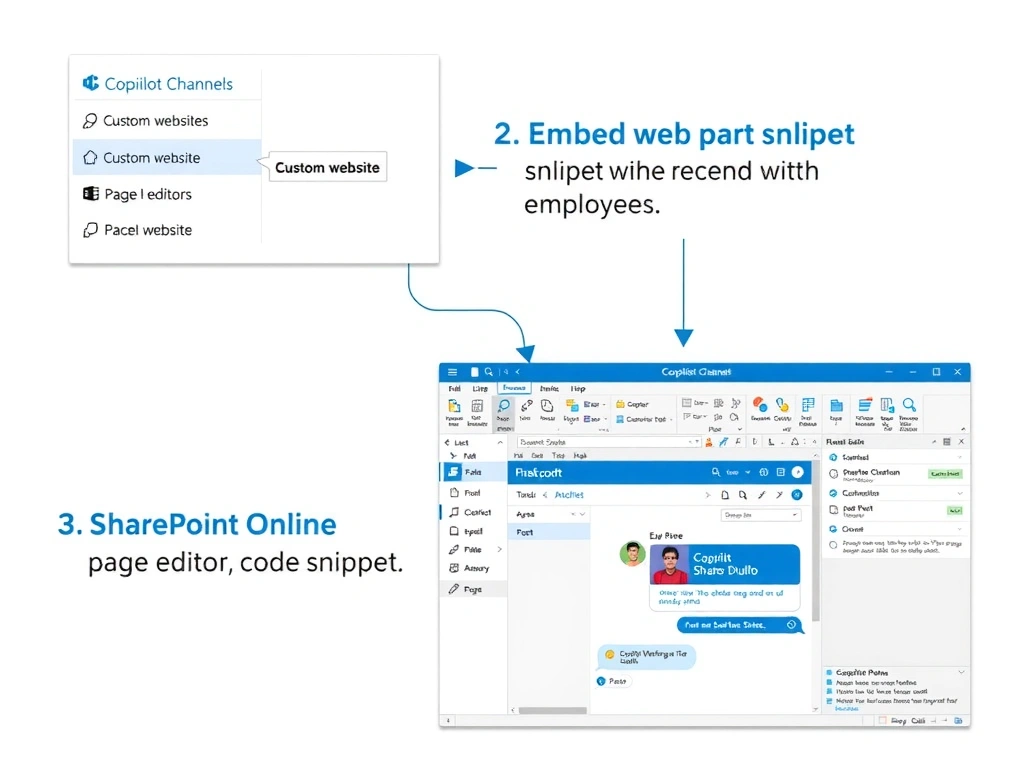
Embedding a Copilot Studio agent in SharePoint is as simple as copying the iFrame snippet and dropping it into SharePoint's Embed web part — no code deployment or SPFx packaging required. Option A is correct; the embed code from the Copilot Studio Channels section is designed for exactly this purpose.
Full explanation below image
Full Explanation
Copilot Studio provides a pre-built embed code (an iFrame snippet) in the Channels section under 'Custom website.' This snippet can be placed into any HTML-capable container, including SharePoint Online's built-in Embed web part. The page editor simply adds the Embed web part, pastes the iFrame snippet, saves the page, and the agent chat window appears inline on the SharePoint page. Users interact with the agent without navigating away.
Option A is correct and represents the simplest, fully supported path for embedding a Copilot Studio agent on a SharePoint page.
Option B is wrong. SharePoint Framework (SPFx) is a development model for building custom web parts and extensions. There is no supported mechanism to 'export' a Copilot Studio agent as an SPFx solution package. SPFx would require custom development that defeats the purpose of Copilot Studio's low-code approach.
Option C is wrong. Copilot Studio does not have a 'SharePoint' channel that automatically provisions pages. The supported channels are Microsoft Teams, Facebook, Slack, a custom website embed, and others — but no channel creates SharePoint pages automatically. Administrators embed the agent manually using the embed code.
Option D is wrong. Power Pages is a separate product for building external-facing web portals. It can host Copilot Studio agents, but it is not a mechanism for embedding an agent on an existing SharePoint Online intranet page. The scenario asks about an intranet page, not an external portal.
Exam tip: Know the three main deployment surfaces for Copilot Studio agents and how each works: (1) Teams — native app or chat; (2) SharePoint — Embed web part with iFrame snippet; (3) Power Pages — portal web part or embed snippet. The question will often test whether you confuse these deployment paths.