
A Copilot Studio agent is connected to a Dataverse environment and uses a service principal (application user) to read and write Customer records on behalf of employees. Employees should only be able to read and update Customer records they personally own. After deployment, the help desk reports that employees can view all Customer records in the organization, not just their own. The security role assigned to the application user grants Read access at the Organization level. What is the most targeted change that resolves the data visibility issue without breaking the agent's operational write capability?
Select an answer to reveal the explanation.
Short Explanation
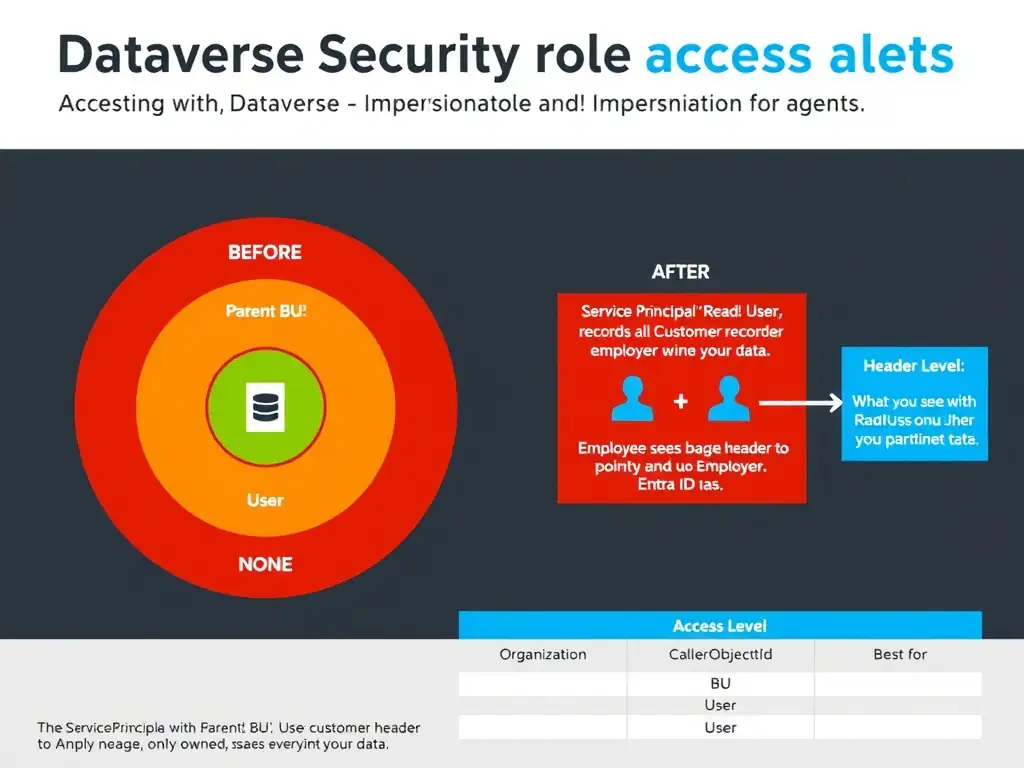
Dataverse checks who it thinks is asking. You need to drop the app user's Read from Organization to User and make the agent pass the employee's caller ID, so Dataverse filters Customer records by that employee's ownership. You keep the service principal able to write while employees only see their own customers.
Full Explanation
Dataverse row-level security is enforced through a combination of security roles (which define privilege levels: None, User, Business Unit, Parent Business Unit, Organization) and record ownership. When an agent uses a service principal (application user) without impersonation, Dataverse evaluates all privilege levels against the service principal's identity — and if that service principal's Read is set to Organization, it can see all records.
The targeted change is to lower the Customer table Read permission in the application user's security role from Organization level to User level, and to ensure the agent is configured to impersonate the calling user's identity using the caller ID header so that Dataverse applies the user's ownership filter rather than the service principal's. This addresses both parts of the problem. The permission change means the security role itself restricts reads to records where Owner = the identity being evaluated. The impersonation change, passing the CallerObjectId header in the Dataverse API request with the employee's Entra ID object ID, tells Dataverse to evaluate that User-level Read permission against the employee's identity rather than the service principal's. The service principal still performs the actual API call, but the data filter is applied as if the employee were making the request. This preserves the agent's operational capability (the service principal still has the necessary privileges to execute the call) while enforcing the correct data scope.
The approach that removes all security roles from the application user and relies on table-level permissions defined in the Copilot Studio agent's connection settings is incorrect. Removing all security roles from the application user would break all agent interactions with Dataverse — the service principal would have no permissions at all. Copilot Studio agent connection settings do not independently define fine-grained table-level permissions in Dataverse.
The approach that replaces the application user's security role with one that grants Read access at the User level and Write access at the User level, and configures the agent to pass the end user's Entra ID identity through the connection so that Dataverse evaluates row ownership against the actual user, is not the most targeted answer. It is similar to the correct approach but less precise and more disruptive: it replaces the role and also lowers Write to User level, which is broader than needed and risks breaking the agent's operational write capability if the service principal must retain the privileges required to execute writes on behalf of employees. Its description of passing the end user's Entra ID identity through the connection is also vague and does not specify the technical mechanism (CallerObjectId header), making it less actionable than the correct change.
The approach that enables field-level security on the Customer table's sensitive columns and assigns a field-level security profile that restricts visibility to record owners, leaving the table-level security role unchanged, is incorrect. Field-level security restricts visibility of specific column values within records, not which records are returned by queries. Even with field-level security on individual columns, an employee would still see the list of all Customer records (with sensitive fields masked) — the over-exposure of record rows is not addressed. Field-level security is a complementary control, not a substitute for row-level security.
Exam tip: On the certification exam, know the five Dataverse access levels in order from most to least permissive: Organization > Parent Business Unit > Business Unit > User > None. For agent scenarios with service principals, impersonation via CallerObjectId is the standard pattern for applying user-specific row-level security. Know that Write operations can remain at a higher level while Read is restricted to User level.