
A financial services company must demonstrate to regulators that their Copilot Studio agent never provides investment advice and that all agent conversations are retained for seven years for audit purposes. The compliance team also requires that a human reviewer be notified immediately when the agent declines to answer a topic due to responsible AI policy. Which combination of Copilot Studio and Power Platform features satisfies all three compliance requirements?
Select an answer to reveal the explanation.
Short Explanation
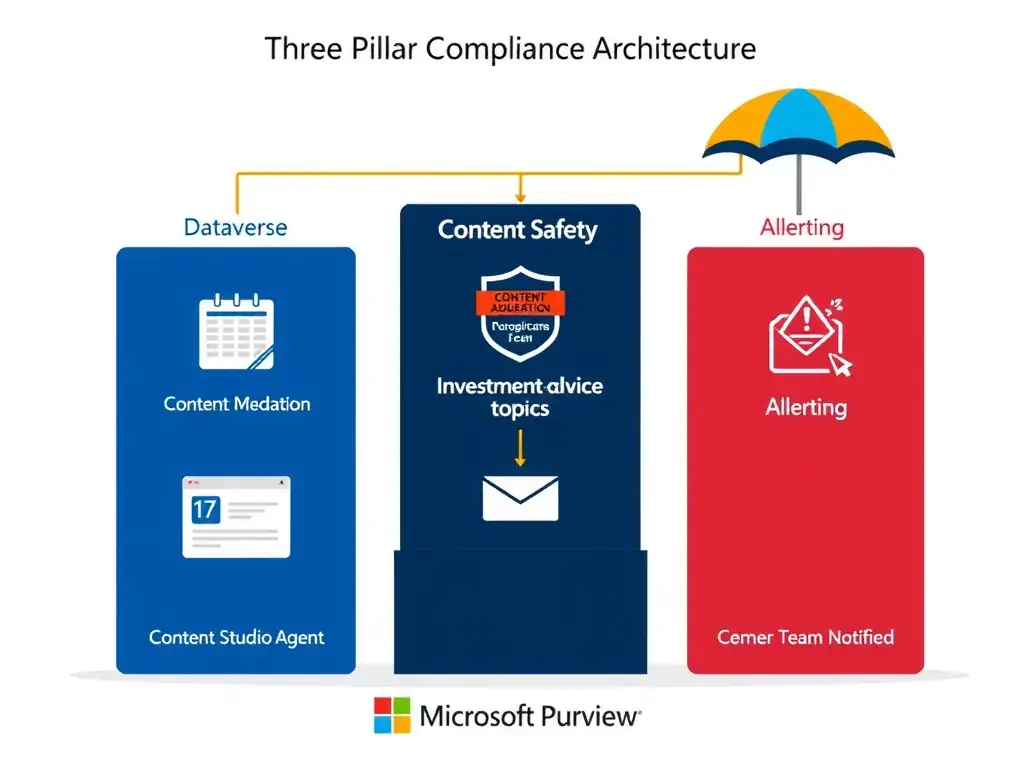
You need a black box recorder, security screening, and an alert system. Save transcripts to Dataverse, block investment-advice outputs with Content Moderation, and notify compliance from Power Automate when Escalate or content-blocked events fire. That keeps the audit trail native to Copilot Studio and Power Platform.
Full Explanation
Copilot Studio and Power Platform together provide native compliance and governance features that, when combined correctly, can satisfy regulatory requirements without requiring external Azure infrastructure.
The correct combination is the one that enables conversation transcripts saved to Dataverse, configures the agent's Content Moderation to block investment-advice-related outputs, and uses a Power Automate flow triggered by the 'Escalate' or content-blocked system topic to notify the compliance team via email. It uses three native platform features in combination. For retention, conversation transcripts saved to Dataverse provides the long-term retention store. Dataverse supports configurable data retention policies and is integrated with Microsoft Purview for enterprise compliance, meeting the seven-year retention requirement. For prevention, Content Moderation in Copilot Studio's AI capabilities can be configured to block responses that fall into prohibited categories — combined with topic-level guardrails, this prevents investment advice from being delivered. For notification, Power Automate can be triggered by Copilot Studio's system topics (including 'Escalate to Agent' and content-blocked events), enabling real-time email notifications to the compliance team when a policy boundary is triggered.
The combination that enables conversation transcripts to SharePoint, configures a topic that escalates to a human agent when investment-related keywords are detected, and sets a SharePoint retention policy to seven years is incorrect because conversation transcripts are stored in Dataverse by default in Copilot Studio, not SharePoint. While SharePoint supports document retention, it is not the native store for Copilot Studio conversation transcripts. Keyword detection in a topic is also a brittle approach compared to Content Moderation — keywords can be easily circumvented by paraphrasing. Additionally, keyword-based escalation would trigger on user messages, not on agent responses, which is the wrong event for compliance purposes.
The combination that configures a system-level disclaimer in the agent's greeting topic, uses Dataverse auditing to log all table changes, and creates an email alert in Power Automate triggered when a topic ends with the 'Escalate' system event is incorrect because Dataverse auditing logs changes to Dataverse table records, not conversation content. It is designed for tracking who created, updated, or deleted rows in a table — it is not a conversation transcript mechanism. The 'Escalate' system event approach in Power Automate is directionally correct but this combination incorrectly uses Dataverse auditing instead of conversation transcripts as the retention mechanism.
The combination that deploys Azure OpenAI content filters to block investment advice responses, stores all transcripts in Azure Blob Storage using a Logic App, and configures an Azure Monitor alert rule to notify the compliance team when a content filter triggers is incorrect because it relies entirely on external Azure services (Azure OpenAI, Blob Storage, Logic Apps, Azure Monitor) rather than Copilot Studio's native governance features. While technically implementable, this approach bypasses the platform-native capabilities, requires significant custom integration, and increases architectural complexity unnecessarily. The question asks what satisfies requirements using Copilot Studio and Power Platform features.
Exam tip: Copilot Studio compliance toolbox: Conversation Transcripts to Dataverse for retention and audit; Content Moderation for blocking policy-violating responses; System Topics (Escalate, End of Conversation) as Power Automate triggers for notifications; Microsoft Purview for data governance on top of Dataverse. Know these roles.