
A manufacturing company wants their Copilot Studio agent to automatically extract the purchase order number, vendor name, and total amount from PDF invoices that customers upload during a chat session. A developer plans to use AI Builder for the extraction. What is the correct sequence to implement this capability?
Select an answer to reveal the explanation.
Short Explanation
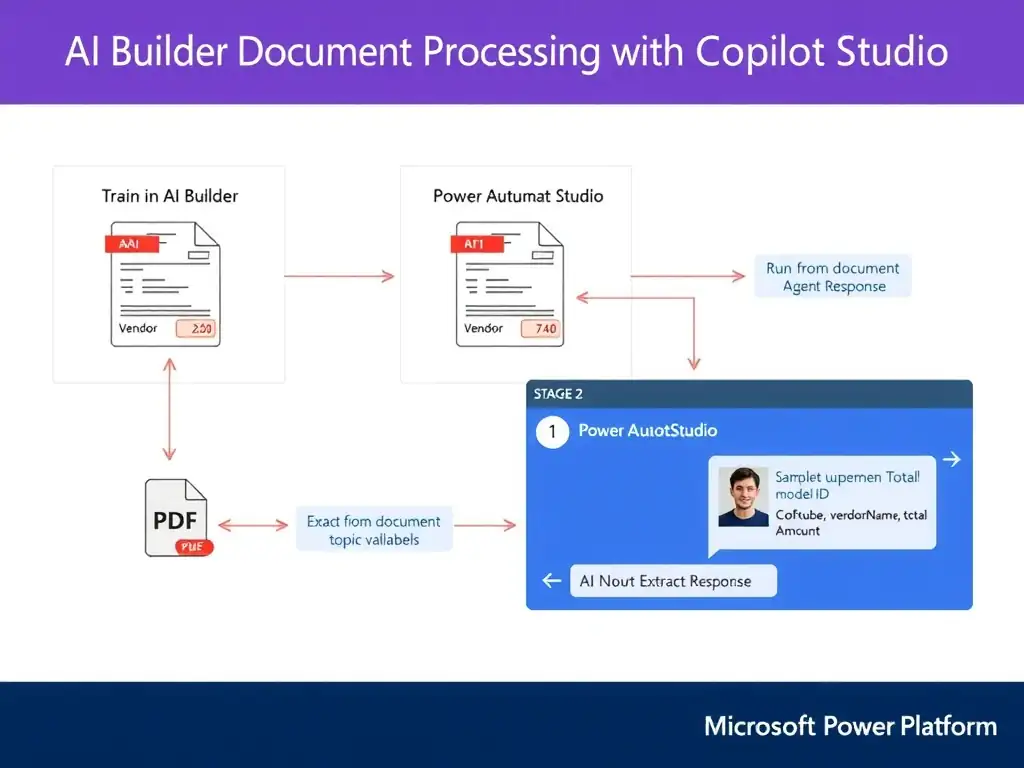
You train AI Builder on sample invoices, publish the model, then let Power Automate run the AI Builder action and hand the extracted fields back to the agent. Power Automate is the bridge that carries the model’s results into Copilot Studio.
Full Explanation
The correct sequence is to create and train an AI Builder document processing model on sample invoices, publish the model, then invoke the model from a Power Automate flow using the AI Builder action that the agent calls, returning extracted values as output variables. This architecture has three distinct stages. In the model stage, the developer creates a document processing model in AI Builder, uploads sample invoices, typically 5 or more per layout, labels the fields to extract such as purchase order number, vendor name, and total amount, trains the model, and publishes it. Once published, the model has a model ID that can be called programmatically. In the flow stage, a Power Automate cloud flow is created with the 'Run a flow from Copilot Studio' trigger. The flow receives the uploaded file or a file URL as input, uses the AI Builder connector's 'Extract information from documents' action referencing the published model ID, and maps the extracted field values to flow output parameters. In the agent stage, the developer adds a file upload prompt in the Copilot Studio topic, then adds a 'Call an action' node that invokes the Power Automate flow, passing the uploaded file content and receiving the extracted values back as topic variables. The custom entity extraction approach in Copilot Studio's entity settings, pointing it at the PDF upload and mapping extracted fields to topic variables, is incorrect because Copilot Studio entity settings are for recognizing entities in conversation text, not for processing uploaded document files; custom entities work on utterances, not binary file content. The approach that builds and publishes an AI Builder document processing model and attaches the published model directly to the Copilot Studio topic is incorrect because Copilot Studio topics cannot directly attach or call an AI Builder document processing model; the model must be invoked through Power Automate. A flow that merely runs without the AI Builder 'Extract information from documents' action would not perform extraction, so the correct sequence must explicitly include that action. The approach that uses Azure Form Recognizer directly from the agent topic via an HTTP action, bypassing AI Builder, is incorrect because Copilot Studio topics cannot directly make HTTP calls to Azure Form Recognizer or any external service in the way described; even if they could, bypassing AI Builder would require managing API credentials separately and would not use the low-code AI Builder training environment the question specifies. Exam caveat: AI Builder models are always called through Power Automate — they cannot be called directly from a Copilot Studio topic. The flow is the mandatory intermediary layer.