
A Copilot Studio agent needs to transfer unresolved conversations to a live customer service representative using Dynamics 365 Customer Service. Which node type should the developer add to the escalation topic, and what must be configured for the handoff to work?
Select an answer to reveal the explanation.
Short Explanation
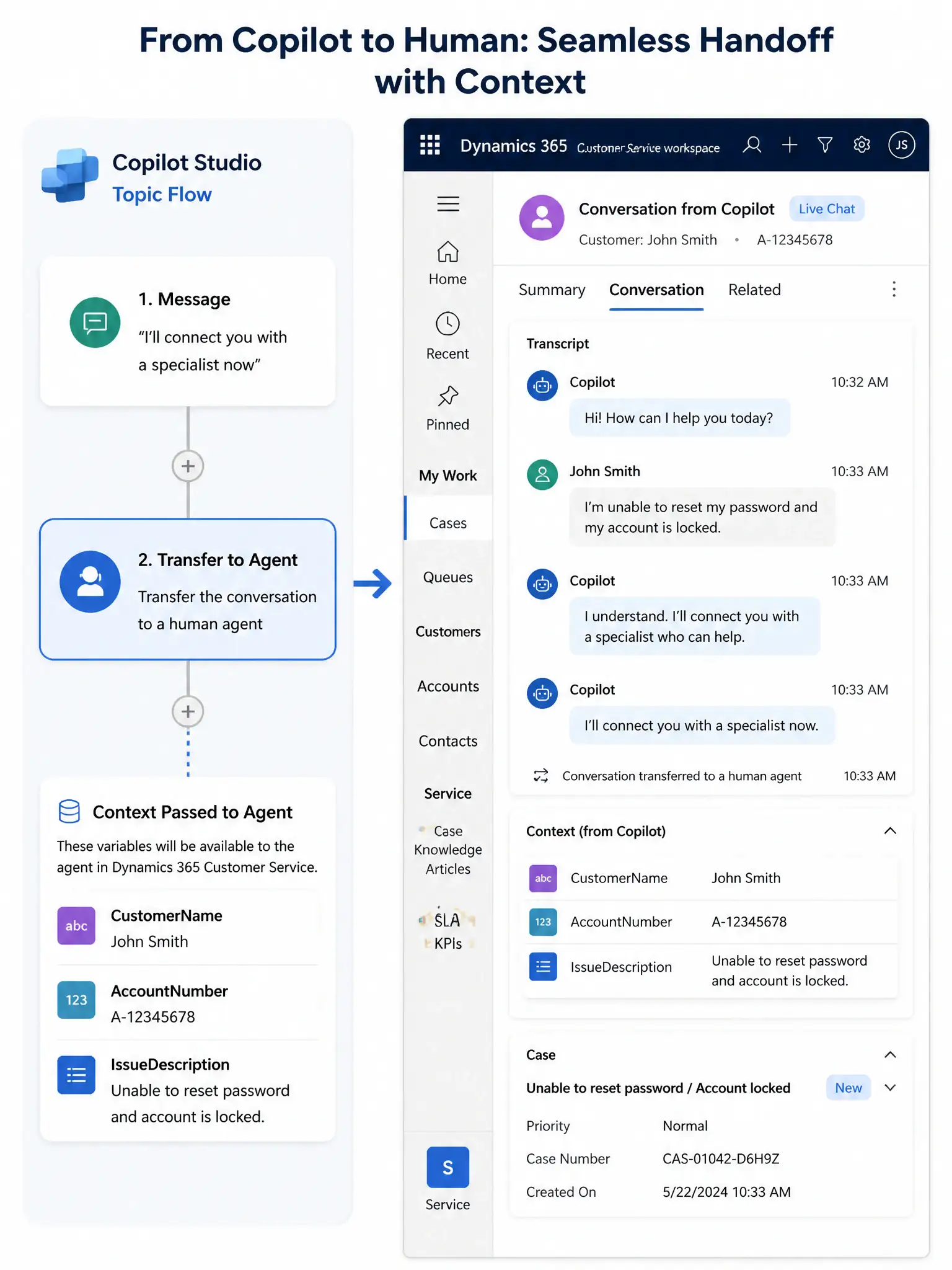
Use the 'Transfer to Agent' node as the handoff switch, then configure the Dynamics 365 Customer Service handoff provider in the agent's channel settings. That lets the live conversation transfer seamlessly with full context.
Full Explanation
Copilot Studio provides a dedicated 'Transfer to Agent' node for routing live conversations to human agents. This node triggers the configured handoff provider to take over the conversation. The correct approach is to add a 'Transfer to Agent' node and configure the Dynamics 365 Customer Service handoff provider, specifically the Omnichannel for Customer Service integration, in the agent's channel settings. This integration allows Copilot Studio to pass the conversation — including the full transcript and any context variables the developer specifies — to the Dynamics 365 agent desktop. The human agent receives the conversation with complete history. Adding a 'Send a message' node with text 'Transferring you now' and a redirect to the 'End of Conversation' system topic is incorrect because it terminates the bot session but does not initiate a live agent transfer. The user would need to contact support through a completely separate channel. Adding a Power Automate flow action that creates a Dynamics 365 case and sends the customer's email address to a support queue is incorrect because it is an asynchronous support pattern, or ticketing, not a live real-time chat handoff. The user is not connected to a live agent; they are placed in a queue to receive a response later. Adding an 'End Conversation' node which automatically routes the conversation to the next available human agent is incorrect because the 'End Conversation' node ends the bot session entirely. It does not route to a human agent queue, and there is no automatic routing to human agents from the End Conversation node.