
A Copilot Studio agent uses Entra ID authentication and accesses Dataverse tables to retrieve employee records. An HR manager reports that employees can chat with the agent but receive 'access denied' errors when the agent tries to look up their own records. Which configuration is most likely causing this error?
Select an answer to reveal the explanation.
Short Explanation
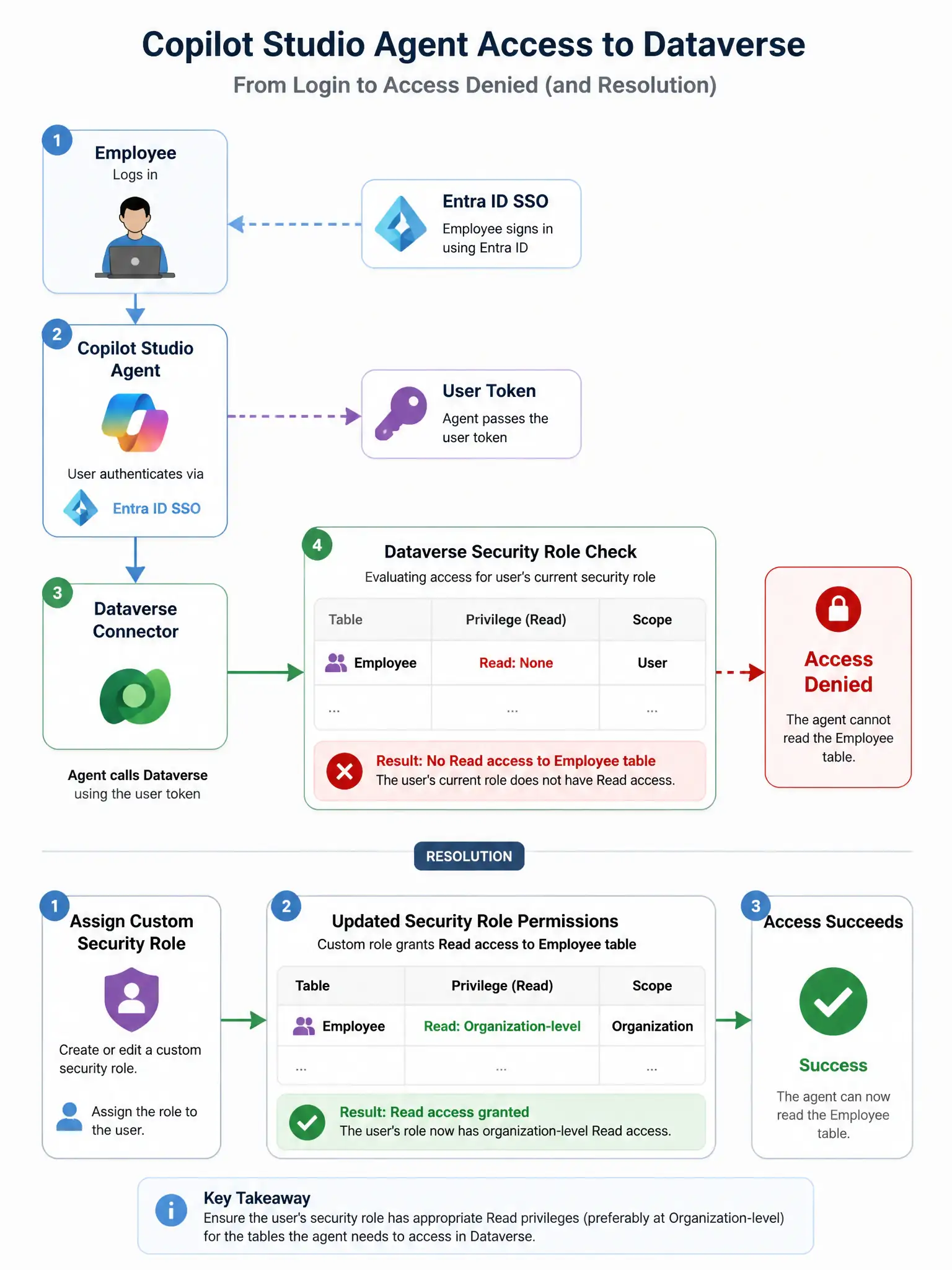
When the agent queries Dataverse as the signed-in employee, that employee's own Dataverse security role decides access. If their Entra ID account doesn't have read permission on the Employee table, they'll get 'access denied' even though chat works. Assign them a role with read access to fix it.
Full Explanation
When Copilot Studio is configured to use Entra ID (end-user) authentication and calls Dataverse via the user's delegated token, Dataverse enforces the user's own security roles — not a service account. The correct configuration issue is that the employees' Entra ID accounts do not have the correct Dataverse security role granting read access to the Employee table, and the agent queries Dataverse using the authenticated user's identity. Dataverse then checks whether that user's assigned security roles grant them read access to the Employee table. If no security role with read access to the Employee table is assigned to those users, Dataverse returns an access denied error regardless of the agent's configuration. The fix is to assign employees a Dataverse security role, such as a custom role with Read privilege on the Employee table, in the production environment. The idea that the Copilot Studio agent itself lacks the correct security role is incorrect because the agent itself does not hold a Dataverse security role in this architecture. When using user authentication, the query runs as the signed-in user, not as a service identity for the agent. The idea that the Dataverse table requires a Power Apps license is incorrect because accessing Dataverse tables does not require a Power Apps license per se; access is controlled by security roles and licensing depends on the specific scenario. In this case, employees accessing Dataverse through an agent interaction is covered by the agent licensing, not Power Apps. The idea that the agent's topic does not include a sign-in card is incorrect because the question states employees can chat with the agent successfully, so the sign-in is working. The error occurs specifically when the agent queries Dataverse, indicating the authentication itself succeeded but the authorization, or security role, check failed.