
Tobias is a Power Platform administrator at Meridian Healthcare. He is reviewing a DLP policy for the production environment. A developer needs to build a cloud flow that uses BOTH the Dynamics 365 connector (currently in 'Business') and a third-party appointment scheduling SaaS connector (currently in 'Non-Business'). The developer wants to move the scheduling connector to 'Business' to allow the two connectors to work together. Tobias must evaluate whether this change is appropriate. What are the implications of moving the scheduling connector to the 'Business' data group?
Select an answer to reveal the explanation.
Short Explanation
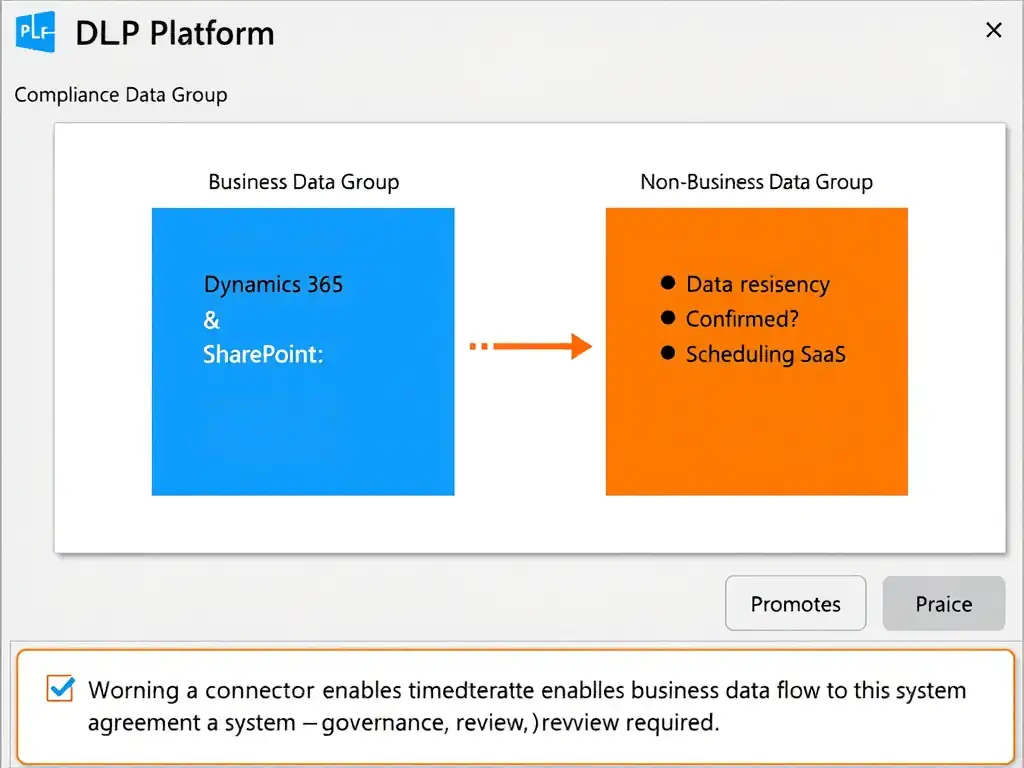
Promoting a connector from Non-Business to Business is like giving it a badge to enter the secure wing. It solves the grouping problem, but now business data can flow to that third-party vendor. You need to vet the vendor's data governance before approving the move.
Full Explanation
Power Platform DLP policies organize connectors into data groups — Business, Non-Business, and Blocked — with the rule that connectors in different active groups cannot be used in the same cloud flow. Moving a connector between groups is a policy configuration change that has both technical and compliance implications.
The appropriate evaluation is that moving the scheduling connector to Business allows it to be combined with Dynamics 365 in the same flow, and that business/sensitive data flowing through Dynamics 365 could be passed to the scheduling system, so the administrator must evaluate whether the scheduling vendor's data handling meets the organization's data governance and compliance requirements before making the change. This captures the full picture: the move achieves the developer's technical goal, but it also means data from Dynamics 365 — which may include patient records, HIPAA-protected health information, or other sensitive business data — can now be passed to the third-party scheduling SaaS system. The administrator must assess whether the scheduling vendor has appropriate data handling agreements (BAA for HIPAA, data processing agreements for GDPR, etc.) and meets the organization's data residency requirements before authorizing the move.
The option claiming that reassigning the scheduling connector to Business will let the developer combine it with Dynamics 365 in one flow, but that Dynamics 365 data will still be blocked from reaching it unless a separate tenant-wide data-loss prevention rule is created, is incorrect. Once both connectors are in the same active Business group, the DLP policy permits data to flow between them; the connector's third-party status does not by itself keep the flow blocked after the group change.
The option claiming that moving the connector to Business has no compliance implications because DLP policies only prevent data from leaving the Microsoft 365 tenant boundary, not from moving between connectors within the same tenant, is incorrect and dangerous. DLP policies are specifically designed to control data flow between connectors within the same tenant. The tenant boundary is not the only protection concern — moving sensitive healthcare data to a third-party SaaS connector within the same tenant can still violate HIPAA, data sovereignty laws, or contractual obligations.
The option claiming that the connector cannot be moved between data groups once a flow using it has been saved, and that the developer must delete all existing flows using the scheduling connector before the administrator can reassign it to the Business group, is incorrect. DLP group assignments are independent of existing flow usage. An administrator can move a connector between data groups at any time; existing flows using that connector will be evaluated against the updated policy the next time they run. There is no requirement to delete flows before reassigning a connector.
Exam tip: DLP policy changes require both technical understanding (which connectors can be combined) and governance awareness (what data risks does the change create). The exam tests whether candidates understand that moving a connector to Business is not just a technical checkbox — it opens a data flow pathway that must be evaluated for compliance.