
A custom connector for an Azure Function app worked in testing. The function app was then redeployed to a new app with a different host name, and the old app was deleted. Since then, every operation in flows fails with a host not found error, even though the connections are still valid. What should the developer do?
Select an answer to reveal the explanation.
Short Explanation
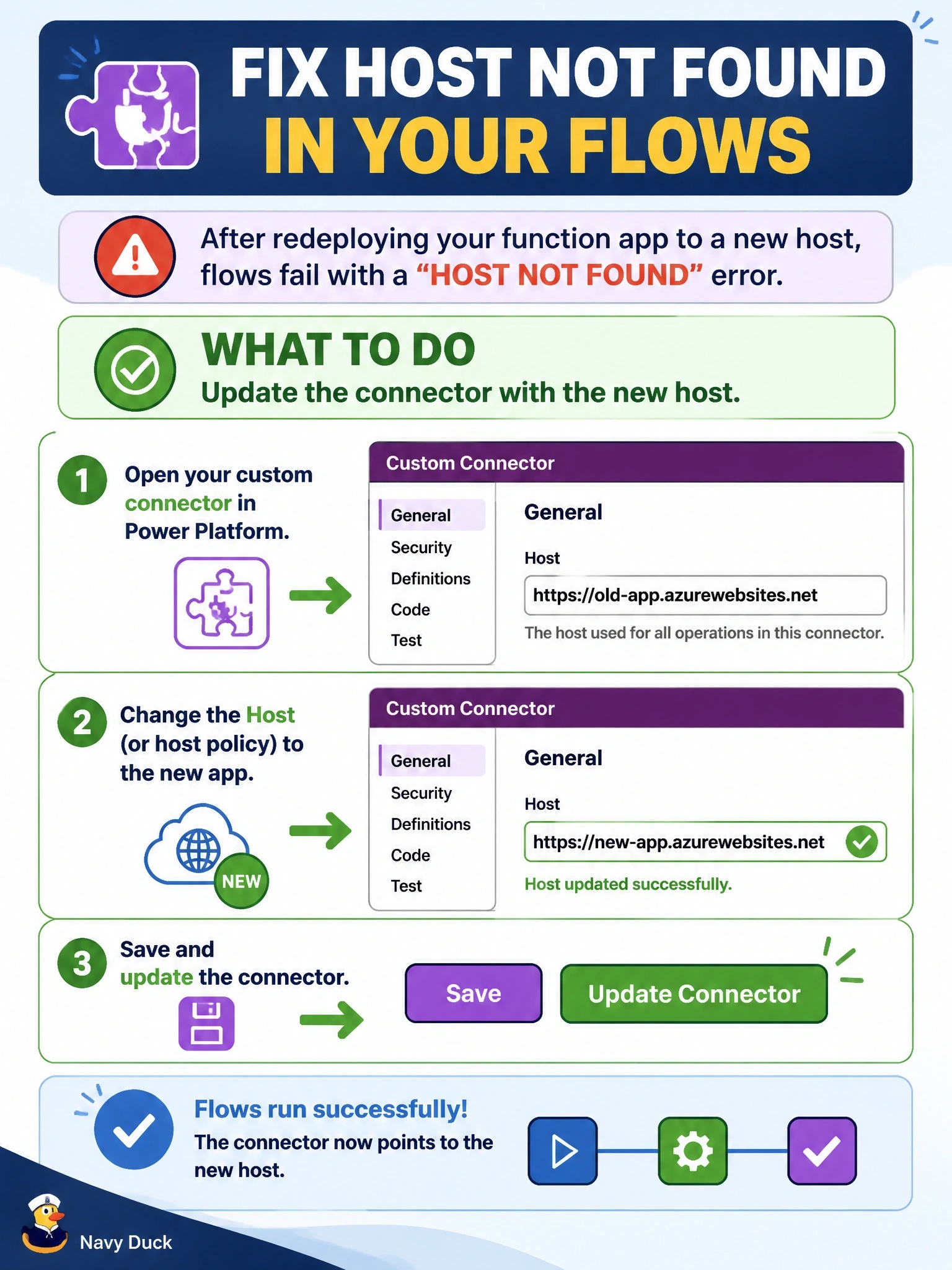
The connector is still mailing letters to a house that's been torn down. The host lives in the connector's definition, on the General tab or in a Set host URL policy, so you fix it there and update. Recreating connections or fiddling with keys won't change the address.
Full Explanation
A custom connector sends requests to the scheme, host and base URL defined on its General tab, unless a Set host URL policy overrides the host for some operations. When the backend moves to a new host name, every operation keeps calling the old address, which no longer resolves, so the fix is to change the Host value, or the policy's URL template if one is used, and update the connector. Connections hold authentication details for the connector, not the host name, so recreating them alone changes nothing; the requests would still go to the old host. Function keys matter once requests reach the new app; a host not found error means the request never got there, so keys are not the current problem, though the new app's key may also need to be entered if API Key authentication is used. Browser and portal caches do not affect the URL used by flows at run time, which comes from the saved connector definition. Exam caveat: in solutions, custom connector hosts can use environment variables so that each environment points to its own backend, which avoids editing the connector after every move. Operational check: update the host, run the operation from the Test tab, then rerun a failed flow and confirm the request reaches the new function app.