
A team is building an agent in Microsoft Foundry that must look up and update Dataverse rows on request, using standard tools rather than custom code for each operation. Copilot Studio is not involved. Which configuration should the developer use?
Select an answer to reveal the explanation.
Short Explanation
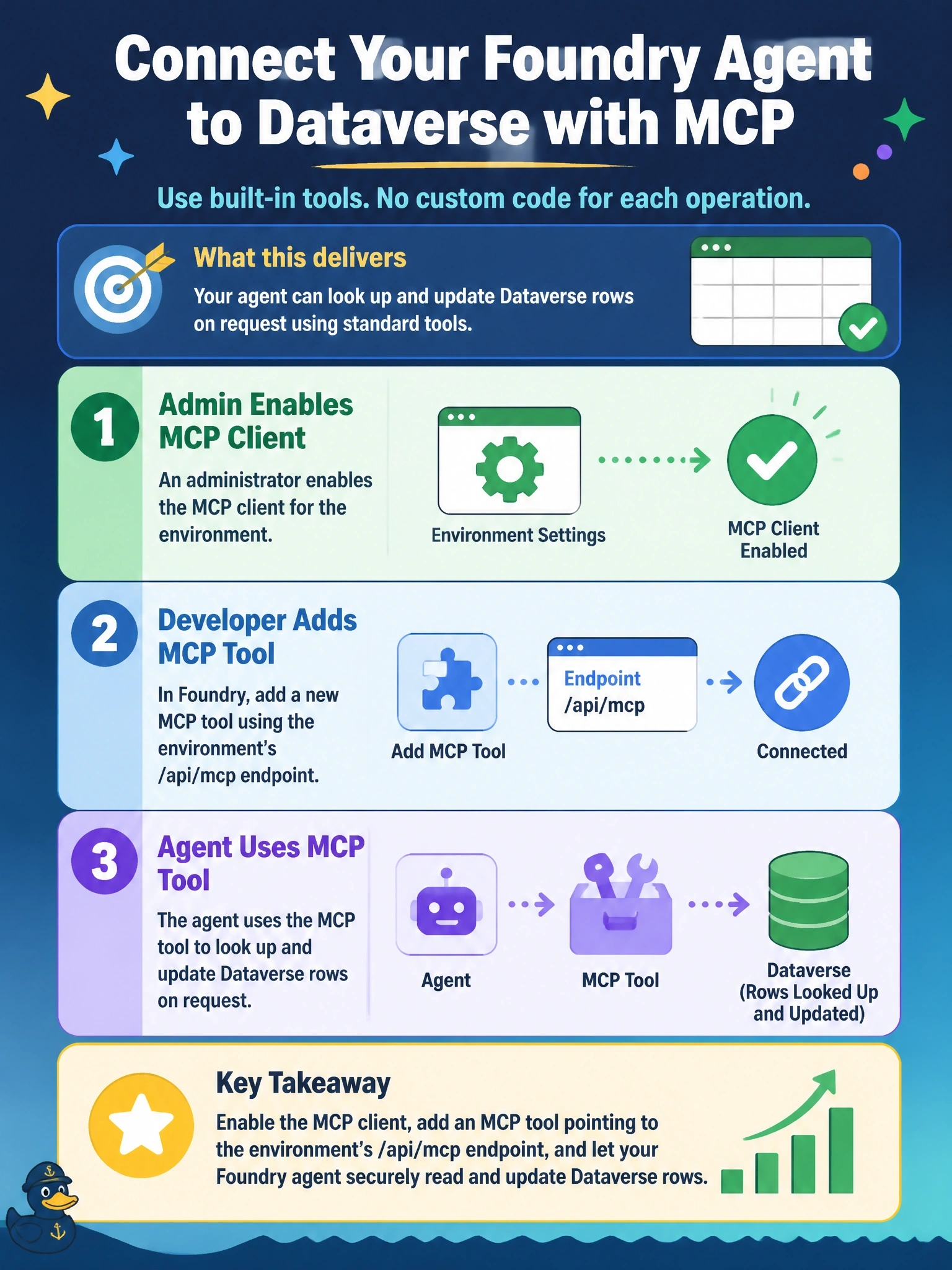
Dataverse can act as an MCP server, so your Foundry agent just plugs into its /api/mcp endpoint and gets ready-made tools. An admin still has to let that client in, because only Copilot Studio is enabled by default. Files and pasted metadata are photos of the data, not a working remote control.
Full Explanation
Dataverse can act as a Model Context Protocol server at the environment's /api/mcp endpoint, exposing tools that let an MCP client search and describe tables, run read queries, and create, update, and delete rows. A Microsoft Foundry agent connects to remote MCP servers through its MCP tool, which takes a server URL and label, an optional allowed tools list, an approval setting, and a project connection for authentication. Pointing that tool at the environment's MCP endpoint gives the agent standard Dataverse tools without custom code. By default only the Copilot Studio client is enabled for the Dataverse MCP server, so a Power Platform administrator must enable additional MCP clients in the environment's feature settings before others can connect. Exporting tables to files for File Search provides static snapshots that go stale and cannot update rows. Placing $metadata in the instructions gives the model a schema but no tool to execute requests, authentication, or a governed path to Dataverse, which makes behavior unreliable. The Web API endpoint is a REST API, not an MCP endpoint, so an MCP tool pointed at it will not discover tools, and a security role alone does not change the protocol. Exam caveat: Dataverse MCP tools used by agents created outside Copilot Studio are billed, so cost belongs in the design. Operational check: run the agent with approval required and confirm it lists Dataverse tools and requests approval for a query.