
A cloud flow reads a quantity field from a SharePoint list column of type text and compares it with 10 in an expression using greater(). Values such as 9 and 15 produce results that are inconsistent or raise type errors. The developer must compare the values numerically. What should the developer change?
Select an answer to reveal the explanation.
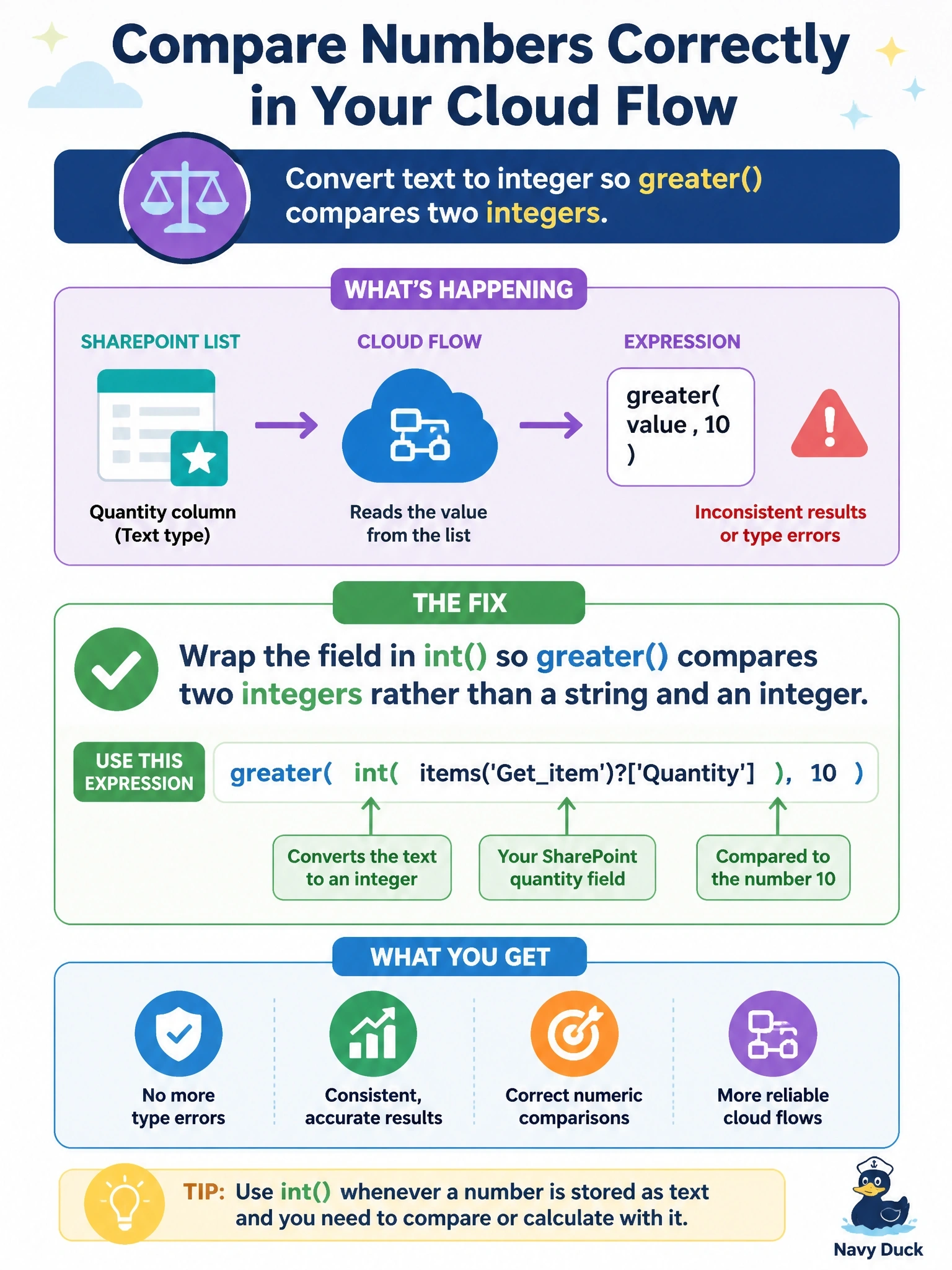
Short Explanation
Text that looks like a number is still text, and comparing text to a number is apples to oranges. You convert it with int() first, then compare. Turning both sides into strings is a sneaky trap: as text, "9" sorts after "10".
Full Explanation
Comparison functions such as greater expect both arguments to be of the same comparable type. When one side is a string and the other is an integer, the comparison either fails with a type error or is not evaluated numerically. Converting the text value with int, or with float when decimals are possible, produces a number, so the function compares magnitudes and 15 correctly exceeds 10 while 9 does not. Converting both sides to strings makes the types match but switches to text ordering, character by character, so the string 9 is greater than the string 10 and the logic produces wrong answers silently, which is worse than an error. formatNumber returns a formatted string, such as one with thousands separators, so it reintroduces text where a number is required. length returns the number of characters in a string, so it compares digit counts instead of values; a three-digit quantity would always beat a two-digit threshold regardless of the actual numbers, and leading zeros or spaces would distort it further. Exam caveat: int fails on values with decimals or stray whitespace, so trimming input or using float may be necessary for real data. Operational check: run the flow with values below, equal to, and above the threshold, and inspect the evaluated inputs of the condition in run history to confirm numeric comparison.