
An Azure Function written in C# uses the Azure Identity library to get tokens for Dataverse. In Azure it runs with a managed identity; on developer laptops it must use the developer's own Azure CLI sign-in. The team wants the same code in both places with no secrets and no environment-specific branches. Which credential should the code use?
Select an answer to reveal the explanation.
Short Explanation
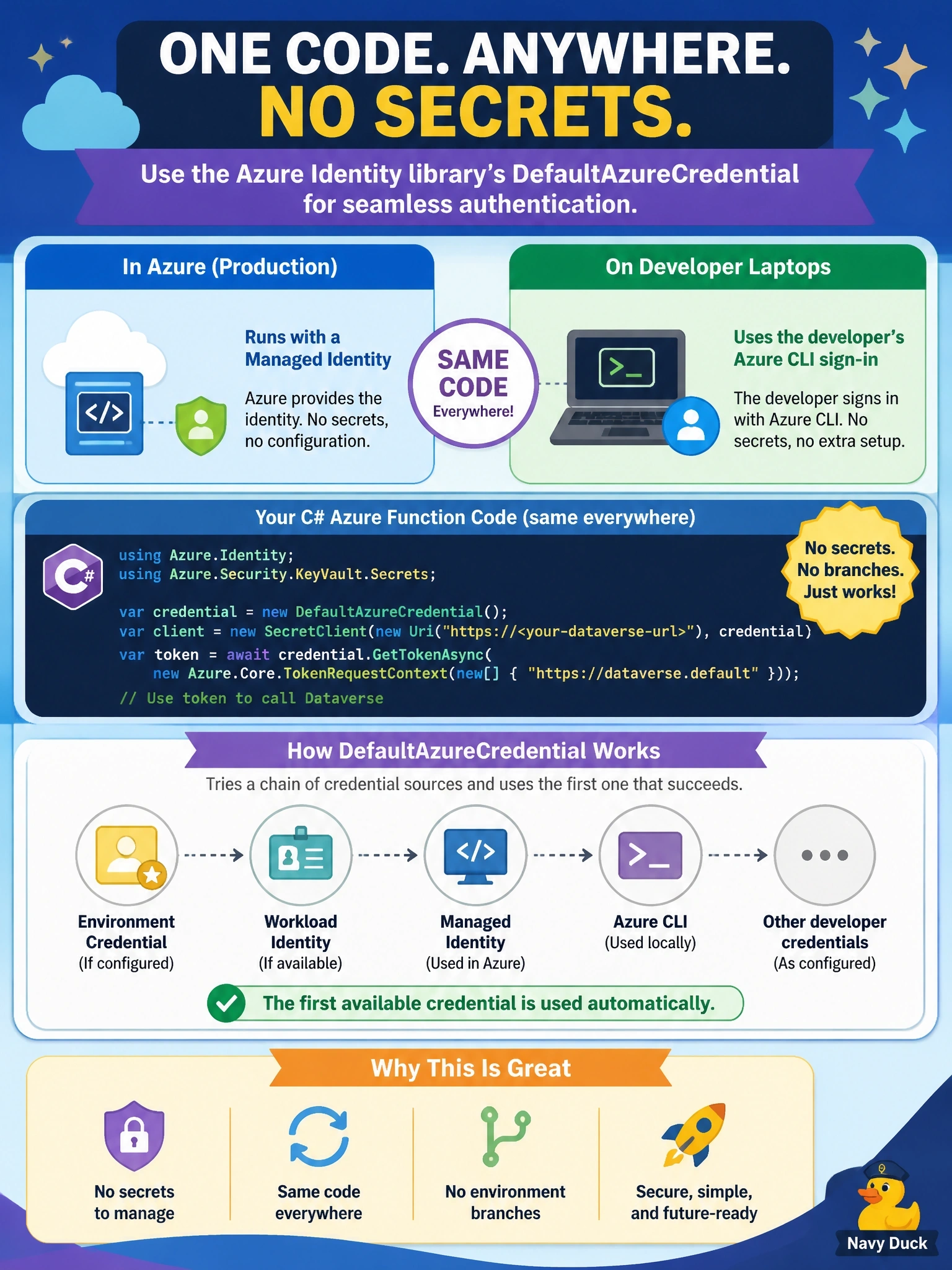
DefaultAzureCredential is like a key ring that tries each key until the door opens. In Azure the managed identity key fits; on your laptop your Azure CLI login fits, and the code never changes. The trap is a single-purpose credential that only works in one of the two places.
Full Explanation
DefaultAzureCredential is a chained credential in the Azure Identity libraries. It tries a sequence of credential sources in a defined order, including environment variables, workload identity, managed identity, and developer tool sign-ins such as the Azure CLI, and it uses the first one that returns a token. On Azure compute with a managed identity assigned, the managed identity source succeeds; on a laptop where no managed identity endpoint exists, the chain reaches the developer's Azure CLI or IDE sign-in. The same code therefore obtains a Dataverse token in both places without any secret and without branching on environment. ManagedIdentityCredential targets only the managed identity endpoint; it does not fall back to developer sign-ins, so it fails on a laptop. ClientSecretCredential requires a stored secret in both places, which defeats the requirement and recreates rotation work. InteractiveBrowserCredential needs a user to complete a browser prompt; it cannot run unattended in a function app and does not switch to a managed identity in Azure. Exam caveat: Microsoft recommends a specific credential in production for predictability, so teams may replace the chain with ManagedIdentityCredential once deployment is stable. Either identity still needs a Dataverse user or application user. Operational check: log which credential succeeded in each environment and confirm WhoAmI returns the expected user.