
A Power Automate cloud flow calls an HTTP-triggered Azure Function that rebuilds a large price list in Dataverse. Small jobs finish quickly, but large jobs fail because the HTTP call times out before the function responds. How should the developer redesign the call?
Select an answer to reveal the explanation.
Short Explanation
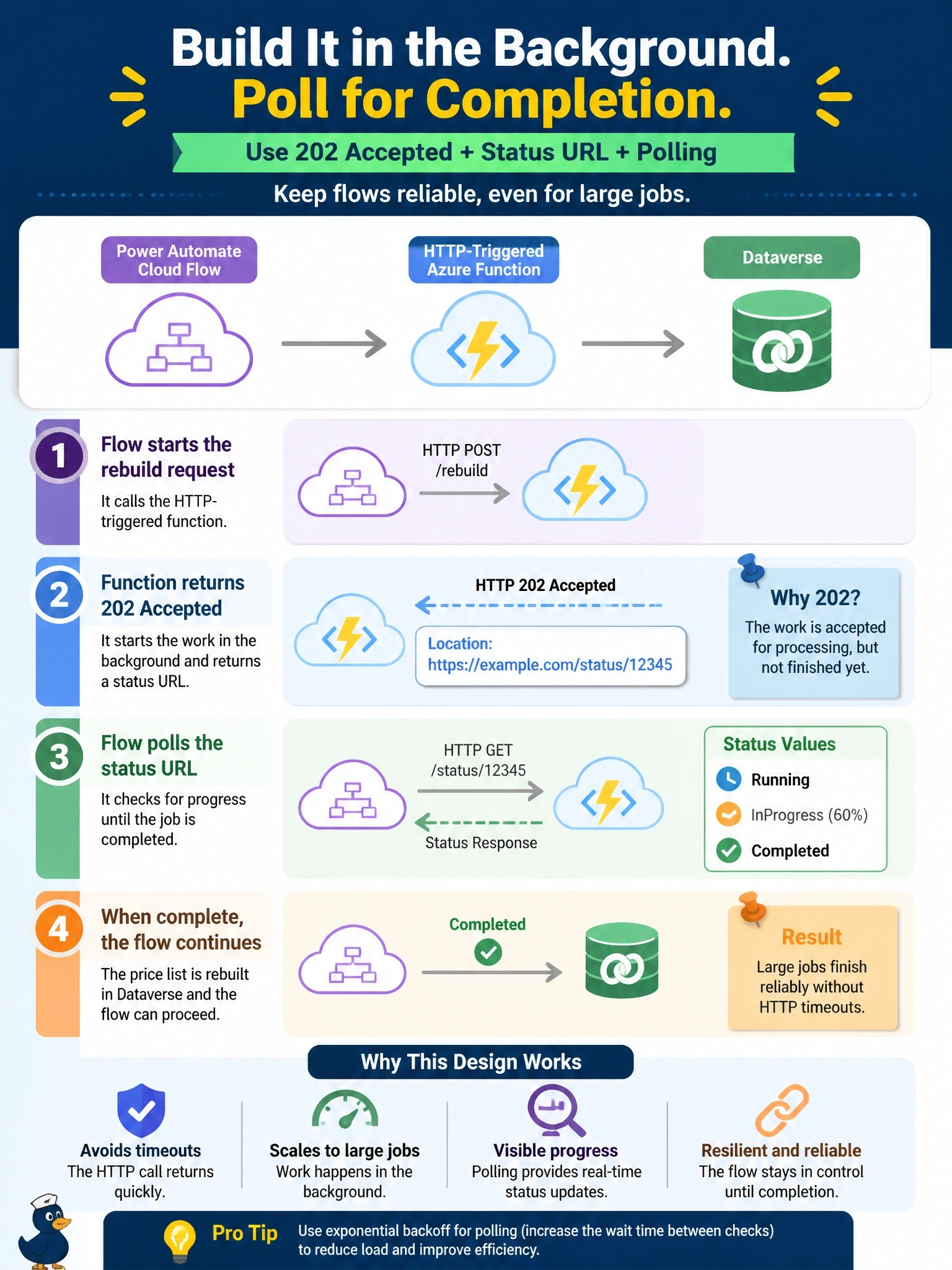
Don't make the caller hold the phone while you bake the cake. Return 202 with a status URL, do the work in the background, and let the flow check back. The flow's HTTP action already understands that pattern, so you get long jobs without a timeout fight.
Full Explanation
The asynchronous request-reply pattern separates acceptance of work from its completion. The function validates the request, places the job on a queue or starts a durable orchestration, and immediately returns 202 Accepted with a Location header that points to a status endpoint. The status endpoint keeps returning 202 while the job runs and returns the final result when finished. Power Automate's HTTP action supports this pattern through its asynchronous pattern setting: it follows the Location header and polls until the operation reaches a terminal state, so the flow waits for completion without any single request exceeding a timeout. Raising the retry count only resends the request; each attempt starts the rebuild from scratch, multiplies the load on Dataverse, and still times out on large jobs. Moving the call into a child flow does not change the limit on a single HTTP request; the child flow's HTTP action would time out in the same way. Prefer: respond-async is a Dataverse Web API header for background operations; Azure Functions does not interpret it to extend HTTP trigger timeouts. Exam caveat: queue-based handoff with a separate completion callback is a valid alternative when the caller does not need to wait. Operational check: trigger a large job and confirm the first response is 202 and that the flow run shows polling until a 200 result.