
A client application calls a Dataverse custom API that generates a large export file, and the call often takes long enough that proxies drop the open HTTP connection. The team wants to submit the request, release the connection immediately, and collect the result later, without rewriting the custom API. Which approach should the developer use?
Select an answer to reveal the explanation.
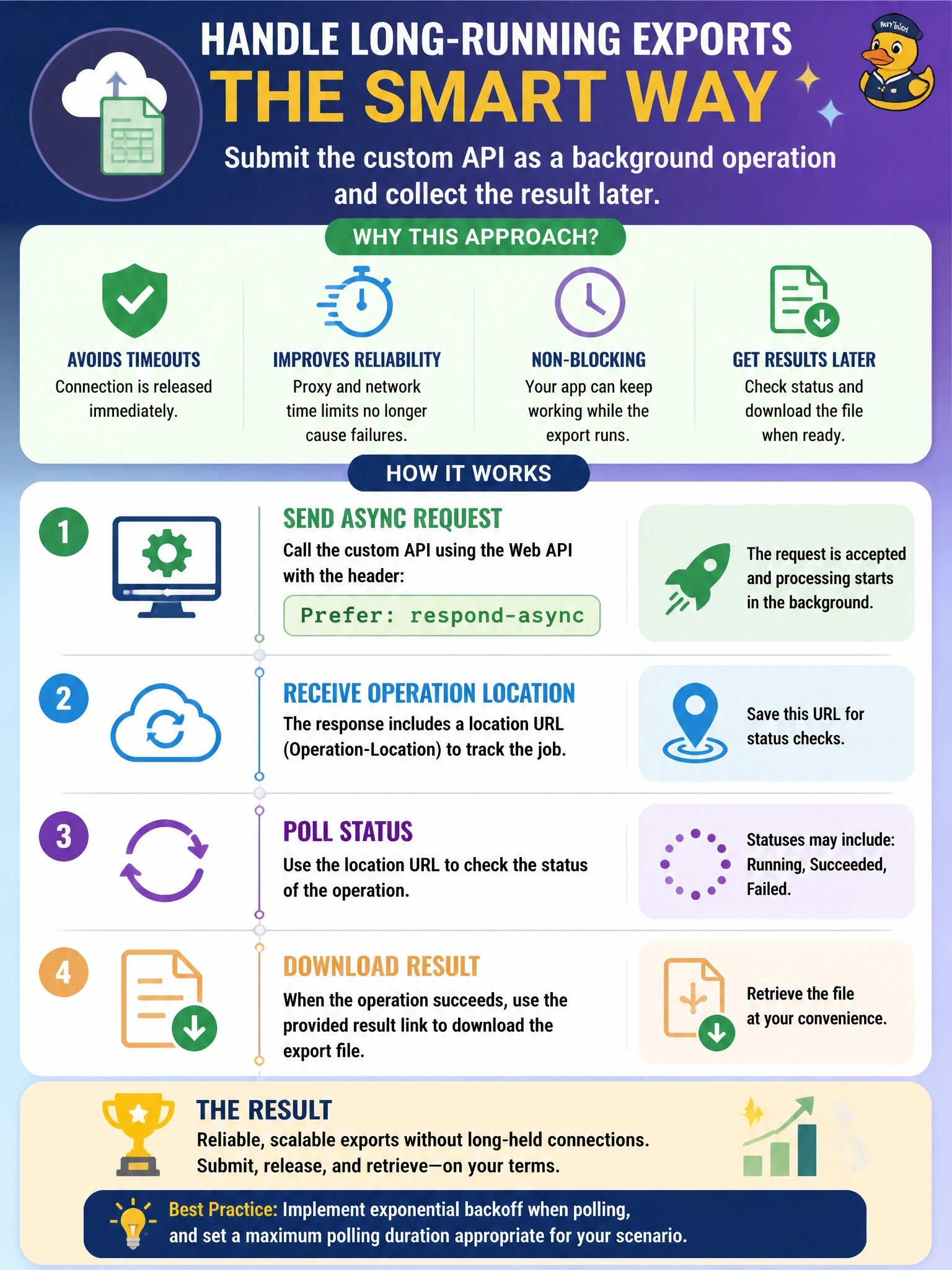
Short Explanation
Think of a dry cleaner: you drop off the shirt, get a ticket, and come back later, instead of standing at the counter. Background operations give your custom API call that ticket. Just remember the ticket doesn't buy the plug-in more than its usual two minutes of work time.
Full Explanation
Background operations let a client ask Dataverse to process a request asynchronously when the message is implemented as a custom API. With the Web API, the client adds Prefer: respond-async; Dataverse returns 202 Accepted with a Location header pointing to a status monitor resource and an x-ms-dyn-backgroundoperationid header identifying the background operation row. With the SDK for .NET, the same result comes from the ExecuteBackgroundOperation message. The client can then poll, receive a callback, or react to the OnBackgroundOperationComplete event. Raising timeouts and pinging keeps the connection hostage and still fails whenever an intermediary enforces its own limit, which is the problem the requirement wants removed. Registering the custom API's main operation as an asynchronous step is not an option, because a custom API's main operation plug-in runs synchronously and produces the response the caller is waiting for. ExecuteMultiple sends several requests in one round trip and still returns only after all of them finish; it creates no job identifier for later collection. Exam caveat: the background mode changes how the client waits, not how long the plug-in may run, so the custom API's plug-in remains bound by the two-minute execution limit. Operational check: send one request with respond-async and confirm a 202 response with a Location header.