
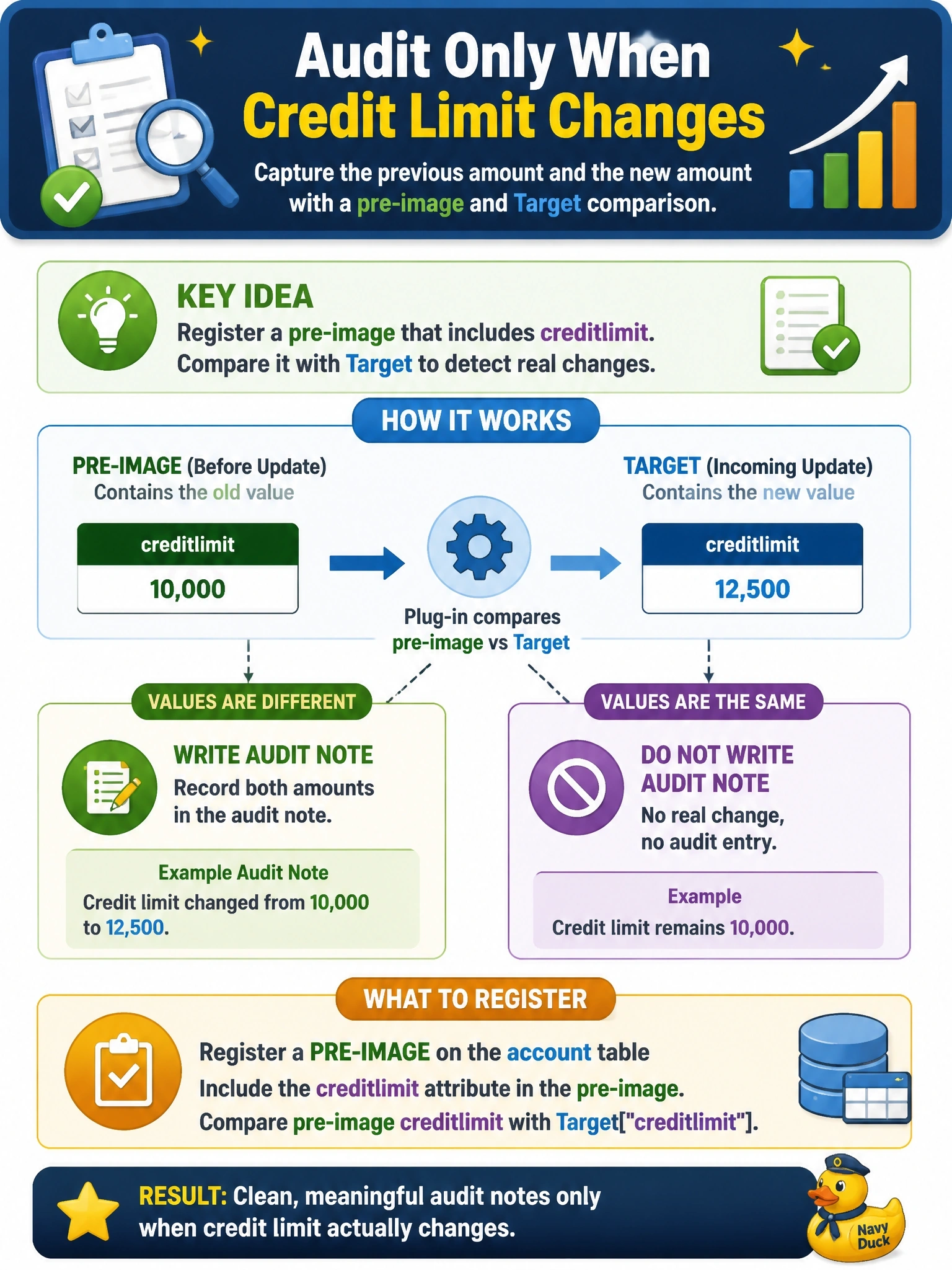
An Update plug-in on the account table must write an audit note only when the creditlimit value actually changes, recording both the previous amount and the new amount. Some integrations send creditlimit in every update even when the value is the same. What should the developer register so the code can compare the two values?
Select an answer to reveal the explanation.
Short Explanation
To spot a change you need a before picture and an after picture. Target is the after; the pre-image is the before. The trap is relying on filtering attributes, which fire whenever the column is sent, even when the integration resends the same value.
Full Explanation
A pre-image is a snapshot of the row's column values before the core operation, and Dataverse passes it to the plug-in in the PreEntityImages collection under the name registered on the step. Comparing the pre-image creditlimit with the creditlimit in Target tells the code whether the value genuinely changed, and supplies the previous amount for the audit note. This handles integrations that resend unchanged values, because the comparison is on content rather than on presence in the request. A post-image is a snapshot after the operation; in PostOperation it would contain the same new value as Target, so it cannot reveal the old amount. A filtering attribute determines whether the step is triggered when a column is present in the request, so it fires on every resend of creditlimit and does not provide the old value. Shared variables pass data between plug-ins in the same pipeline; they are not populated with stored column values unless another plug-in places them there, and they add coupling without solving the comparison. Exam caveat: register only the columns the code needs in the image to limit retrieval cost. Operational check: send an update with an unchanged creditlimit and confirm that no audit note is written, then change the value and confirm that one note records both amounts.