
A code app reads a SharePoint list as a data source. In development it must use the Dev site and list; after the solution is deployed to test and production, it must use each environment's own site and list without rebuilding the app. How should the developer configure the data source?
Select an answer to reveal the explanation.
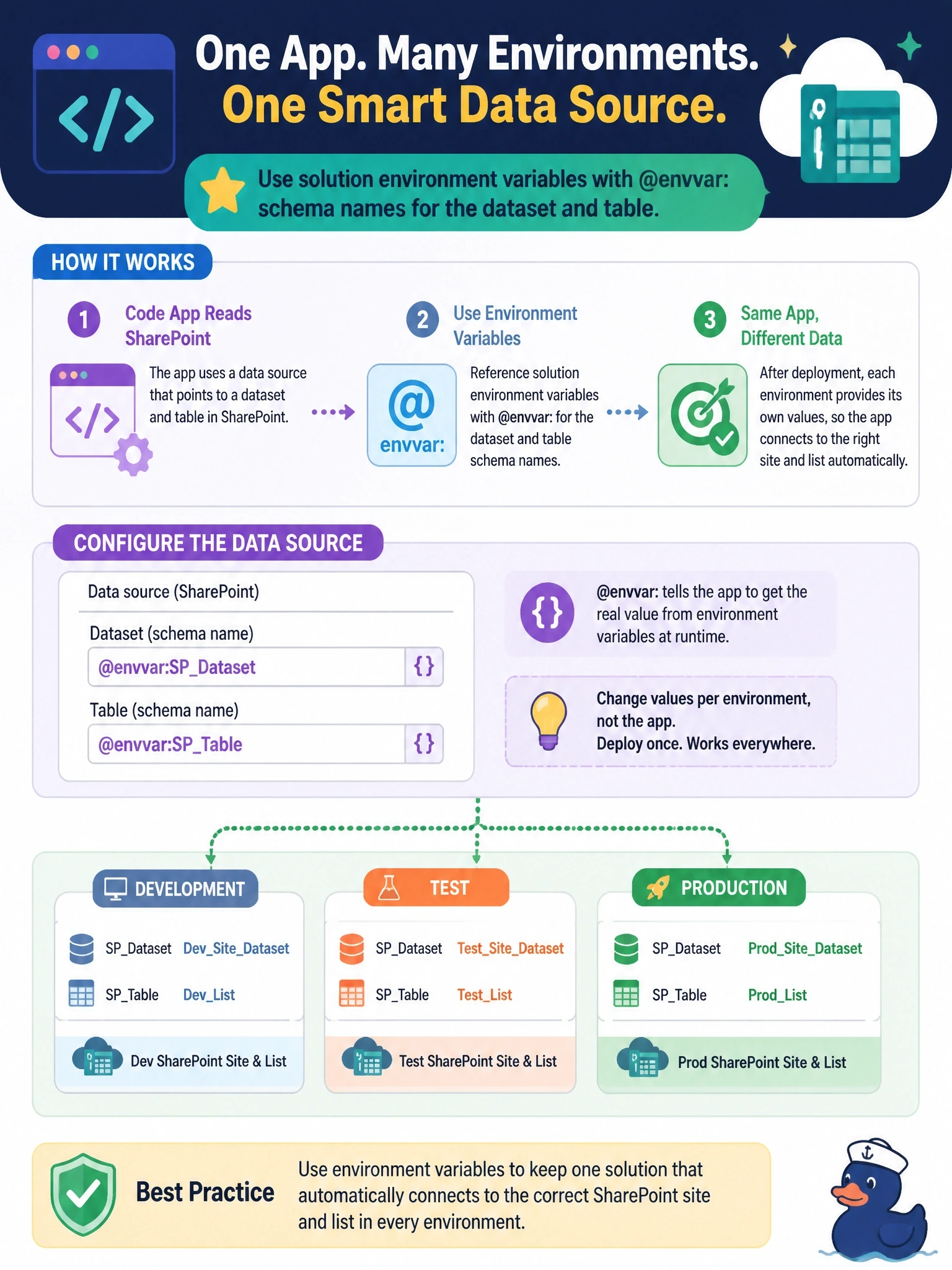
Short Explanation
Think of an environment variable as a labeled slot that each environment fills with its own value. Point the data source's dataset and table at @envvar: references, and your app picks up local values wherever it lands. A connection reference only carries the connection, not which site or list to open.
Full Explanation
Code apps can store environment variable references in a data source's configuration. When the developer runs pa app add data-source and supplies the dataset and table as @envvar: followed by each environment variable's schema name, power.config.json persists the references rather than literal values. After the solution moves to another environment, the app resolves the dataset and table from that environment's environment variable values, so test and production each point at their own SharePoint site and list without a rebuild. The variables themselves are created in the solution, which keeps their definitions traveling with the app. Editing power.config.json in a hosted app is not possible; the file is part of the project used at development and push time. Building a separate bundle per environment from a .env file works against the requirement, introduces a manual step for every release and risks shipping the wrong values. A connection reference abstracts which connection, and therefore which account and credentials, the connector uses; it does not hold the site or list. Exam caveat: environment variable support in code apps is documented for tabular data source arguments such as dataset and table. Operational check: open power.config.json after adding the data source and confirm the @envvar: references appear in place of literal URLs.