
A code component on the account form of a model-driven app must show the number of open opportunities for the current account. The developer wants the query to run as the signed-in user and respect their security roles. How should the component retrieve the data?
Select an answer to reveal the explanation.
Short Explanation
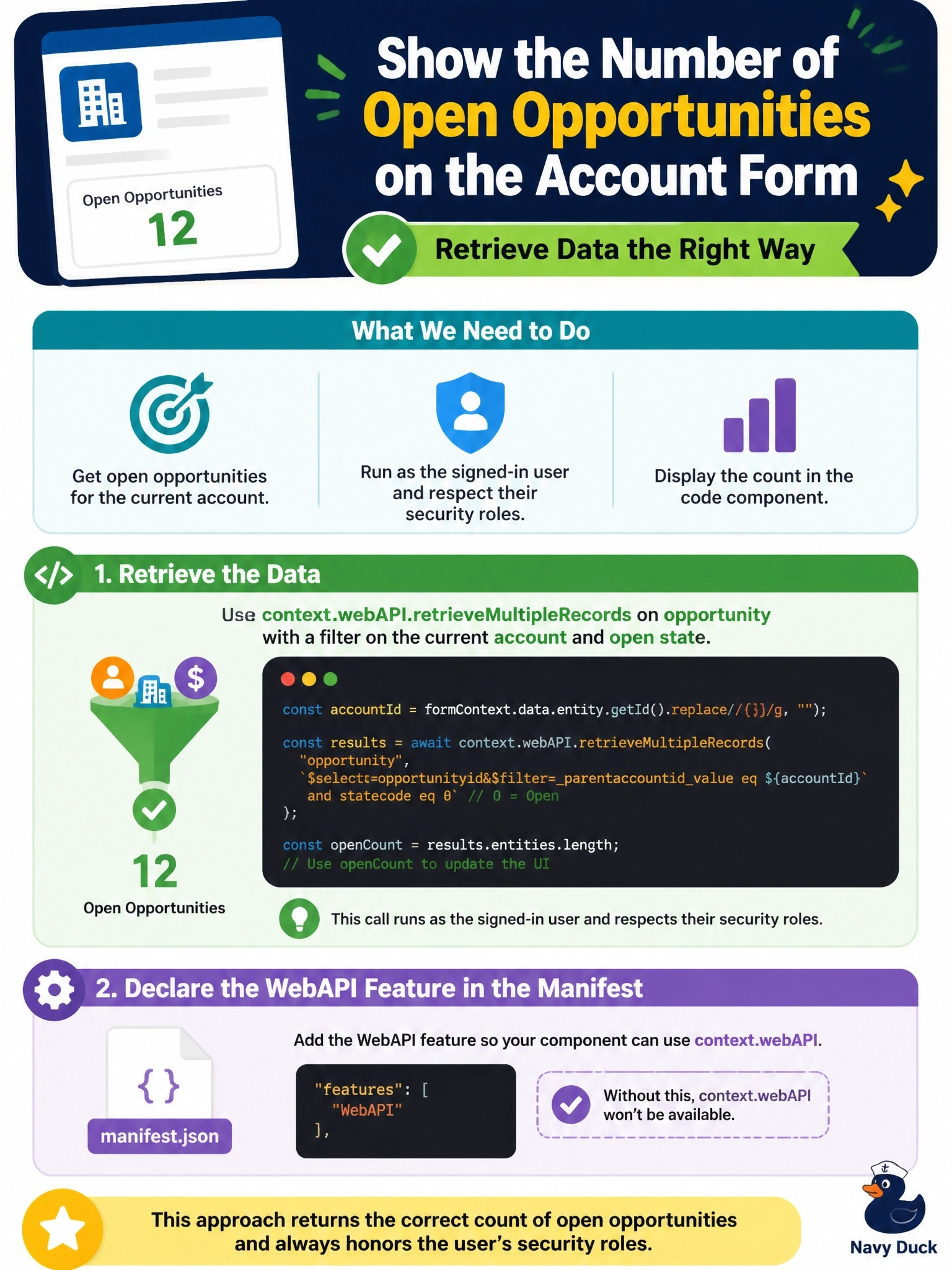
context.webAPI is the component's own badge into Dataverse, already signed in as your user. You get their security roles for free, and you never stash a secret in browser code where anyone can read it.
Full Explanation
The component framework provides a WebAPI object at context.webAPI in model-driven apps, with createRecord, retrieveRecord, retrieveMultipleRecords, updateRecord and deleteRecord. Calls run in the signed-in user's session, so results are trimmed by that user's security roles, business units and sharing, with no separate authentication code. Filtering opportunities by the account's ID and active state on the server, and selecting only the needed columns, keeps the request small. The manifest declares the WebAPI feature in feature-usage so the host enables the API. Embedding a client secret in a component bundle exposes the credential to anyone who opens browser developer tools, and every request would run as the application user rather than the signed-in user, which ignores the user's security. Code components do not have access to the form's Client API, and the premise that they cannot query Dataverse is false. An unauthenticated Azure Function that queries as an application user exposes data for any account ID to anyone who can reach the URL, and it also bypasses the signed-in user's permissions. Exam caveat: context.webAPI is not available in every host, so a component meant for canvas apps should check availability or use another data path. Operational check: sign in as users with different roles and confirm the count reflects only the opportunities each user can see.