
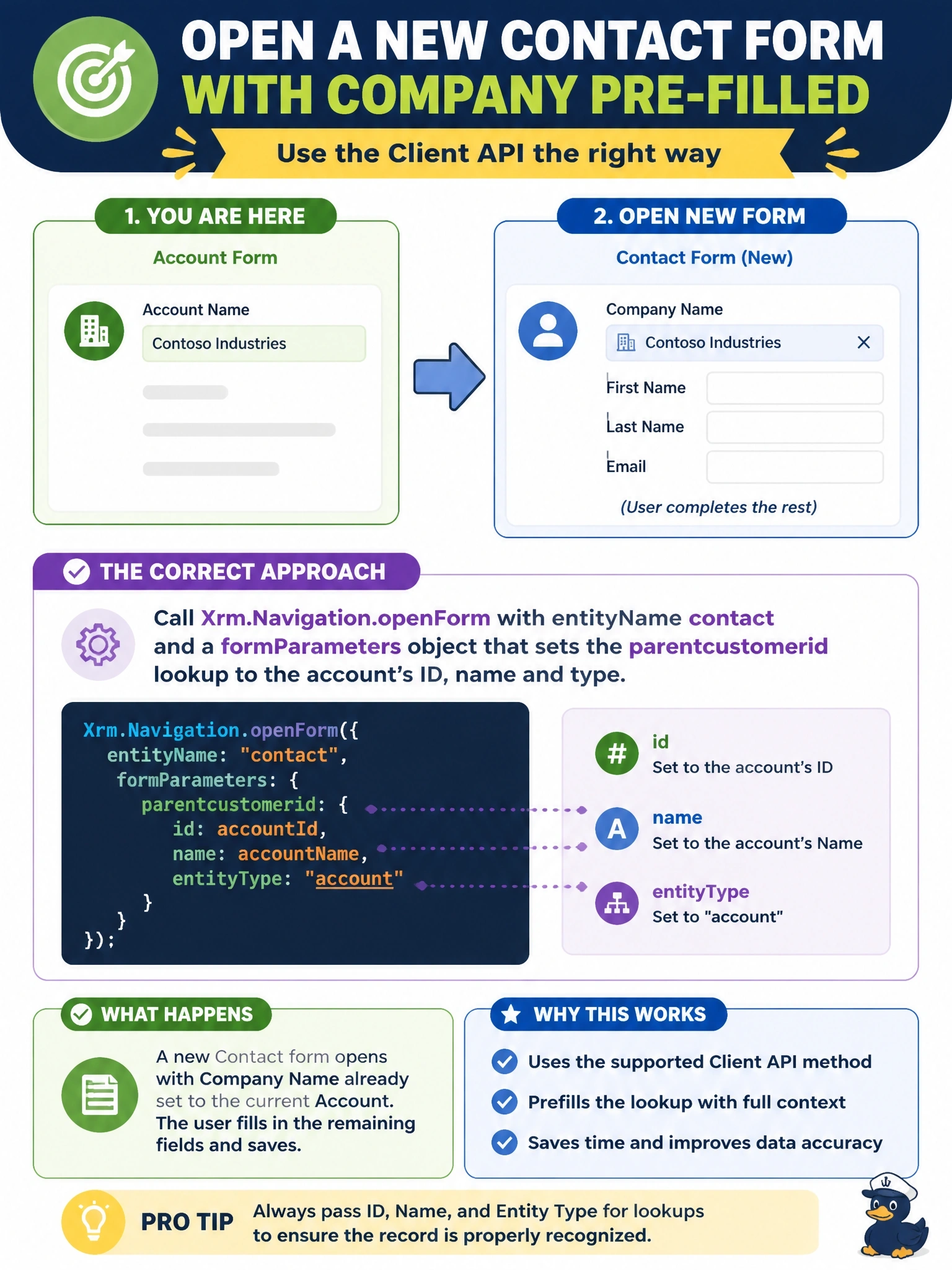
From the account form, a developer must open a new contact form in which the Company Name lookup is already set to the current account so the user only fills in the remaining fields. Which Client API approach is correct?
Select an answer to reveal the explanation.
Short Explanation
openForm is the pre-filled paper form: you hand it the blanks you already know, like the company lookup, and the user finishes the rest before anything's saved. Creating the record first leaves you with junk rows when people change their minds.
Full Explanation
Xrm.Navigation.openForm takes entity form options and an optional form parameters object. Setting entityName to contact without an entityId opens a new contact form, and the form parameters supply default values for columns. For a lookup such as parentcustomerid, the parameters provide the referenced row's ID, its primary name and its table type, which is required for a customer lookup because it can reference either an account or a contact. Nothing is saved until the user saves, so canceling leaves no data behind, and the user can still edit the defaults before saving. Creating the contact with Xrm.WebApi first produces a real row before the user has entered anything, so abandoned forms leave incomplete contacts and the save can fail if required columns are missing. openWebResource opens an HTML web resource in a separate window and cannot open a model-driven form with prefilled values. Navigating to an entity list shows a view of existing contacts, and a view filter does not create rows or set default values on a new form. Exam caveat: column-level defaults can also come from relationship mappings when a record is created from a subgrid, but script-driven defaults use form parameters. Operational check: run the script, confirm the new contact form shows the account in Company Name, cancel, and confirm no contact row was created.