
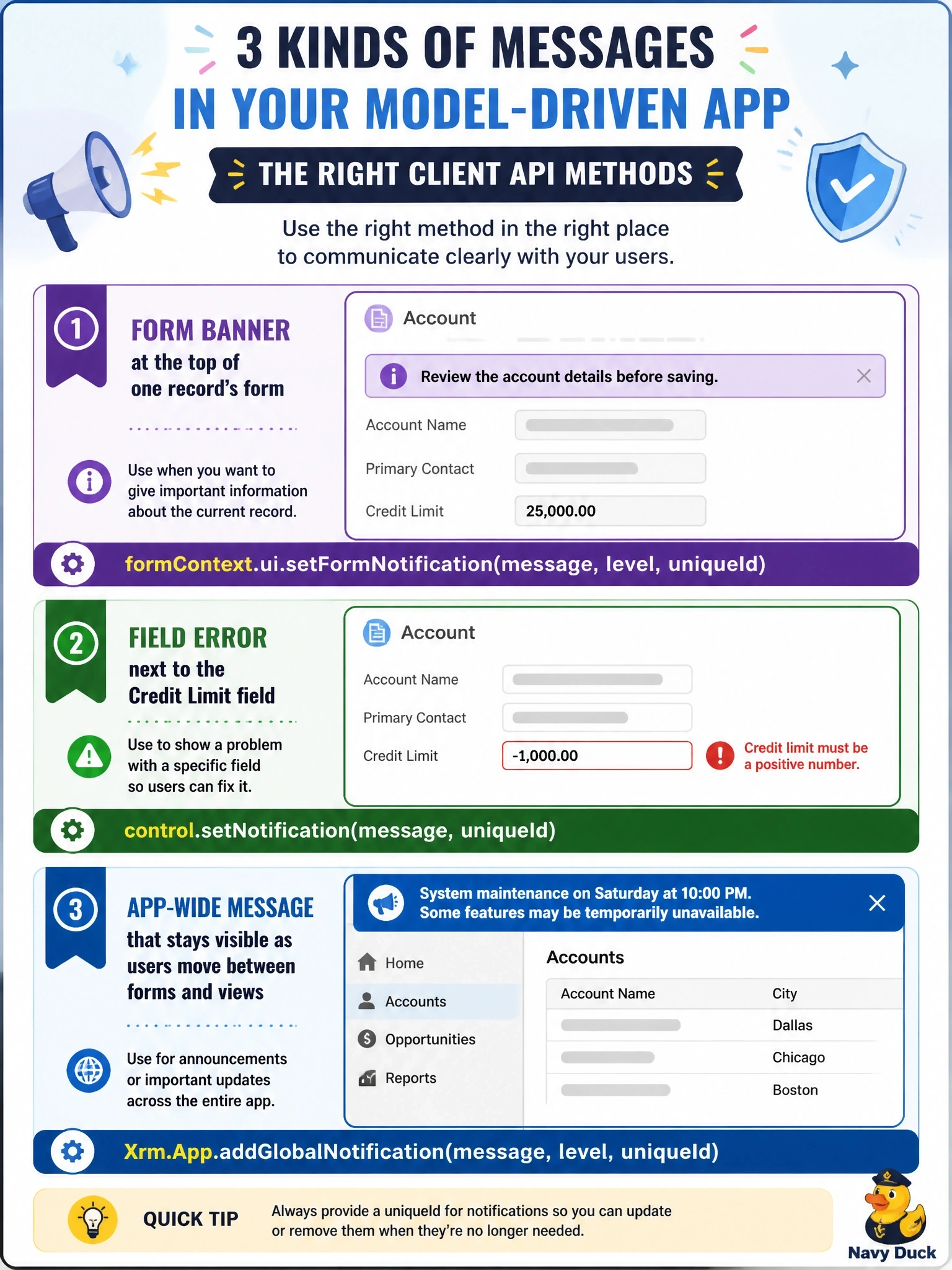
A model-driven app needs three kinds of message from script: a warning banner at the top of one record's form, an error next to the Credit Limit field, and an app-wide message that stays visible as users move between forms and views. Which combination of Client API methods is correct?
Select an answer to reveal the explanation.
Short Explanation
You match the megaphone to the room: form notifications talk to one form, control notifications point at one field, and global notifications talk to the whole app. A dialog isn't a banner at all; it stops the user until they click OK.
Full Explanation
The Client API offers notifications at three scopes. formContext.ui.setFormNotification shows a message with a level such as error, warning or information in the notification area at the top of the current form, identified by a unique ID so it can be cleared later with clearFormNotification. control.setNotification attaches a message to a specific control, displaying it next to the field so users see exactly which value needs attention, and clearNotification removes it. Xrm.App.addGlobalNotification displays an app-level notification bar that persists across navigation within the app, can include an action, and returns an ID used to clear it. Swapping the global and control methods misplaces both messages: a global notification cannot point to one field, and a control notification cannot appear outside the form that contains the control. openAlertDialog shows a modal dialog that interrupts the user and closes when acknowledged, which is not a banner on the form or a persistent message. Assigning setFormNotification to the app-wide message fails because form notifications disappear when the user leaves the form. Exam caveat: form-level and control-level notifications are scoped to the form context, which is why app-wide status belongs to Xrm.App. Operational check: trigger each notification, navigate to another view, and confirm that only the global notification is still displayed.