
A new MCP server exposes six tools for order management. During testing, the Copilot Studio agent connected to it keeps calling the get-order-status tool when users ask to cancel an order, even though a cancel tool exists. What should the developer change first?
Select an answer to reveal the explanation.
Short Explanation
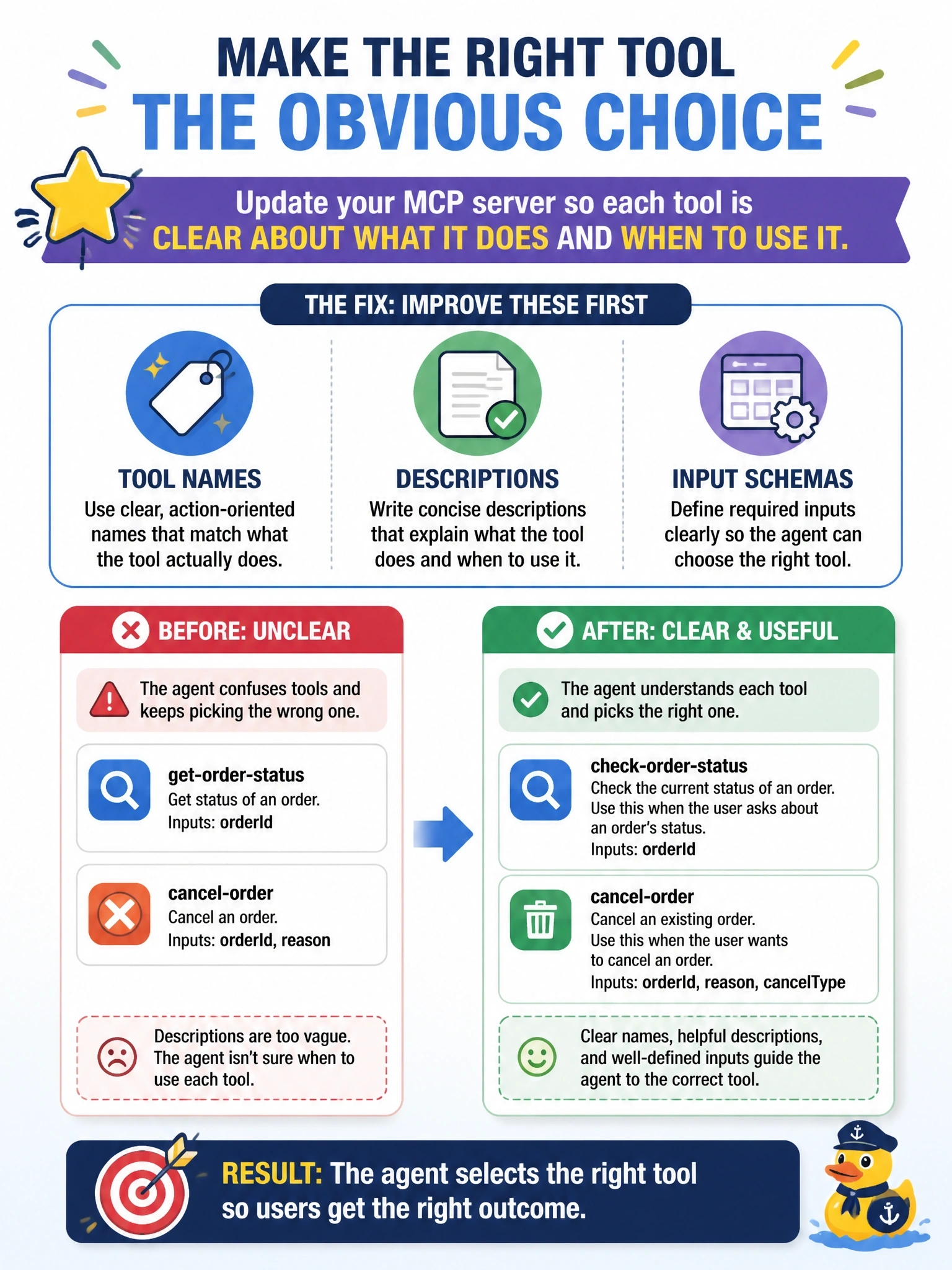
Think of tool descriptions as the labels on a toolbox drawer. If every drawer says 'stuff', you're grabbing the wrong wrench all day. The agent picks tools from their names, descriptions and schemas, so you fix the labels first. The trap is blaming timeouts when it's really a selection problem.
Full Explanation
When an agent uses generative orchestration, it chooses which tool to call by comparing the user's request with each tool's name, description and input schema. If descriptions are vague, overlapping or missing, the model can select a tool that looks similar, such as a status lookup instead of a cancellation. The first fix is therefore on the MCP server: give each tool a distinct, action-oriented name, a description that states what it does and when it should be used, and an input schema with clearly named and described parameters. Merging all tools into one free-text command removes the structure that orchestration relies on, makes validation harder and pushes ambiguity into the server. Timeout and retry settings affect calls that are already being made; they do nothing when the wrong tool is chosen in the first place. Registering the same server twice duplicates every tool, which increases confusion rather than resolving it. Exam caveat: agent instructions can also guide tool selection, but they work best on top of clear tool metadata, not as a substitute for it. Operational check: after updating the descriptions, refresh the tool list in the agent, run the same cancellation prompts in the test pane, and confirm the activity map shows the cancel tool being selected.