
A host renders interactive MCP App interfaces supplied by third-party servers inside the conversation. Why do MCP Apps run inside a sandboxed iframe that the host controls?
Select an answer to reveal the explanation.
Short Explanation
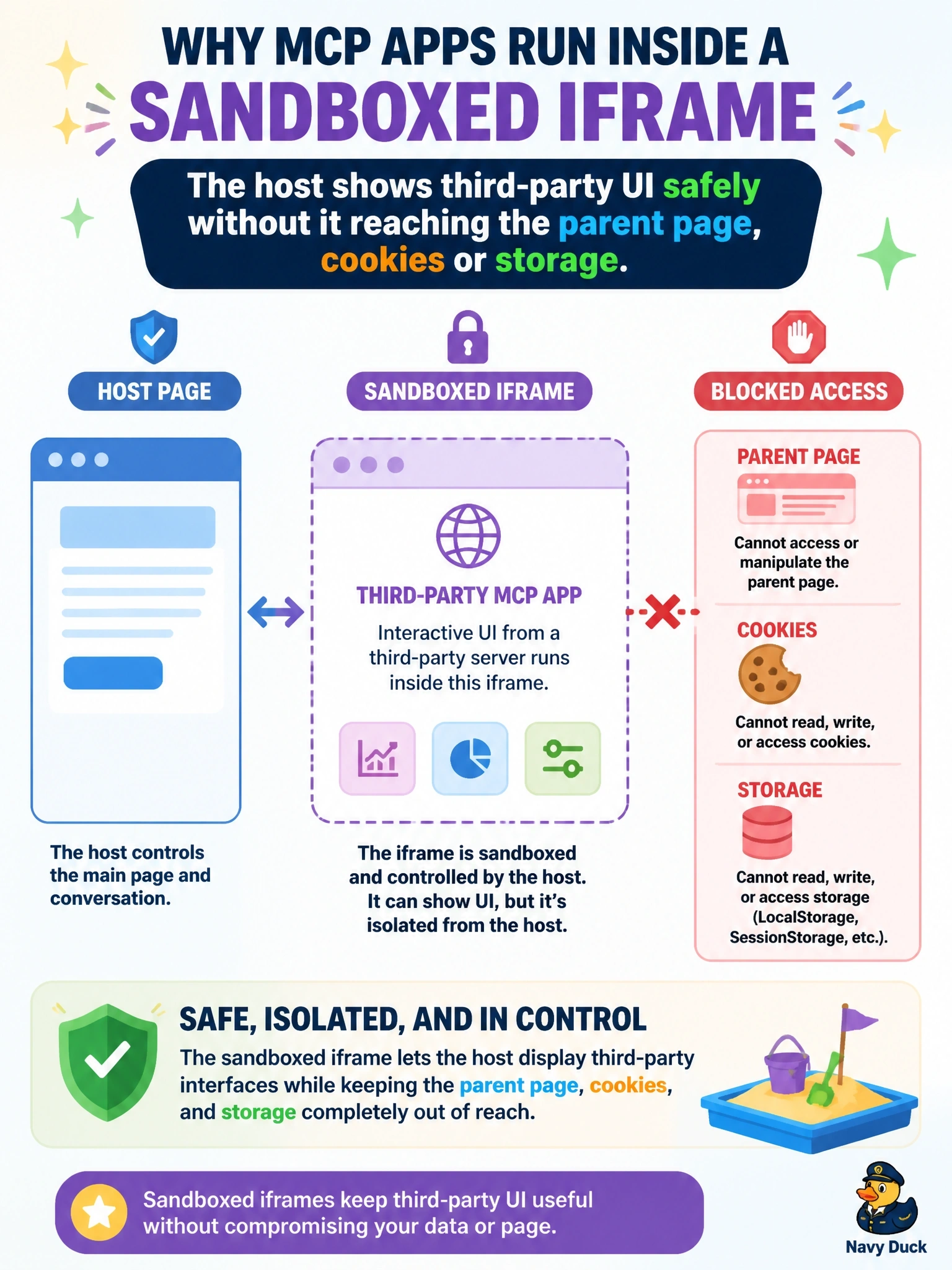
Think of the sandboxed iframe as a glass display case: you can see and use what's inside, but it can't reach out and grab your wallet. That's how a host shows a stranger's UI safely. Every request the app makes goes through the host, never around it.
Full Explanation
MCP Apps let a server return an interactive HTML interface that the host renders in the conversation. The extension's security model has the app run in a sandboxed iframe controlled by the host, which prevents it from accessing the parent window's DOM, reading the host's cookies or local storage, navigating the parent page, or executing scripts in the parent context. All communication goes through the postMessage channel, and the host decides which capabilities the app may use, for example restricting which tools it can call. This is what lets hosts render third-party apps without fully trusting the server author. The claim that the sandbox exists so the app can reuse the host's cookies is the opposite of the design, since cookie access is precisely what the sandbox blocks. Apps do not bypass the host; their tool calls are requests the host forwards to the MCP server, subject to the host's policy and user consent. cacheScope is a caching hint for specific protocol results and has nothing to do with rendering isolation. Exam caveat: MCP Apps is an optional extension identified in capabilities, and host support varies by client. Operational check: load a test app that tries to read document.cookie of the parent and call an unapproved tool, and confirm both attempts fail.