
Security requires that a third-party scanning service inspect every planned change in production HCP Terraform workspaces and be able to stop a run when it finds a critical issue. How should the platform team integrate the scanner?
Select an answer to reveal the explanation.
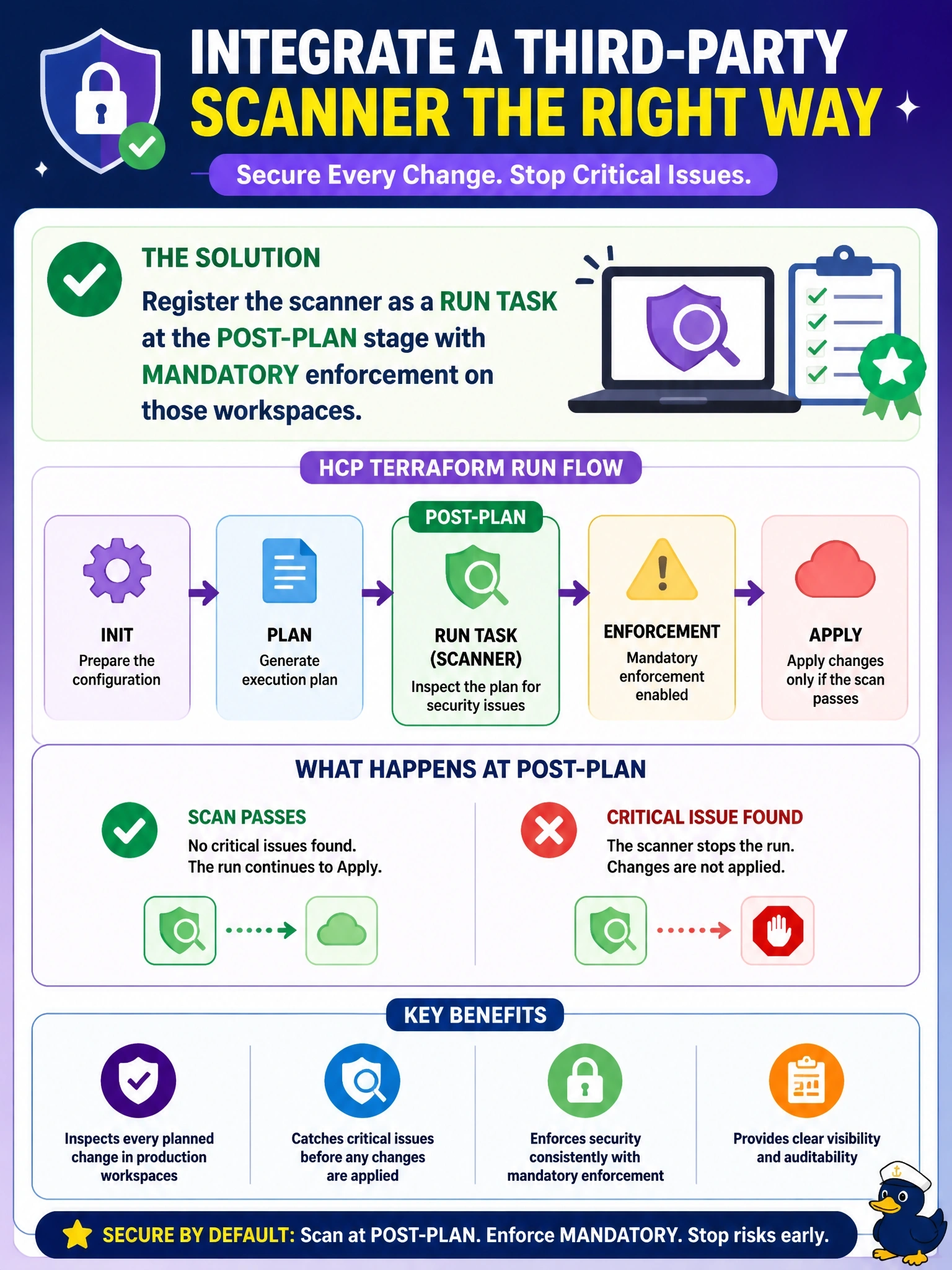
Short Explanation
Run tasks are your plug-in slot for outside tools in HCP Terraform. Put the scanner after the plan so it has something to read, and make it mandatory so a failure actually stops the run; advisory just files a complaint.
Full Explanation
Run tasks send run data to an external service at a chosen stage: pre-plan, post-plan, pre-apply or post-apply. The service evaluates the payload and calls back with pass or fail, and the enforcement level decides the outcome: an advisory task that fails lets the run continue with a warning, while a mandatory task that fails, times out or errors stops the run. A scanner that must inspect planned changes belongs at post-plan, where the plan exists, and must be mandatory so a critical finding blocks the apply. A pre-plan task has no plan to inspect, only configuration, and advisory enforcement cannot stop anything, so that combination fails both requirements. Notification configurations deliver run events to webhooks, email or chat for awareness; the receiving service has no way to pass or fail the run. Sentinel policies cannot call arbitrary external scanners as an import, and run tasks are the documented integration point for third-party tools. Exam caveat: run tasks can be scoped organization-wide or to projects as well as attached per workspace, and creating one requires the Manage Run Tasks permission. Operational check: trigger a plan containing a known critical misconfiguration, confirm the run task reports a failure in the run timeline, and confirm the run stops without offering apply.