
Developers hold the Write role on a production HCP Terraform workspace that uses the VCS-driven workflow. One developer ran terraform state rm against it from a laptop, and another downloaded the full state, which contains secrets. Developers still need to read runs and queue plans. Which access model fits?
Select an answer to reveal the explanation.
Short Explanation
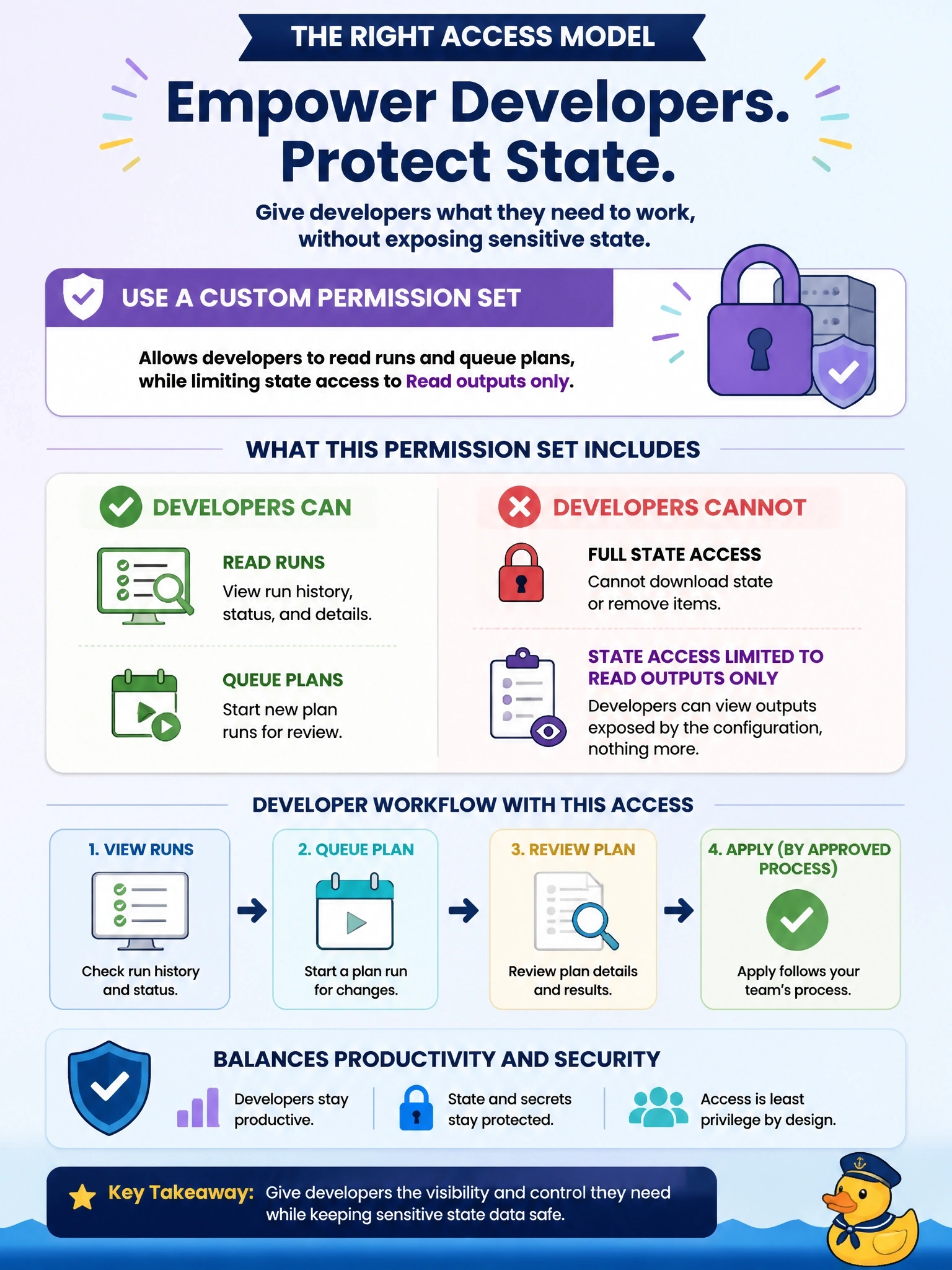
In a VCS-driven workspace, HCP Terraform's own runs write state for you, so no human needs state write access day to day. Give developers a custom set: they can watch runs and queue plans, but state access stops at Read outputs only. Watch the trap: the built-in Plan role still includes reading the full state.
Full Explanation
HCP Terraform workspace permissions separate run access from state access. Read and write state lets users create new state versions directly, which the CLI's state manipulation commands such as terraform state rm require, and it is included in the Write and Admin roles. Read state permits downloading complete state files and is included in every fixed role, Read and Plan as well. In a VCS-driven workspace, runs executed by HCP Terraform write state themselves, so developers need neither permission. A custom permission set that grants reading runs and queuing plans, with state access set to Read outputs only, preserves the developer workflow while blocking both incidents. Locking a workspace prevents runs from starting; it does not stop state downloads, and users with lock permission can simply unlock it. The Plan role removes apply and state write but still includes Read state, so full downloads remain possible. Remote state sharing controls which other workspaces can read this workspace's state through data sources; it does not restrict users who hold state permissions. Exam caveat: break-glass state surgery should go through a separate, audited team with temporary access. Operational check: as a developer, confirm a plan can be queued and a state version download is denied.