
A production HCP Terraform workspace uses the VCS-driven workflow with auto-apply enabled on the main branch. Any developer with repository write access can push directly to main, which immediately applies to production. Which control set best reduces this risk?
Select an answer to reveal the explanation.
Short Explanation
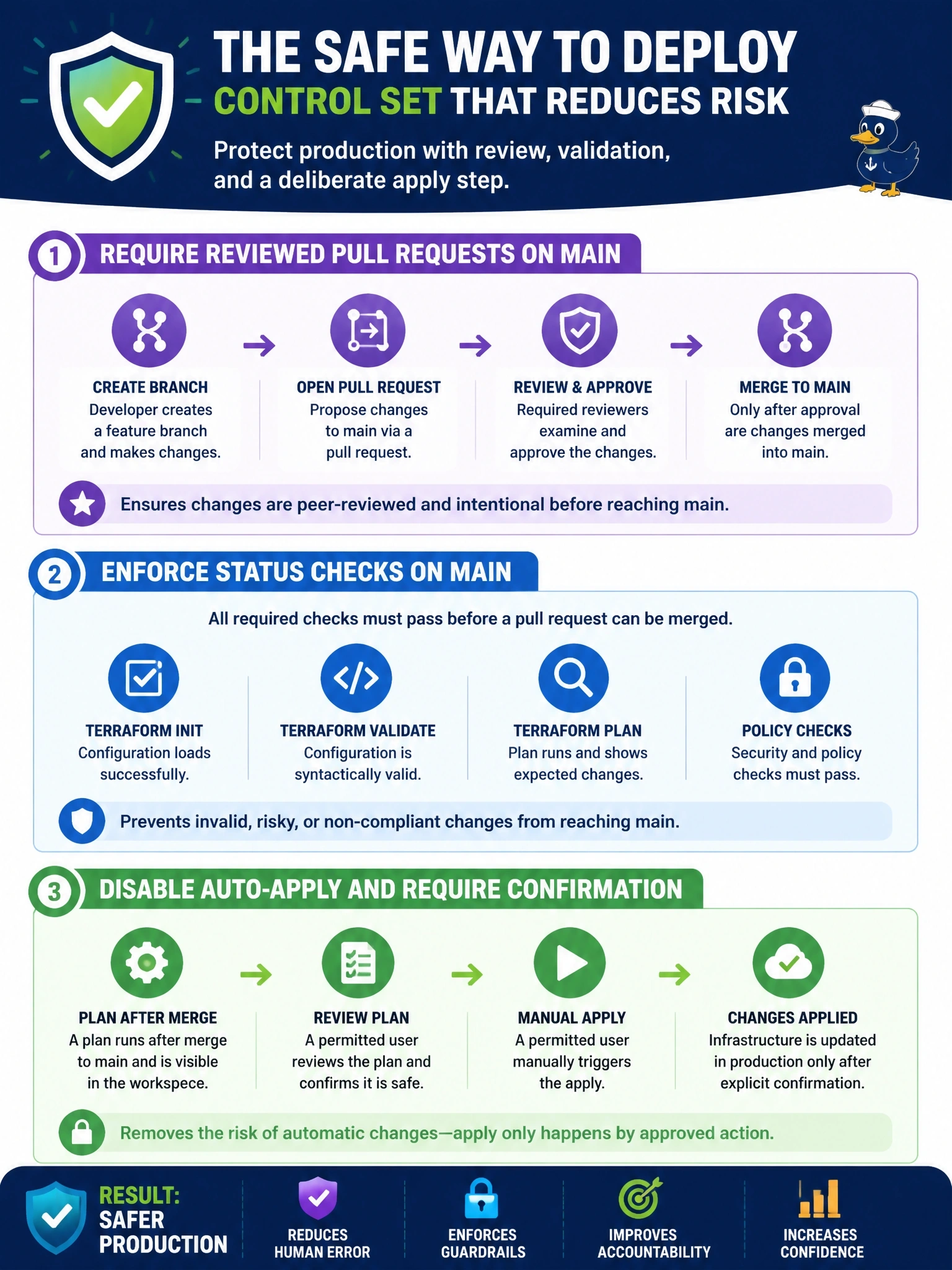
Right now your production change process is "anyone with a keyboard." Branch protection makes every change go through a reviewed pull request, and turning off auto-apply adds a human confirmation by someone with apply rights. Speculative plans are great for previews, but they don't stop a direct push.
Full Explanation
In the VCS-driven workflow, a commit to the workspace's tracked branch starts a run, and with auto-apply enabled a successful plan is applied without confirmation. Two controls address the risk. In the VCS provider, branch protection on main requires pull requests with approving reviews and passing status checks, and blocks direct pushes, so every change is reviewed and planned before merge. In HCP Terraform, disabling auto-apply means that even after merge a user with apply permission must confirm the plan, and policy sets can add automated checks between plan and apply. Speculative plans on pull requests show reviewers the expected changes, but they are an informational feature; they do nothing to block a direct push to main. Marking variables sensitive hides values but does not stop anyone from changing infrastructure through code. Local execution mode moves runs to developers' machines, which removes centralized runs, policy enforcement and run history rather than adding control. Exam caveat: required checks should include the HCP Terraform status for the speculative plan so failing plans cannot merge. Operational check: attempt a direct push to main and confirm it is rejected, then merge a reviewed pull request and confirm the run waits for confirmation.