
A compliance scan finds Vault-sourced API keys in an HCP Terraform workspace's state. The configuration reads them with a vault_kv_secret_v2 data source and passes them to the provider block of a SaaS provider. Why are the keys in state, and what removes them?
Select an answer to reveal the explanation.
Short Explanation
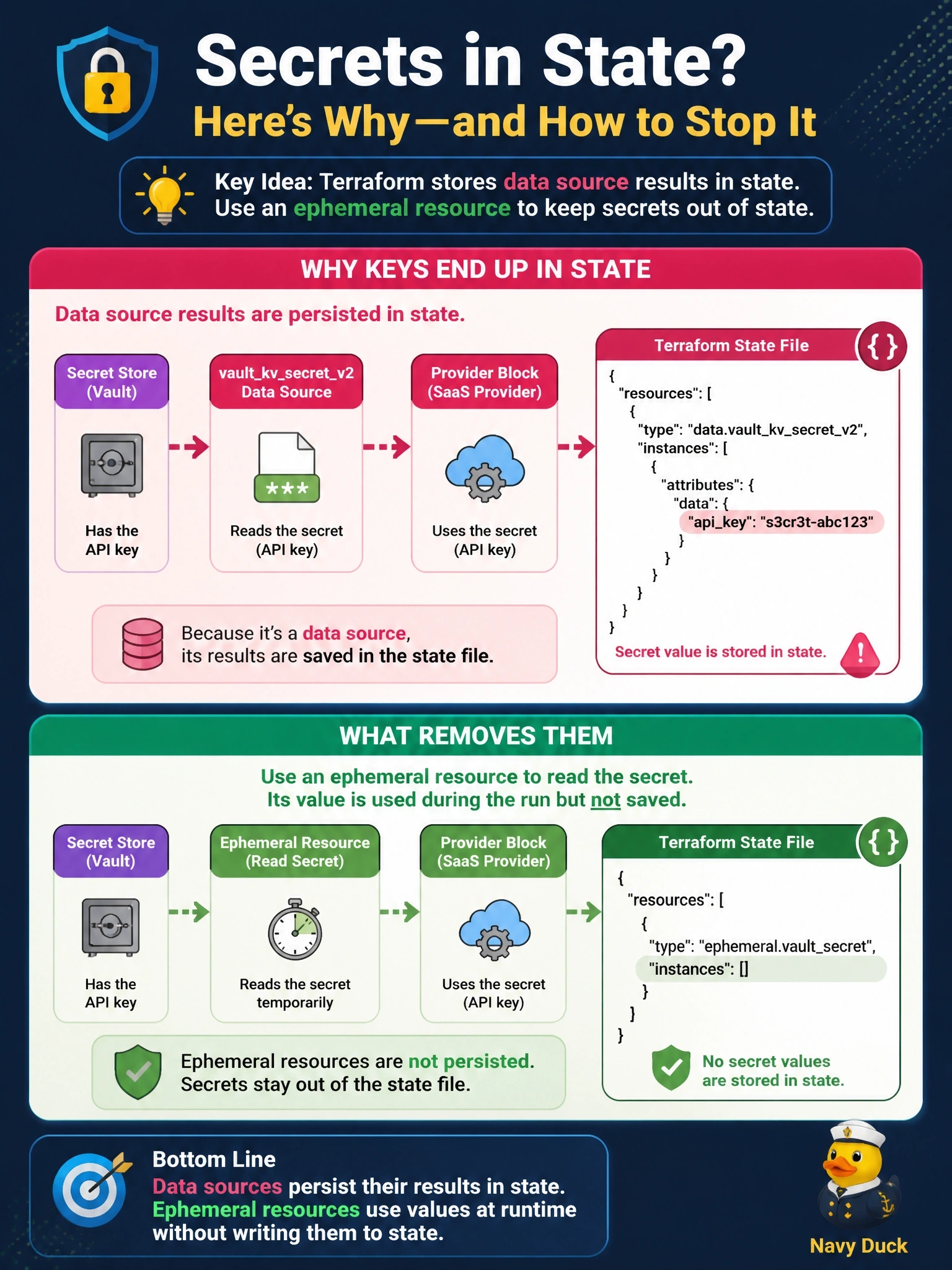
Your data sources are diligent note-takers: whatever they read, they write down in state. The provider block wasn't the leak, since provider configuration isn't saved there. Swap the data source for the ephemeral resource and the keys get used and forgotten.
Full Explanation
Terraform records data source results in state so later operations can reference them, which means a vault_kv_secret_v2 data source places the secret's contents in the state file. Provider configuration, by contrast, is not persisted in state, and provider blocks are one of the contexts that accept ephemeral values. Replacing the data source with the Vault provider's ephemeral vault_kv_secret_v2 resource reads the secret on each run, passes it to the SaaS provider block, and leaves nothing in state or plan files. Blaming the provider block is incorrect, and routing the keys through a sensitive variable would not help, because sensitive affects display only and the data source would still store the secret. Data sources are persisted regardless of sensitivity; removing a marking would only make the value more visible. Health assessments compare real infrastructure to state but do not cause data sources to be stored, and disabling them leaves the state unchanged. Exam caveat: secrets already captured remain in earlier state versions, so rotate them after the change. Operational check: apply the change, download the newest state version, and confirm no data.vault_kv_secret_v2 entry exists, then rotate the API keys.